When people search for the “top viruses of 2025,” they usually want more than a list of traditional computer viruses. They want to know which threats can affect their computers, phones, files, passwords, privacy, and money.
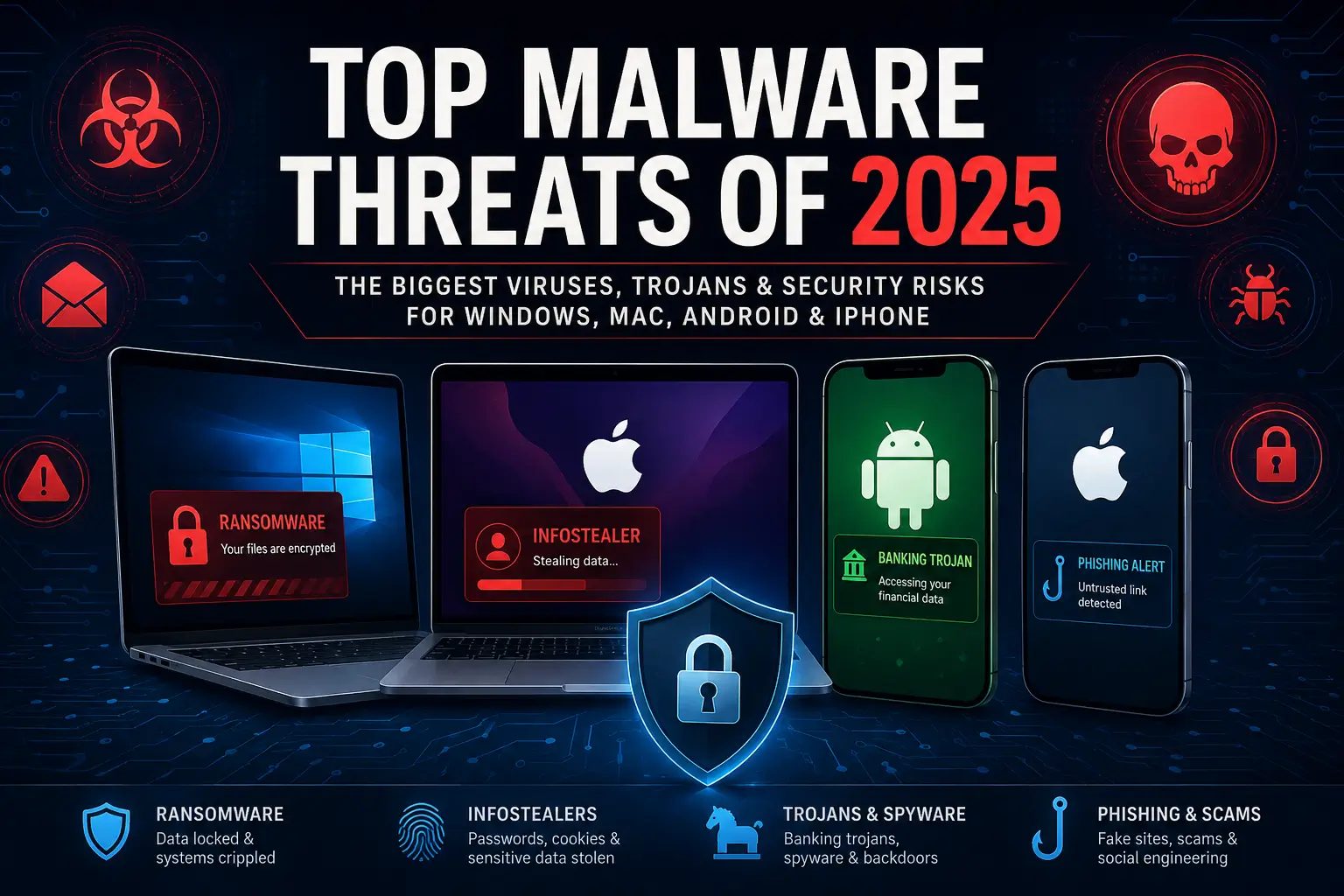
In 2025, those risks go far beyond classic viruses. Today’s most common threats include ransomware, infostealers, banking Trojans, spyware, adware, fake apps, phishing pages, and malicious browser activity.
The biggest risks also depend on the device. A Windows PC may face ransomware, cracked-software malware, and password-stealing Trojans. A Mac may face fewer traditional threats, but modern macOS malware often targets browser data, passwords, crypto wallets, and cloud login sessions.
Android users continue to deal with malicious apps, banking Trojans, adware, and fake updates. iPhone and iPad users face a different kind of risk. For them, phishing, account theft, risky profiles, and highly targeted spyware are often bigger concerns than ordinary “viruses.”
This guide looks at the top malware threats of 2025 by category and device type. The goal is not just to list scary names. It is to explain what these threats do, why they matter, and how everyday users can reduce their risk.
The Biggest Malware Trends of 2025
The malware landscape in 2025 shows one clear pattern. Cybercriminals often do not need to “break” a device if they can trick the user first.
Many attacks start with something familiar. It may be a fake software download, a suspicious browser prompt, a phishing email, or a malicious mobile app. In other cases, the attack starts with a login page that looks real but steals the user’s password.
Infostealers Became a Bigger Problem
One of the biggest malware trends of 2025 is the rise of information-stealing malware, often called infostealers. These threats try to collect passwords, browser cookies, saved payment details, cryptocurrency wallet data, and login tokens.
That stolen data can create serious problems. Criminals can use it to access email accounts, banking accounts, shopping accounts, cloud storage, and work tools. They can also sell the data to other attackers.
Infostealers are dangerous because they often stay quiet. The device may still work normally, while private information leaves the system in the background.
Ransomware Continued to Cause Damage
Ransomware remained one of the most disruptive malware categories in 2025. These attacks can lock files, steal data, and pressure victims to pay.
For home users, ransomware can mean losing access to photos, documents, tax files, school work, and personal backups. For businesses, it can lead to downtime, lost revenue, privacy problems, and recovery costs.
This is why regular backups still matter. Updated software, safe browsing habits, and strong security protection also help reduce the risk.
Mobile Malware Became Harder to Ignore
Mobile threats continued to grow in 2025. Android users saw risks from malicious apps, banking Trojans, spyware, adware, and fake update scams.
Some mobile threats try to steal banking logins. Others collect personal data, show unwanted ads, or run quietly in the background. These threats matter because people now use phones for almost everything.
A phone may hold email, banking apps, photos, work accounts, two-factor authentication codes, and saved passwords. That makes mobile malware a serious security concern, not just a small annoyance.
Mac Malware Targeted More Than Annoying Ads
Mac users also had to pay closer attention in 2025. macOS still includes strong built-in protections, but attackers have changed their methods.
Many modern Mac threats use fake installers, malicious disk images, browser tricks, and infostealers. These attacks often try to steal passwords, browser sessions, crypto wallets, and cloud account access.
This shift matters because many users still believe Macs do not need protection. Macs may face lower risk than Windows PCs in some areas, but lower risk does not mean no risk.
iPhone and iPad Threats Look Different
For most iPhone and iPad users, traditional “viruses” remain uncommon. The bigger risks usually involve phishing, malicious links, suspicious profiles, unsafe Wi-Fi networks, and account theft.
Some attacks try to trick users into entering their Apple ID, email login, banking password, or payment details. Others may target high-risk users with advanced spyware.
For most people, the main iPhone security risk is not a classic virus. It is the risk of trusting the wrong link, message, profile, app, or login page.
Protection Now Needs to Cover More Than One Device
The most important malware lesson of 2025 is simple. Security protection needs to cover more than one device and more than one type of threat.
A good security setup should help block malicious files, unsafe websites, fake downloads, phishing attempts, suspicious apps, and privacy risks. Users should also stay careful with links, downloads, app permissions, browser pop-ups, and urgent messages.
In 2025, malware protection is not only about stopping viruses. It is about protecting passwords, accounts, files, money, and personal information across every device you use.
Top Windows Malware Threats of 2025
Windows remained the biggest target for many types of malware in 2025. That does not mean every Windows PC is unsafe. It means attackers still see Windows as a large and valuable target.
Cybercriminals often go where they can reach the most people. On Windows, that means fake downloads, malicious email attachments, cracked software, phishing pages, browser scams, and infected installers.
Ransomware Examples: LockBit, Akira and similar threats
Ransomware remains one of the most serious Windows threats. It can lock files, steal data, and pressure users to pay money to recover access.
Examples include LockBit, Akira, and other ransomware families that target both individuals and organizations. These threats often use double extortion. That means attackers may steal data before they lock files.
Home users may lose access to photos, documents, tax files, school files, work files, and backups. Businesses may face downtime, customer data exposure, and expensive recovery work.
The best defense starts with prevention. Keep Windows updated, avoid suspicious downloads, and use security software that can block ransomware behavior. It is also important to keep backups on a separate drive or trusted cloud service.
Infostealer Examples: Lumma Stealer, Rhadamanthys and RedLine
Infostealers are among the most important Windows malware threats of 2025. These threats do not always damage the computer. Instead, they quietly steal private data.
Examples include Lumma Stealer, Rhadamanthys, RedLine, Vidar, and similar password-stealing malware. Some of these names may rise or fall in activity over time, but the overall infostealer threat remains serious.
Infostealers may look for saved browser passwords, cookies, payment details, crypto wallets, email logins, and session tokens. Once attackers get that data, they may access accounts without needing the original password.
This makes infostealers especially dangerous. A user may remove the malware but still have stolen accounts. After an infection, changing passwords and signing out of active sessions can matter as much as cleaning the device.
Trojan Loader Examples: FakeUpdates, GootLoader and Similar Downloaders
Trojan downloaders and loaders often act as the first step in a larger attack. They may arrive through a fake installer, email attachment, malicious ad, or cracked software download.
Examples include FakeUpdates, also known as SocGholish, GootLoader, and other loader-style threats. These threats often try to bring in additional malware after the first infection.
That second-stage malware may include ransomware, spyware, adware, or an infostealer. This is why users should be careful with “free” versions of paid software, unofficial downloads, and tools that claim to bypass licenses.
A small download can become the door that lets a much larger threat onto the PC.
Fake Software and Cracked App Malware
Fake software continued to be a common malware delivery method in 2025. Attackers often create download pages that look professional. Some even copy the names or designs of real tools.
Cracked apps, fake driver updates, fake browser updates, and fake security tools can all hide malware. In many cases, the “free” tool costs far more than the real software would have.
These downloads may install unwanted programs, steal data, or open the door for more serious malware. The safest approach is simple. Download software from the official developer, the Microsoft Store, or a trusted source.
Avoid activation tools, key generators, and unofficial installers. They remain one of the easiest ways to infect a Windows PC.
Browser Scam Examples: Fake Virus Warnings and ClickFix-Style Attacks
Many Windows threats now start in the browser. A user may see a fake virus warning, fake update message, or fake support alert.
One common trick is the fake security warning. The page may claim that the computer has a serious infection and must be fixed right away. Another growing trick is the ClickFix-style attack, where a page tells users to copy and run a command to “fix” a problem.
These pages often use urgent language. They may ask the user to call a phone number, install a tool, allow browser notifications, or follow unsafe steps. Such scams are also called scareware.
A real antivirus alert will not ask users to call a random number from a web page. It also will not require payment through a pop-up. When in doubt, close the browser tab and run a scan from installed security software.
Top macOS Malware Threats of 2025
Mac users faced a changing threat landscape in 2025. Traditional Mac adware still exists, but many newer threats now focus on stealing information.
This shift matters because Mac users often feel safer than Windows users. macOS includes strong built-in protections. However, attackers often avoid direct system attacks and use social engineering instead.
Mac Infostealer Examples: Atomic Stealer, Poseidon and Cthulhu Stealer
Mac infostealers became a major concern in 2025. These threats often try to steal browser data, saved passwords, crypto wallet data, and cloud account access.
Examples include Atomic Stealer, also known as AMOS, Poseidon Stealer, and Cthulhu Stealer. These threats show how much macOS malware has changed.
In the past, many Mac threats focused on adware or unwanted browser changes. Now, more attacks focus on valuable personal data. The Mac may continue to work normally while the malware collects private information.
Fake Mac Installers
Fake installers are one of the most common ways to target Mac users. Attackers may disguise malware as a video tool, productivity app, browser update, VPN app, or security utility.
Some fake installers appear through search ads or unofficial download sites. Others spread through links in messages, forums, or social media.
This is where threats such as AMOS-style stealers can become dangerous. The user thinks they are installing a useful app, but the installer quietly collects sensitive information.
Mac users should avoid downloading apps from random websites. When possible, use the Mac App Store or the official website of the software developer.
Malicious Browser Extensions
Browser extensions can be useful, but they can also create risk. A malicious extension may read browsing activity, change search results, inject ads, or collect login data.
This risk affects both Mac and Windows users. However, Mac users may overlook it because the threat lives inside the browser rather than the operating system.
Users should review installed extensions from time to time. Remove anything unfamiliar, outdated, or unnecessary.
Crypto Wallet and Password Theft
Many Mac infostealers target users who store crypto wallet information, recovery phrases, or saved passwords on the device. Some also look for password manager data or browser sessions.
This does not mean users should avoid password managers. A reputable password manager is still safer than reusing passwords. However, users should protect the master password and enable multi-factor authentication where possible.
Users should also avoid saving recovery phrases in plain text files, screenshots, or notes apps. Attackers often look for exactly that kind of data.
Top Android Malware Threats of 2025
Android remained a major mobile malware target in 2025. The platform gives users more flexibility than iOS, but that flexibility can also create risk.
Many Android threats spread through fake apps, unofficial app stores, malicious links, and deceptive permission requests. Some also reach users through messaging apps or phishing pages.
Banking Trojan Examples: Anatsa, ToxicPanda and TeaBot
Banking Trojans are among the most serious Android threats. These apps try to steal banking logins, payment details, or financial account information.
Examples include Anatsa, also known as TeaBot, ToxicPanda, and other Android banking Trojans. These threats may use fake login screens, deceptive updates, or permission abuse to target financial apps.
Some banking Trojans try to read messages that contain verification codes. Others abuse accessibility permissions to control parts of the device.
Users should treat unexpected permission requests with caution. A flashlight app, wallpaper app, or simple game should not need access to messages, accessibility controls, or sensitive account data.
Malicious App Examples: Joker, Harly and Fake Utility Apps
Malicious Android apps may look harmless at first. They may appear as games, utilities, cleaners, QR code scanners, video tools, or fake updates.
Examples include Joker, Harly, and other app-based threats that hide inside ordinary-looking mobile apps. Some of these apps try to steal personal data. Others may sign users up for unwanted services or show aggressive ads.
The safest option is to download apps from trusted sources. Even then, users should check reviews, permissions, developer names, and install counts before trusting an app.
Adware and Hidden-Ad Apps
Adware can seem less serious than ransomware or spyware, but it can still create problems. It may flood the device with ads, slow performance, drain the battery, and collect browsing data.
Some adware hides its icon after installation. That makes it harder for users to find and remove.
Warning signs include sudden pop-ups, new browser tabs, unknown apps, battery drain, and higher data usage. If these signs appear, users should review recently installed apps first.
Spyware and Backdoor Examples: SpyNote, Triada and Keenadu
Spyware can collect private information from a phone. It may track messages, call logs, location, photos, or app activity.
Examples include SpyNote, Triada, Keenadu, and other spyware or backdoor-style Android threats. These examples show why mobile security matters, especially on devices used for banking, messaging, and work accounts.
Some spyware targets regular users through fake apps or unsafe links. Other tools may appear in the form of monitoring apps that someone installs with physical access to the device.
Users should protect their phone with a strong screen lock. They should also keep the device updated and review installed apps regularly.
Fake Updates and System Tools
Fake update messages remain a common Android trick. A page may claim that the browser, phone, video player, or security app needs an urgent update.
The download may actually install malware. This can happen through a browser page, message link, or fake warning.
Android users should install system updates through the phone’s settings. App updates should come through the official app store or the app itself.
Top iPhone and iPad Security Threats of 2025
Most iPhone and iPad users do not face the same malware risk as Android users. Apple’s closed ecosystem, app review process, and built-in protections reduce many common threats.
However, that does not make iOS risk-free. In 2025, the biggest iPhone and iPad risks often involved phishing, account theft, unsafe links, suspicious profiles, and targeted spyware.
Phishing and Fake Login Pages
Phishing is one of the most common risks for iPhone and iPad users. Attackers may send fake texts, emails, or social media messages that lead to a fake login page.
These pages may copy Apple, a bank, a delivery company, a streaming service, or an email provider. The goal is to steal a username, password, payment detail, or verification code.
This is not a traditional iPhone virus, but it can still cause serious damage. A stolen Apple ID, email account, or banking login can expose personal data, photos, payment details, and other accounts.
Users should avoid tapping login links in unexpected messages. It is safer to open the official app or type the website address directly.
Smishing and Message Scams
Smishing is phishing through text messages. These messages often claim that a package has a delivery problem, a bank account needs attention, or a payment failed.
The message may include a link that leads to a fake website. It may also create urgency, which makes users act quickly.
A good rule is to slow down before tapping. Real companies usually do not ask for passwords, payment details, or verification codes through random text links.
Suspicious Configuration Profiles
Configuration profiles can change settings on an iPhone or iPad. Businesses and schools may use them for device management, but attackers can also abuse them.
A suspicious profile may affect network settings, certificates, or device management. That can create privacy and security risks.
Most home users do not need unknown configuration profiles. If a profile appears and the user does not recognize it, they should remove it or ask a trusted technician for help.
Targeted Spyware Examples: Pegasus-Style Mercenary Spyware
Targeted spyware is not common for most iPhone users. It usually affects journalists, activists, executives, government workers, and other high-risk targets.
Examples include Pegasus-style mercenary spyware and similar highly targeted tools. These threats are not the same as common consumer malware. They usually involve advanced attacks against specific people.
Even so, these attacks show that iPhones are not impossible to compromise. Keeping iOS updated is one of the most important defenses.
Most everyday users should focus on practical steps. Update the device, use a strong passcode, enable two-factor authentication, and avoid suspicious links.
Unsafe Wi-Fi and Account Theft
Unsafe public Wi-Fi can also create risk. Attackers may set up fake networks or try to capture information from users who connect without caution.
Modern websites use encryption, which helps protect users. Still, public Wi-Fi can expose users to fake login pages, tracking, and network-based attacks.
A trusted VPN can help on public networks. Users should also avoid sensitive account activity on unknown Wi-Fi when possible.
How to Protect Yourself From Malware
The best malware protection combines safe habits, updated software, and trusted security tools. No single step stops every threat, but several simple habits can reduce risk.
Keep Every Device Updated
Updates fix security weaknesses in Windows, macOS, Android, iOS, browsers, apps, and plugins. Delaying updates can leave known problems open for attackers.
Users should turn on automatic updates where possible. They should also restart devices when updates require it.
Use Strong, Unique Passwords
Password reuse makes malware and phishing more damaging. If one account gets stolen, attackers may try the same password on other websites.
A password manager can help users create and store strong passwords. Users should also enable two-factor authentication for email, banking, cloud storage, and shopping accounts.
Download Apps From Trusted Sources
Many infections start with a bad download. Users should avoid cracked apps, unofficial installers, fake updates, and tools from unknown websites.
For mobile devices, use the official app store when possible. For computers, use the developer’s official website or a trusted software source.
Be Careful With Links and Attachments
Phishing remains one of the easiest ways to reach users. Attackers often use urgent messages, fake invoices, delivery alerts, account warnings, or prize claims.
Users should pause before clicking. Check the sender, the link, and the request. When a message seems suspicious, open the official website or app instead.
Review App Permissions
Apps should only ask for permissions they truly need. A weather app may need location access, but it should not need access to messages or contacts in most cases.
Users should remove apps they no longer use. They should also review permissions after installing any new app.
Back Up Important Files
Backups help protect against ransomware, device failure, theft, and accidental deletion. A good backup plan includes more than one copy of important files.
Cloud backup can help, but an offline or separate backup adds another layer of protection. Users should test backups from time to time to make sure they work.
Use Reputable Security Software
Security software can help block malware, unsafe websites, phishing pages, suspicious downloads, and ransomware behavior. It can also warn users before they open dangerous files.
Built-in protection is useful, but many users benefit from extra features. These may include web protection, identity monitoring, privacy tools, firewall features, and device cleanup tools.
The right choice depends on the device, the user, and the level of protection needed.
What the Top Malware Threats of 2025 Mean for Everyday Users
The top malware threats of 2025 show how much online security has changed. Viruses still exist, but many modern attacks focus on stealing data, taking over accounts, spying on users, or tricking people into installing unsafe apps.
Windows users should watch for ransomware, infostealers, fake software, and browser scams. Mac users should take infostealers and fake installers seriously. Android users should stay alert for banking Trojans, adware, spyware, and malicious apps. iPhone and iPad users should focus on phishing, account protection, suspicious profiles, and software updates.
The good news is that most users can reduce their risk with a few steady habits. Keep devices updated, use strong passwords, avoid suspicious downloads, back up important files, and use trusted security protection.
In 2025, malware protection is not only about stopping one infected file. It is about protecting your devices, accounts, privacy, identity, and personal data every day.
References:
- Microsoft described Lumma Stealer as a malware-as-a-service infostealer capable of stealing data from browsers and applications, while broader reporting covered its 2025 disruption. (microsoft.com)
- Palo Alto Networks Unit 42 identified Atomic Stealer, Poseidon Stealer, and Cthulhu Stealer as notable macOS infostealer threats. (Unit 42)
- Kaspersky’s 2025 mobile threat report highlighted mobile banking Trojans, spyware Trojans, adware, and backdoors including Triada and Keenadu. (Securelist)
- Bitsight analyzed ToxicPanda as Android banking malware, and Zscaler previously documented Anatsa / TeaBot campaigns using decoy apps. (Bitsight)
- Apple explains that mercenary spyware attacks target a small number of specific individuals and differ from ordinary consumer malware. (support.apple.com)