Malware
Malware: Understanding the Threats That Target Your Devices
Malware, short for malicious software, refers to any software designed with the intent to harm, exploit, or otherwise compromise computers, networks, or systems. It is a tool widely used by cybercriminals to steal sensitive data, disrupt operations, or gain unauthorized control of devices. From small-scale disruptions to massive global attacks, malware has evolved into one of the most significant threats in the digital age.
In today’s interconnected world, understanding malware is crucial for staying safe online. Whether it’s a cleverly disguised email attachment, a fake website that tricks users into revealing personal information, or an insidious program that locks down your files until you pay a ransom, malware comes in many forms, each with unique methods of attack.
This guide will delve into the various types of malware, how they operate, and the steps you can take to protect yourself from their harmful effects. By learning to recognize and defend against these threats, you can secure your personal and professional digital environments from potential harm.
Common Types of Malware
Malware manifests in various forms, each designed to achieve specific objectives, ranging from theft and destruction to covert surveillance. Here’s a detailed look at the most common types of malware:
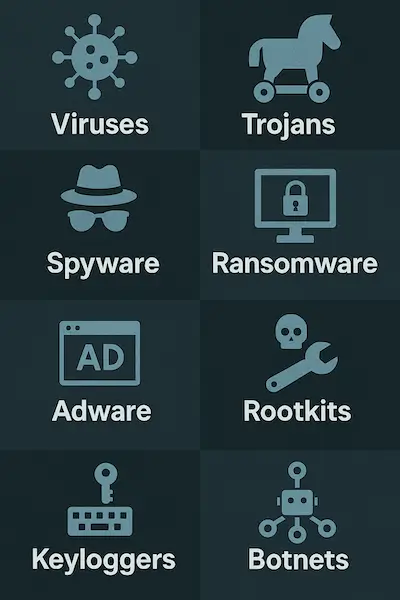
Viruses
Viruses are self-replicating programs that attach themselves to legitimate files or applications. Once executed, they spread to other files on the same system and often across connected devices, causing damage, corrupting data, or rendering systems inoperable.
Worms
Unlike viruses, worms are standalone malware that do not require a host file to spread. They exploit vulnerabilities in networks to replicate and infect other devices, often resulting in widespread damage and high data traffic.
Trojans
Trojans are deceptive programs that masquerade as legitimate software. Once installed, they execute harmful actions, such as stealing data, installing additional malware, or opening backdoors for attackers to access the system remotely.
Ransomware
Ransomware encrypts a victim’s files or locks them out of their devices, demanding payment (usually in cryptocurrency) to restore access. High-profile ransomware attacks have targeted hospitals, corporations, and government agencies, often with devastating effects.
Spyware
This malware secretly monitors user activities and collects sensitive information, such as login credentials, browsing habits, and financial data. Spyware often operates undetected, compromising user privacy over long periods.
Adware
Adware generates unwanted advertisements on infected devices, often redirecting users to malicious websites or overwhelming their systems with pop-ups. While not always harmful, adware can pave the way for more severe infections.
Rootkits
Rootkits are tools that allow attackers to gain unauthorized and often undetectable control over a system. They can disable security software, alter system configurations, and hide the presence of other malware.
Keyloggers
Keyloggers are designed to record every keystroke made on an infected device. They are primarily used to capture sensitive information like usernames, passwords, and credit card details.
Botnets
A botnet is a network of devices infected with malware and controlled remotely by an attacker, often referred to as a "botmaster." Botnets are commonly used to launch large-scale attacks, such as Distributed Denial-of-Service (DDoS) attacks, spamming, and data theft.
Understanding these malware types is a critical step in defending against cyber threats. Each type employs distinct methods of attack, requiring tailored strategies to prevent and mitigate their effects.
Recent Malware Threats
The ever-evolving landscape of cyber threats constantly introduces new forms of malware, targeting individuals and organizations alike. Here are two recent examples that demonstrate the sophistication and impact of modern malware:
1. Banshee macOS Stealer
Targeting macOS users, the Banshee Stealer represents a growing trend of malware focusing on platforms that were once considered secure. This malicious tool is capable of bypassing built-in antivirus protections to infiltrate devices without detection. Once inside, it exfiltrates sensitive data such as passwords, browsing histories, and even financial details. The increasing popularity of macOS devices has made them an attractive target, highlighting the importance of robust security measures across all operating systems.
2. PlugX Malware
A known tool in the arsenal of cyberespionage, PlugX is associated with state-backed actors, particularly those originating from China. This malware allows remote access and control of infected systems, making it an effective tool for stealing data and compromising sensitive networks. Its modular nature enables attackers to customize its functionality for specific targets, ranging from government agencies to private corporations. PlugX’s adaptability and persistence make it one of the most formidable threats in the malware landscape.
Emerging Trends and Concerns
Recent malware threats showcase a growing reliance on advanced techniques such as AI-driven attacks, fileless malware, and zero-day vulnerabilities. Attackers are also leveraging social engineering tactics to enhance the efficacy of these tools, deceiving even the most vigilant users.
Why Staying Informed Matters
Understanding recent malware trends is critical for maintaining security in an increasingly interconnected digital world. Organizations and individuals must stay proactive, adopting updated cybersecurity practices and tools to mitigate risks posed by emerging threats.
How Malware Spreads
Malware thrives by exploiting vulnerabilities in systems and human behavior to infiltrate devices and networks. Understanding the common methods through which malware spreads is essential to minimizing the risk of infection. Here are the primary avenues malware uses to propagate:
Phishing Emails
Cybercriminals use deceptive phishing emails that appear to come from trusted sources to trick recipients into clicking on malicious links or downloading infected attachments. These emails often carry a sense of urgency, such as claims of account issues or urgent payments, to compel users to act without caution.
Malicious Websites
Malware can be embedded into websites, waiting for unsuspecting visitors. These sites often exploit vulnerabilities in web browsers or plugins to automatically download and install malware without the user’s knowledge—a tactic known as a "drive-by download."
Infected Software Downloads
Downloading software or files from untrusted or compromised sources is a common way malware spreads. Pirated software, in particular, is often bundled with hidden malware designed to infiltrate systems.
Removable Media
USB drives, external hard drives, and other removable media can carry malware that executes upon being connected to a device. This method is often used in targeted attacks, such as delivering infected drives to unsuspecting users as part of a social engineering ploy.
Network Vulnerabilities
Malware can exploit weak or outdated security in networks, spreading across connected devices. Once inside, it can replicate itself and infect other systems, as seen in cases involving worms or botnets.
Compromised Ads (Malvertising)
Even legitimate websites can unintentionally host malicious advertisements. These ads, when clicked or sometimes even just loaded, can deliver malware to the user’s device.
Mobile Apps
Malicious apps downloaded from unofficial app stores or third-party sites are a significant source of mobile malware. These apps often request excessive permissions, granting attackers access to sensitive data and device controls.
Software Vulnerabilities
Outdated software or systems with unpatched security flaws are prime targets for attackers. Malware takes advantage of these weaknesses to gain access and execute its payload.
Social Engineering Tactics
Attackers often rely on manipulation, tricking users into bypassing security measures. This can include fake tech support calls, fraudulent alerts, or impersonation schemes. Always be aware of social engineering possibility.
Protecting Against Malware Spread
To safeguard against these vectors, individuals and organizations should:
- Avoid opening unsolicited emails or clicking on suspicious links.
- Regularly update software and systems to patch vulnerabilities.
- Use reputable antivirus and antimalware tools.
- Download apps and software only from trusted sources.
- Educate users about recognizing and avoiding social engineering tactics.
By understanding how malware spreads, users can adopt a proactive approach to cybersecurity, effectively reducing the risk of infection and the potential for widespread damage.
Signs of Malware Infection
Malware often operates in the background, making it difficult to detect without the right tools or vigilance. However, there are telltale signs that may indicate a system has been compromised. Recognizing these symptoms early can help mitigate the damage and remove the threat promptly. Here are some common signs of malware infection:
System Slowdown
A noticeable decrease in your computer’s performance, including longer boot times, laggy applications, and sluggish system responses, can indicate malware consuming system resources.
Unexpected Pop-ups
Frequent and intrusive pop-ups or ads, especially those promoting suspicious software or urging you to click on questionable links, may signal an adware infection.
Unexplained Data Usage
Malware that operates in the background often consumes significant bandwidth, resulting in unusually high internet data usage without a clear reason.
Unauthorized Changes to Settings
If you notice changes to your browser homepage, default search engine, or system settings without your input, malware may have altered them to redirect you to malicious sites.
Frequent Crashes or Errors
An infected system might crash or freeze unexpectedly, or display frequent error messages, as malware interferes with normal operations.
Programs You Didn’t Install
The presence of unknown programs or toolbars on your device often indicates malware that has installed additional software without your consent.
Unusual Account Activity
If you detect unauthorized logins, sent emails, or other activities from your accounts, it could mean spyware or other malware is stealing your credentials.
Missing or Corrupted Files
Malware, such as ransomware, can encrypt, delete, or corrupt files, leading to missing or inaccessible data.
Overheating or Loud Fans
Malware that heavily utilizes system resources, such as cryptojackers mining cryptocurrency, can cause devices to overheat or their fans to run constantly at high speeds.
Antivirus or Security Warnings
Alerts from your antivirus or security software about detected threats are a clear sign that your system is compromised and requires immediate attention.
Suspicious Network Activity
Malware often communicates with command-and-control servers or transfers data without your knowledge. Unusual spikes in network traffic or unauthorized outbound connections are red flags.
What to Do if You Suspect Malware
If you notice any of these signs:
- Disconnect from the internet to prevent the malware from spreading or transmitting data.
- Run a full scan with up-to-date antivirus or antimalware software.
- Remove or quarantine detected threats according to the software’s guidance.
- Update all software and operating systems to close vulnerabilities.
- Consider seeking professional IT support for complex infections or persistent issues.
By staying alert to these signs and responding promptly, you can minimize the damage caused by malware and protect your system from further harm.
Preventing Malware Infections
Preventing malware infections requires a combination of proactive measures, vigilant behavior, and robust security practices. By following these guidelines, you can significantly reduce the risk of falling victim to malware:
Use Reputable Antivirus Software
Install trusted antivirus or antimalware programs and keep them updated. These tools provide real-time protection by detecting, quarantining, and removing malicious files before they can cause harm.
Keep Your System and Software Updated
Regularly update your operating system, applications, and firmware to patch vulnerabilities that malware often exploits. Enable automatic updates to ensure you don’t miss critical patches.
Practice Safe Browsing
- Avoid clicking on suspicious links or pop-up ads.
- Only visit websites with secure connections (indicated by "https" in the URL and a padlock icon).
- Be cautious of downloading files or software from untrusted websites.
Avoid Phishing Scams
- Do not open emails or attachments from unknown senders.
- Hover over links to verify their destination before clicking.
- Be skeptical of urgent requests for personal information, such as passwords or financial details.
Use Strong Passwords and Multi-Factor Authentication (MFA)
- Create complex, unique passwords for all accounts and update them regularly.
- Enable MFA whenever possible to add an extra layer of security to your accounts.
Enable Firewalls
Use both hardware and software firewalls to block unauthorized access to your network. Many operating systems come with built-in firewalls—ensure they are activated and properly configured.
Be Cautious with Downloads and Installations
- Only download software from official or reputable sources.
- Avoid using pirated software, as it often contains hidden malware.
- Pay attention to installation prompts to avoid inadvertently installing additional, potentially harmful software.
Secure Your Network
- Use strong passwords for your Wi-Fi network.
- Regularly update your router's firmware.
- Enable network encryption to protect data transmissions.
Limit Use of Removable Media
- Avoid using USB drives or external devices from unknown sources.
- Scan any removable media with antivirus software before accessing its contents.
Educate Yourself and Others
Stay informed about the latest malware threats and tactics. Educating family members, employees, or colleagues about safe online practices can prevent accidental infections.
Backup Data Regularly
Keep backups of critical data in secure locations, such as encrypted external drives or cloud storage. Regular backups ensure that you can recover your files in case of a ransomware attack or other malware-related data loss.
Use Ad Blockers and Anti-Tracking Tools
Ad blockers can prevent malicious advertisements (malvertising) from appearing on your browser. Anti-tracking tools can reduce the risk of being targeted by sophisticated phishing schemes.
Be Skeptical of Free Offers
Free software, games, or media files from unknown sources often come with hidden malware. Exercise caution and verify the legitimacy of such offers.
Taking a Proactive Stance
Prevention is the most effective way to deal with malware. By adopting these practices and fostering a security-first mindset, you can greatly reduce the likelihood of infections and safeguard your digital assets against evolving cyber threats.
What to Do If Infected
Discovering that your system has been infected with malware can be alarming, but taking the right steps quickly can minimize damage and help restore your device. Follow these steps if you suspect or confirm a malware infection:
Disconnect from the Internet
Immediately disconnect your device from the internet to prevent malware from spreading to other devices, transmitting data to attackers, or downloading additional malicious components.
Enter Safe Mode
Restart your computer in Safe Mode. Safe Mode loads only the essential programs and services, which may prevent the malware from running, making it easier to identify and remove.
Run a Full Scan with Antivirus Software
Use an updated antivirus or antimalware program to perform a full system scan. Follow the software’s recommendations to quarantine or remove any detected threats.
Identify the Malware
If possible, note the name or type of malware detected by your antivirus software. Researching it can provide insights into its behavior and help you understand how to mitigate its effects.
Remove the Malware
- Use your antivirus software’s removal tools to delete the malicious files.
- For particularly stubborn infections, consider using specialized malware removal tools or seeking guidance from the antivirus provider’s website.
Update Your Operating System and Software
Ensure your operating system, browser, and all applications are up to date. Malware often exploits vulnerabilities in outdated software, so patching these gaps is critical to preventing further infections.
Restore Your Data
If your files were corrupted or encrypted, restore them from a clean, recent backup. Ensure the backup is not connected to your infected system before restoring.
Change Your Passwords
If the malware was designed to steal information, such as login credentials, change all your passwords immediately after the infection is removed. Use strong, unique passwords for each account.
Monitor for Unusual Activity
Keep an eye on your accounts, financial statements, and online activities for signs of unauthorized access or transactions. Report any suspicious activity to the relevant institutions.
Seek Professional Help (If Necessary)
If you’re unable to remove the malware or if it has caused extensive damage, consult a professional IT service or cybersecurity expert for assistance.
Notify Potentially Affected Contacts
If the malware infection could have spread to others, such as through phishing emails or shared files, inform your contacts so they can take precautions.
Learn from the Experience
Reflect on how the infection occurred and take steps to prevent a recurrence. For example, if it was caused by clicking a malicious link, improve your awareness of phishing tactics. If it came from outdated software, commit to regular updates.
Prevention Is Key
While recovery is possible, preventing malware infections in the first place is far easier and less costly. Strengthen your cybersecurity practices, use reliable antivirus software, and stay informed about the latest threats to avoid falling victim again.