What Is Phishing? Types, Real Examples, and How to Protect Yourself
How Phishing Works, Why It Succeeds, and How to Defend Against It
Phishing is one of the most persistent and damaging threats in the cybersecurity world. It targets people rather than systems, using fake messages to steal credentials, install malware, or gain unauthorized access to networks. Despite stronger defenses and better awareness, phishing continues to work—often because the messages look convincing, and the tactics are constantly evolving. To defend against it effectively, you need to understand how phishing actually works, why it keeps succeeding, and what steps can reduce your risk.
What Is Phishing?
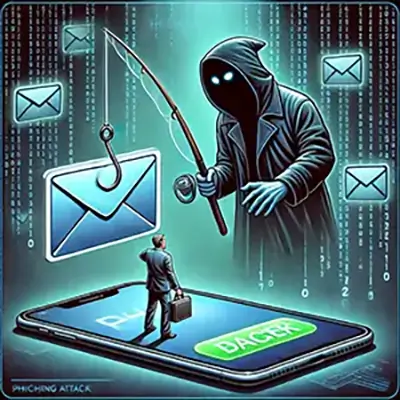
Phishing is a type of cyberattack that tricks people into revealing sensitive information—like passwords, credit card numbers, or login credentials—by pretending to be a trustworthy source. It’s one of the most common and effective forms of social engineering, meaning it targets people, not systems.
A phishing attack usually starts with a message—often an email, but it could also be a text message, phone call, or social media DM. The message appears to come from a legitimate source: your bank, your boss, a popular service like PayPal or Netflix. It typically includes a sense of urgency (“Your account will be locked!”), and a call to action like clicking a link or downloading a file.
Once you engage, the attacker may direct you to a fake login page, install malware, or steal the data you submit.
Phishing works because it exploits trust—and it continues to succeed, even as technical defenses improve.
A Brief History of Phishing
Phishing has been around longer than most people think. The term itself dates back to the mid-1990s, when hackers on AOL used fake emails and instant messages to trick users into giving up passwords and credit card info. The “ph” in phishing is a nod to “phreaking,” an old-school term for hacking phone systems.
Early phishing scams were crude—full of typos and obvious red flags—but they worked. As the internet grew, so did the scale and sophistication of these attacks. By the 2000s, phishers were targeting online banking users. By the 2010s, phishing had become a gateway into massive corporate breaches, ransomware infections, and nation-state espionage.
What started as a nuisance evolved into a core method for serious cybercrime. Today, phishing is no longer just about emails. It’s multichannel, AI-powered, and often highly personalized. But the core idea remains the same: trick the human, not the system.
How Phishing Works
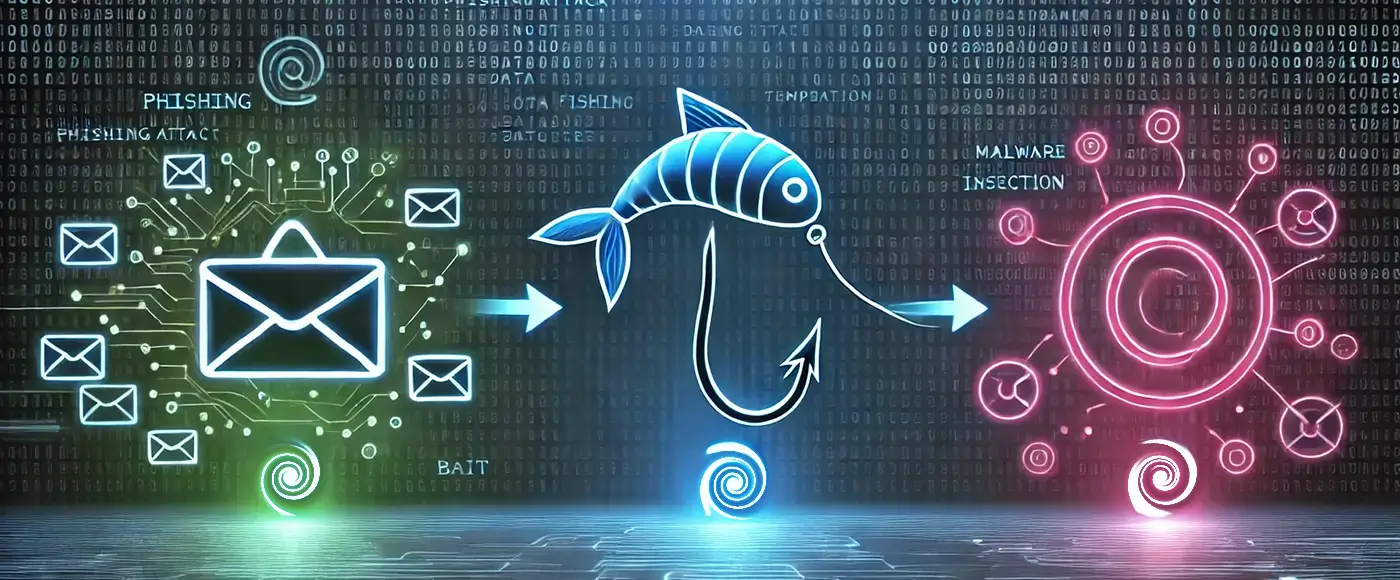
Phishing works because it takes advantage of human behavior—specifically, our tendency to trust familiar names, act quickly under pressure, or click without thinking. While the delivery methods vary, most phishing attacks follow the same basic structure:
- The Bait: The attacker sends a message that appears to come from a trusted source—a bank, company, colleague, or service provider. This could be through email, text message (smishing), voice call (vishing), or even social media.
- The Deception: The message usually contains an urgent request: verify your account, reset your password, confirm a delivery, or avoid a penalty. The attacker uses spoofed email addresses, stolen branding, or fake websites to make it look real.
- The Hook: The victim is tricked into clicking a malicious link, downloading a file, or entering login information on a spoofed site. Sometimes malware is installed silently in the background.
- The Payoff: Once the attacker has your credentials, financial data, or network access, they can steal money, impersonate you, or infiltrate your organization.
Phishing doesn’t rely on hacking through firewalls—it relies on someone making a split-second mistake. That’s what makes it so effective, and so hard to stop.
Common Types of Phishing
Phishing comes in many forms, and attackers tailor their approach depending on the victim and their goal. Some attacks cast a wide net, while others are highly targeted. Below are the most common types of phishing—with real-world examples that show just how effective these tactics can be.
Email Phishing
This is the most widespread form. Attackers send mass emails pretending to be from well-known companies like PayPal, Microsoft, or Netflix, asking users to verify information, reset passwords, or confirm payments.
Real example: In 2017, a fake Google Docs email spread rapidly through Gmail accounts. It appeared to come from a known contact and asked users to grant access to a Google Doc. Millions were affected before Google shut it down.
Spear Phishing
Spear phishing is targeted—crafted for a specific person or organization. These emails often reference internal information to appear legitimate.
Real example: The 2013 Target data breach started with a phishing email sent to an HVAC contractor. The attackers gained access to Target’s internal systems, ultimately exposing 40 million credit and debit card accounts.
Whaling
Whaling is spear phishing aimed at high-ranking executives like CEOs or CFOs. The goal is often to trick them into wiring money or approving sensitive transactions.
Real example: In 2016, toy company Mattel lost $3 million after a scammer posed as the new CEO and requested a wire transfer to a Chinese bank. The email was convincing and matched company protocol.
Smishing and Vishing
- Smishing uses text messages to deliver phishing attempts, often disguised as package delivery updates or bank alerts.
- Vishing uses voice calls, sometimes with spoofed caller IDs, pretending to be from banks, tech support, or government agencies.
Real example: In 2020, during the height of the COVID-19 pandemic, a smishing campaign mimicked the USPS, telling users to click a link to reschedule a missed delivery. The link led to a credential-harvesting site.
Clone Phishing
This method copies a real email the victim has already received, but swaps out the link or attachment with a malicious version. Because the layout and sender appear familiar, users are more likely to trust it.
Business Email Compromise (BEC)
BEC involves either spoofing or taking control of a real corporate email account to trick employees into taking action—like sending payments or exposing sensitive data.
Real example: From 2013 to 2015, a Lithuanian man scammed Google and Facebook out of $100 million by posing as a hardware vendor and sending fake invoices. Both companies paid.
These examples show that phishing isn’t just a nuisance—it’s a serious threat used in some of the most damaging breaches in recent history.
Notorious Phishing Campaigns
Some phishing campaigns have made headlines—not just because they were successful, but because they exposed serious vulnerabilities in major organizations. These high-profile cases show how phishing can be used for financial fraud, corporate sabotage, and even nation-state operations.
Operation Phish Phry (2009)
One of the earliest major phishing crackdowns, this FBI-led operation resulted in over 100 arrests in the U.S. and Egypt. Attackers used fake bank websites to steal credentials and drain funds from victims’ accounts. It exposed how phishing had gone from individual scams to organized cybercrime rings.
Sony Pictures Hack (2014)
Spear phishing emails targeted Sony employees and planted malware that gave attackers control over the company’s systems. The breach leaked confidential emails, internal documents, and unreleased films. The U.S. government attributed the attack to North Korean hackers, making it one of the most politically charged cyberattacks linked to phishing.
Google and Facebook Invoice Scam (2013–2015)
A Lithuanian attacker impersonated a Taiwanese hardware vendor and sent fake invoices to Google and Facebook. Over two years, he successfully extracted more than $100 million. The scam relied entirely on deceptive emails and fake paperwork.
COVID-19 Vaccine Phishing (2020–2021)
As vaccine rollouts began, attackers posed as health agencies, sending emails offering vaccine appointments, test results, or registration links. These were used to steal personal data and distribute malware. The global crisis gave phishing campaigns a perfect cover of urgency and trust.
These campaigns prove that phishing isn’t just a low-level threat—it’s a gateway to major breaches and real-world consequences.
Why Phishing Works
Phishing works because it doesn’t attack technology—it attacks people.
Instead of trying to break through firewalls or crack passwords, phishing relies on social engineering: manipulating human emotions like fear, urgency, curiosity, or trust. A well-crafted phishing email doesn’t need to be high-tech; it just needs to look convincing enough for someone to click without thinking.
Attackers also take advantage of routine. People receive dozens—or hundreds—of emails a day, and when something looks familiar (“account alert,” “invoice,” “HR update”), they act quickly. That’s exactly what phishers count on.
Modern phishing campaigns are harder to detect than ever. Many use AI tools to generate emails with perfect grammar, real logos, and sender names that mimic actual contacts. Some spoof entire websites so convincingly that even tech-savvy users get fooled.
And because attackers constantly adapt their methods, even experienced users can be caught off guard. Phishing succeeds because it exploits the most unpredictable part of any system: the human.
How to Recognize Phishing
Spotting phishing isn’t always easy—especially when attackers use real logos, spoofed domains, and professional language. But there are still common signs that can help you spot a fake before it causes damage.
Here’s what to look for:
- Suspicious sender address: The name might look familiar, but the email address is slightly off (e.g., billing@netfIix-support.com with an uppercase “I”).
- Urgency or threats: “Your account will be closed in 24 hours” or “Immediate action required” are classic pressure tactics.
- Generic greetings: “Dear user” or “Dear customer” instead of your name.
- Unexpected attachments or links: Never open attachments or click links you weren’t expecting, especially from unknown sources.
- Spoofed URLs: Hover over any link before clicking. Look for misspellings, extra characters, or domains that don’t match the brand (e.g., paypal-login.secureverify.com is not PayPal).
- Too good to be true: Promises of free money, prizes, or miracle products are almost always bait.
When in doubt, don’t click—verify first through a trusted method.
Want a quick checklist for spotting fake emails? Learn how to identify phishing emails in seconds with our step-by-step guide.
How to Protect Yourself and Your Organization
Protecting against phishing requires a mix of technology, awareness, and habits. While no defense is perfect, layering protections significantly reduces your risk.
For Individuals
- Think before you click: Don’t click on links or download attachments unless you’re sure of the sender.
- Verify requests: If you get an urgent message from your bank, employer, or even a friend—confirm through another channel (call or message them directly).
- Use Multi-Factor Authentication (MFA): Even if your password is stolen, MFA adds another layer of defense.
- Keep software updated: Outdated browsers, plugins, or operating systems can expose you to malware from phishing links.
- Use anti-phishing tools: Many browsers and email platforms flag suspicious messages. Don’t ignore the warnings.
For Organizations
- Employee training: Regular, realistic phishing simulations help staff recognize and report threats.
- Email authentication protocols: Implement SPF, DKIM, and DMARC to reduce spoofing of your domain.
- Limit user access: Follow the principle of least privilege—users should only have access to what they need.
- Incident response plans: Have a clear process for handling phishing incidents so you can react fast if someone falls for a scam.
Phishing thrives on gaps in attention and preparation. A few smart layers of defense can keep most attacks from getting through.
What To Do If You Fall for a Phishing Attack
If you realize you’ve fallen for a phishing scam, act fast—every minute counts.
- Disconnect your device from the internet to stop any ongoing data transfer or malware activity.
- Change your passwords immediately, especially for any accounts that may have been compromised.
- Enable Multi-Factor Authentication (MFA) on affected accounts if it wasn’t already in place.
- Notify your IT department or security team if it happened at work.
- Contact your bank or credit card provider if financial info was exposed.
- Report the phishing attempt to your email provider, and to government agencies (e.g., FTC, CISA, or local cybercrime unit).
The sooner you respond, the better chance you have of limiting the damage.
Final Thoughts: Phishing Isn’t Going Away
Phishing isn’t going away—it’s evolving. Attackers are getting smarter, using better tools, and crafting messages that are harder to detect. With the rise of AI-generated content and increasingly realistic scams, phishing is no longer just a problem for the careless or uninformed. Everyone is a target, from interns to CEOs.
The good news? Most phishing attacks can still be stopped by critical thinking, security awareness, and smart practices. Technology helps, but human judgment is still the strongest defense. Stay cautious, question unexpected requests, and when something feels off—don’t click, don’t reply, and don’t assume it’s safe.
References:
Trend Micro: Attack Uses Fake Google Docs Application to Access Gmail Accounts
A Columbia University Case Study: Target Cyber Attack (PDF)
Bitdefender: Mattel exec falls for $3 million con by fake CEO
USPIS: Smishing, Package Tracking Text Scams
Justice.gov: Lithuanian Man Sentenced To 5 Years In Prison For Theft Of Over $120 Million In Fraudulent Business Email Compromise Scheme
FBI: Operation Phish Phry, Major Cyber Fraud Takedown
Trend Micro: The Hack of Sony Pictures, What We Know and What You Need to Know
Paolo Alto Networks, Unit42: Fake Websites Used in COVID-19 Themed Phishing Attacks, Impersonating Brands Like Pfizer and BioNTech