Fake Software: How Malicious Programs Masquerade as Legitimate Tools
Introduction: When Software Lies—The Hidden Threat of Fake Programs
Not all threats come in the form of obvious viruses. Sometimes, the danger looks like help.
Fake software is a growing category of malware that pretends to be something useful—an antivirus scanner, a system cleaner, a browser update—but instead does the opposite. It tricks users into installing it, then either demands payment, harvests personal data, installs more malware, or just flat-out breaks things.
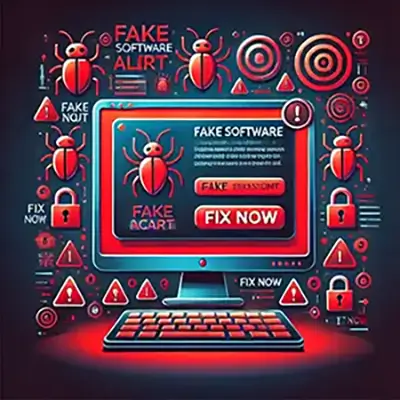
What makes fake software especially dangerous is how convincing it can be. With polished interfaces, believable names, and urgent messages, it creates just enough trust—or panic—to get people to act without thinking.
In this article, we’ll break down what fake software really is, how to spot it, and what to do if you’ve already been fooled. We’ll cover various types, including fake antivirus tools (like FakeAV), fake optimizers, and fake updates—plus how to protect yourself from being the next target.
What Is Fake Software?
Fake software is any application that pretends to be legitimate or useful, but is actually designed to deceive or harm the user. It often poses as antivirus tools, system optimizers, or software updates—but instead of helping, it steals data, spreads malware, or demands payment.
The key difference between fake software and just poorly made software is intent. Fake software is built specifically to mislead. It’s often crafted to look professional, with sleek interfaces and names that sound trustworthy—sometimes even copying branding from real programs.
Common traits include:
- Fake system scans that show alarming results
- Aggressive prompts to upgrade, fix issues, or pay
- Limited or no functionality beyond the scare tactics
- Persistent pop-ups or fake alerts
These programs spread through deceptive websites, fake download buttons, phishing emails, and malvertising (malicious ads). Some users don’t even realize they’ve installed anything until the fake software starts making demands.
Unlike traditional viruses, fake software doesn’t always try to stay hidden. It often operates in plain sight, using social engineering instead of stealth to get what it wants—your trust, your money, or your data.
Understanding these tactics is the first step in staying protected.
Categories of Fake Software
Fake software comes in many forms, but the goal is always the same: trick users into trusting something harmful. Below are the most common categories you’ll see:
Fake Antivirus Tools: These pose as security software that runs scans and finds fake “infections.” They then demand payment to remove threats that don’t exist. FakeAV is one of the most widespread examples.
Fake Optimization Tools: Also known as rogue system cleaners or “PC boosters,” these promise to fix slow computers or clean registries. They often flag normal files as “errors” and ask you to pay for full access.
Fake Software Updates: These mimic updates for popular tools like Flash Player, Chrome, or Windows. Clicking “Update Now” may install malware instead of a real update.
Fake Apps and Browsers: Especially common on mobile, these apps pretend to be trusted utilities or browsers but contain spyware, adware, or trojans.
Fake Ransomware Decryptors: These promise to decrypt files locked by ransomware—but actually install more malware or demand a fake “unlocking” fee.
Each category uses different tricks, but all rely on the same strategy: looking helpful to gain your trust. Learning how to spot them is your best defense.
Fake Antivirus Software
One of the most common forms of fake software is fake antivirus or anti-malware tools. These programs pretend to scan your computer, detect threats, and offer to remove them—but only after you pay. In reality, they don’t perform any real security functions. Their purpose is to scare users into handing over money or sensitive information. This is why they are called scareware.
These fake tools often use names that sound like legitimate security products. Their interfaces are designed to mimic real antivirus dashboards, complete with fake scan progress bars, lists of fabricated threats, and urgent warnings. The goal is to create panic and urgency, pressuring users to “upgrade” or “activate full protection.”
Fake antivirus software may be bundled with other downloads or delivered through pop-ups and ads claiming your system is infected. Clicking those alerts can trigger a download—sometimes even without clear user consent.
Over time, these scams have evolved into more advanced versions, including fake security browser extensions, mobile security apps, and ransomware decryptor tools. Each one is designed to look helpful but is ultimately malicious or manipulative.
Some well-known examples of fake antivirus software include:
- FakeAV
- Antivirus 2009
- Security Tool
- Total Security 2020
- PC Defender
- WinFixer
FakeAV is one of the most widespread and well-documented examples of this category. For a deeper look at how this scareware works and the specific tactics it uses, check out our article dedicated to FakeAV, in the Malware Library.
These scams may look professional, but they’re designed to exploit fear. Recognizing their patterns is your first line of defense.
Fake Optimization Tools
These programs promise to make your computer faster, cleaner, or more efficient—but they’re all show, no substance. Fake optimization tools often claim to fix registry errors, clear junk files, or boost RAM usage. After a quick “scan,” they typically flag dozens of so-called issues and push you to pay for the “full version” to fix them.
In reality, most of these alerts are exaggerated or entirely made up. The software doesn’t actually improve performance—in some cases, it slows things down or installs additional malware. Worse, users may pay thinking they’re getting a premium utility.
Legit optimization tools exist, but they don’t use scare tactics or demand instant payment. If a program claims your system is broken without context or explanation, it’s probably fake.
Fake Optimization Tools – Examples
- Advanced PC Cleaner – Flags harmless files as critical issues and demands payment for cleanup.
- WinPC Optimizer – Promises speed boosts but installs adware and pushes upgrades aggressively.
- System Healer – Known for fake scan results and being bundled with other malware.
- RegClean Pro – Claims to fix registry errors, often overstates problems and nags for payment.
Fake Software Updates
Fake updates are a popular infection method, especially for malware delivered through the browser. You might see a pop-up claiming you need to update Flash Player, Chrome, or a video codec to continue. Clicking the link downloads malware, not a real update.
Some fake update prompts are incredibly convincing, copying the exact layout and branding of real software companies. These tactics often rely on urgency—“Update Required!”, “Outdated software detected!”—to push users into acting fast.
In some cases, the fake update installs a backdoor or gives remote access to attackers. Others download full packages of malware disguised as helpful utilities.
Real updates don’t come through pop-up ads or random sites. Always go directly to the software’s official source or use its built-in update feature.
Examples of Fake Software Updates
- Fake Flash Player Updates – Common on streaming or adult sites; delivers adware, trojans, or cryptominers. (Adobe no longer supports Flash Player after December 31, 2020)
- UpdateYourBrowser.com – A known scam site pushing fake Chrome and Firefox “updates.”
- Urgent Chrome Update Pop-Ups – These often mimic Google branding and install malware.
- Java Update Needed (via ads) – A classic tactic used to install spyware or redirect users to malicious domains.
Fake Apps and Browsers
Fake apps and browsers are especially common on mobile platforms, but they also target desktops. These programs mimic legitimate tools—like a security scanner, VPN, or popular browser—but are stuffed with malware, adware, or tracking software.
On Android, for example, you might see a fake Chrome browser that opens with Google’s homepage but silently logs keystrokes or injects ads into every page. On desktop, fake browsers can redirect users to phishing pages or fake login screens.
Some of these apps even make it into official app stores before being caught and removed. Their permissions often request access to everything: location, messages, camera, contacts.
Before downloading any app or browser, check the developer name, reviews, and permissions. If something feels off, trust your gut. Once installed, these fakes can compromise everything from your privacy to your banking info.
Examples of Fake Apps and Browsers
- UC Browser Mini clones (Android) – Malicious versions found on third-party app stores that log data or serve ads.
- Fake Chrome Browser APKs – Designed to look identical but inject ads and monitor activity.
- Virus Cleaner 2020 (Android) – Promised to boost performance but installed adware.
- Turbo VPN (clones) – Multiple fake versions exist, some logging user activity or leaking data.
- Fake Lookout Security apps – Imitations of the legitimate Lookout app, used to trick users into downloading malware.
Fake Ransomware Decryptors
After a ransomware attack, users are desperate to recover their files. Fake ransomware decryptors prey on that desperation. These tools claim they can unlock encrypted files—for a price—but they don’t actually work.
Some are outright scams: they take your money and do nothing. Others make the situation worse by installing more malware, locking your system again, or corrupting files beyond recovery.
They’re often found on shady forums, file-sharing sites, or through “helpful” links in comment sections or emails. Some even impersonate real cybersecurity companies.
The only safe way to recover from ransomware is to restore from a backup or use decryptors provided by verified security experts. If a tool promises a quick fix with no strings attached, it’s probably just another trap.
Examples of Fake Ransomware Decryptors
- TeslaCrypt Decryptor (Fake) – Posed as a tool to unlock TeslaCrypt infections but spread more malware.
- CryptXXX “Free Unlock Tool” – Fake decryption tool pushed on forums that actually re-encrypted files.
- Locky Decryptor Scam – Demanded payment for “unlock codes” that never worked.
- Petya Fix Tool – A fake utility distributed shortly after Petya attacks; included a trojan.
- Fake Kaspersky Decryptor Tools – Spoofed branding to trick users into downloading remote access malware.
How Fake Software Infects Systems
Fake software doesn’t rely on technical exploits alone—it relies on tricking people into letting it in. Here's how it usually spreads:
Malicious Websites
Hackers set up fake websites that look like official download pages. A common trick is showing pop-ups like “Your PC is infected—scan now!” Clicking leads to a fake installer.
Phishing Emails
These emails may pretend to be from a tech company, antivirus provider, or even your ISP. They often include urgent messages and a link to download “security updates” or “account recovery tools.”
Bundled Downloads
Some free software or media downloads come bundled with fake tools. If you're not careful during installation, you might accidentally approve the fake software without noticing.
Fake Ads (Malvertising)
Malvertising delivers malware through online ads, even on reputable websites. One wrong click can start a download or redirect you to a malicious page.
Social Engineering
Some scams get you on the phone or chat with a fake “support agent” who walks you through installing a fake tool. These tactics feel personal—and dangerous.
Once installed, fake software may embed itself deep in your system, launch on startup, or even disable your real antivirus. It doesn’t break in—it gets invited.
Signs You’re Dealing with Fake Software
Fake software often looks polished on the surface, but there are telltale signs that something’s off. Watch for these red flags:
- Instant alarms after installation. The program runs a “scan” the moment it opens and immediately finds dozens of threats or errors.
- Pushy upgrade demands. You’re told to pay right away to unlock full features or fix urgent issues.
- No real company info. No website, no support team, no physical address—just a vague name and logo.
- Poor language quality. Grammar mistakes, awkward wording, and inconsistent terminology are common signs of rushed or non-professional development.
- Unfamiliar sources. If the software came from a shady download site or a pop-up ad, it’s already suspect.
- Brand lookalikes. It may copy the name or design of real tools but with slight changes (e.g., “Window Defender Pro”).
If it feels too aggressive, too urgent, or too good to be true—it probably is. Trust your instincts.
Consequences of Installing Fake Software
Installing fake software isn’t just an annoyance—it can have serious consequences. Here’s what you’re risking:
- Financial loss. Many fake tools trick users into paying for useless features or fake threat removal.
- Stolen data. These programs can capture login credentials, credit card info, or even monitor your keystrokes.
- System damage. Some fake software corrupts files, disables real security tools, or slows down performance.
- More malware. Once inside, fake software may open the door to trojans, ransomware, or spyware.
What seems like a harmless app can turn into a major breach of trust—and security.
How to Protect Yourself
Avoiding fake software comes down to smart habits and a little skepticism. Here’s how to stay safe:
- Download only from trusted sources. Stick to official websites, verified app stores, and well-known vendors.
- Keep your real antivirus software up to date. A good security program can block fake tools before they install.
- Ignore pop-up scare tactics. Real security alerts don’t come from random websites or ads.
- Be cautious with email links and attachments. If you didn’t ask for it, don’t click it.
- Do your research. A quick search can expose fake software or shady developers.
If something feels off—pause and double-check. It’s worth it.
What to Do If You’ve Installed Fake Software
If you think you’ve installed fake software, act quickly but stay calm. Here’s what to do:
- Disconnect from the internet. This stops the software from sending data or downloading more malware.
- Run a full scan with a trusted antivirus. If your main security tool was disabled, use a reputable on-demand scanner or boot into safe mode.
- Remove the fake software. Uninstall it manually if possible, or use cleanup tools from known antivirus vendors.
- Change your passwords. Focus on key accounts: email, banking, shopping.
- Monitor your accounts. Look for unusual charges or login attempts.
Don’t ignore it—fake software often leaves deeper problems behind.
Final Thoughts: Stay Sharp, Stay Safe
Fake software thrives on panic, urgency, and misplaced trust. It doesn’t need to break into your system—it waits for an invitation. That’s why awareness is your best defense.
Knowing how these scams work, what they look like, and how to react gives you the upper hand. Whether it’s a fake antivirus, a bogus system cleaner, or a shady update prompt, the same rule applies: think before you click.
Keep your software updated, use trusted tools, and question anything that pressures you to act fast. In today’s threat landscape, a little skepticism can go a long way.