Scareware Scams: Fake Alerts, Real Threats
Scareware: How Fake Security Threats Trick Users and Compromise Devices
You’re browsing the web when suddenly a loud alert pops up:
“Warning! Your system is infected. Click here to fix it immediately!”
It looks official. It sounds urgent. But it’s a lie.
This is scareware—a type of digital scam designed to trick you into thinking your device is under attack. It feeds on fear, hoping you’ll panic and pay for fake software or download something malicious. And it works more often than you’d think.
Scareware has evolved from clumsy popups to convincing imitations of real antivirus tools. It’s not just annoying—it’s dangerous. It can steal your data, hijack your system, or cost you money.
In this article, we’ll break down what scareware is, how it works, what to watch for, and most importantly, how to stay safe. If you've ever seen a suspicious warning screen, you're not alone—and this guide is for you.
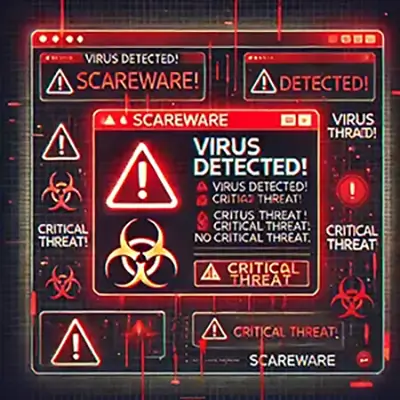
What Is Scareware?
Scareware is a type of malicious software designed to manipulate users through fear. It poses as a legitimate security alert—often mimicking antivirus tools or system notifications—to trick you into taking actions like downloading fake software, paying for bogus services, or handing over personal information.
You might see messages like:
- “Your PC is infected with 5 viruses!”
- “Critical threat detected! Scan now.”
- “Your system is under attack. Buy protection immediately.”
These alerts often look official, using realistic logos, tech jargon, and fake scan results to create a sense of urgency. But there’s no real threat—just an attempt to scare you into acting fast.
Unlike other threats like ransomware (which locks your files) or spyware (which spies on your activity), scareware is more psychological. It’s all about triggering panic, so you’ll click, download, or pay without thinking.
What you get in return is usually worthless software, or worse, a gateway for more dangerous malware. Even if no virus existed to begin with, falling for scareware can lead to real damage—to your system, your wallet, and your privacy.
Recognizing scareware for what it is—fake fear—is the key to staying safe.
How Scareware Works
Scareware doesn’t rely on hacking skills—it relies on emotional manipulation. It’s social engineering, dressed up as tech support. Here’s how it typically plays out:
The Setup
It usually starts with a trigger—you visit a shady website, click a malicious ad (malvertising), or open an infected email. Suddenly, your screen is hijacked by a popup or full-page alert. It might look like it’s from Microsoft, Apple, or a well-known antivirus brand.
The Scare Tactic
The message is urgent and alarming:
“Threats detected!”,
“System compromised!”,
“Immediate action required!”
It often includes flashing graphics, fake scan animations, or even loud warning sounds to crank up the pressure. The language is meant to make you panic.
The Call to Action
You’re told to download a tool, click a link, or call a “tech support” number. Sometimes it asks for payment up front, offering a “premium” version to remove non-existent threats. Other times, it tricks you into installing real malware—spyware, keyloggers, trojans.
The Damage
Once you act, the consequences start. You might:
- Install actual malware
- Give away credit card details
- Lose control of your device
- Fall into a tech support scam loop
The worst part? You think you're solving a problem—but you're actually creating one.
Scareware works because it doesn’t attack your system first—it attacks your judgment. And when fear takes over, people click before they think. That’s what scareware creators are counting on.
Common Examples and Variants
Scareware comes in many forms, but the goal is always the same: trick the user into acting out of fear. Some versions are more aggressive, others more subtle—but all rely on deception. Here are the most common types you’re likely to encounter:
Fake Antivirus Software
This is the classic form of scareware. You’ll see a fake scan that detects dozens of viruses and prompts you to install or pay for a “full version” to remove them. Examples from the past include names like “Security Essentials 2010”, “WinFixer”, or “Antivirus XP”—all designed to look legit, but completely bogus.
Browser Lock Scams
These use JavaScript to freeze your browser and display a full-screen warning. You’ll see messages like:
“Your computer has been locked due to suspicious activity.”
Sometimes they include a fake phone number claiming to be Apple, Microsoft, or Google support. The goal is to get you to call and pay.
Mobile Scareware
Smartphones aren’t safe either. Mobile users may see fake virus alerts while browsing, often on adult or pirated content sites. Messages claim your Android or iPhone is infected and push you to install a “security app”—which is actually malware.
Scareware constantly evolves. It mimics trusted brands, adapts to different devices, and plays on your instincts. Knowing the forms it can take is a key part of avoiding the trap.
Who Is Targeted and Why
Scareware targets anyone who can be scared into clicking—but some people are more vulnerable than others.
The most common victims are less tech-savvy users, especially older adults who may not be familiar with what real antivirus software looks like. They’re more likely to trust popups that use phrases like “Official System Alert” or mimic familiar brands like Microsoft or Apple.
Scammers also go after people who are already feeling anxious—maybe they’re having computer issues or worried about online security. That fear makes them more likely to believe the threat is real and act fast.
Lately, mobile users have become a top target. Many people aren’t as cautious on their phones as they are on desktops, so scareware disguised as fake virus warnings or battery alerts can slip through easily.
In short, scareware doesn’t need to break into your system. It just needs to convince you to open the door—and it knows exactly who’s most likely to do that.
Warning Signs and Red Flags
Scareware is designed to look urgent and convincing—but it follows patterns. Once you know the signs, spotting it gets a lot easier. Here’s what to watch for:
Sudden, Unsolicited Popups
You’re not running a virus scan, but suddenly your screen lights up with a message like:
“Threats detected! Click here to fix now!”
Real antivirus tools don’t operate like this. If it comes out of nowhere, it’s likely scareware.
Alarming Language and Pressure Tactics
Look for words like:
“Critical threat”, “System failure”, “Immediate action required.”
Scareware uses panic and urgency to get you to act before thinking.
Fake System Scans
Scareware often shows an animated “scan” pretending to analyze your system—complete with flashing progress bars and lists of fake threats. It looks technical, but it’s all scripted.
Requests for Immediate Payment
You’re told to buy a “full version” to remove viruses or unlock features. Real antivirus software doesn’t scare you into purchases this way.
Unfamiliar Software or Branding
If you see antivirus names or logos you’ve never heard of—like “Ultra Defender Pro” or “SecurePlusAV”—it’s probably fake. Scareware often imitates real tools or invents its own.
If something feels off, it probably is. Trust your instincts—and verify before you click.
What to Do If You Encounter Scareware
If scareware shows up on your screen, don’t panic—that’s exactly what it wants. Staying calm and taking the right steps can keep your device and data safe.
1. Don’t Click Anything
No matter how convincing the alert looks, do not click, download, or call any numbers shown. Clicking can trigger downloads or send you to phishing sites.
2. Close the Window or Browser
Try to close the popup or browser tab. If that doesn’t work:
- On Windows: Press Ctrl + Shift + Esc to open Task Manager and end the browser process.
- On Mac: Press Command + Option + Escape to force quit the app.
3. Run a Legitimate Antivirus Scan
After closing the scareware, run a full scan using trusted antivirus software. If you don’t already have one installed, download from a reputable source like Bitdefender, Malwarebytes, or Norton.
4. Uninstall Suspicious Programs
Check your list of installed apps for anything unfamiliar or recently added. If you see anything shady, uninstall it immediately.
5. Report the Scam
Help others avoid the same trap. Report scareware to:
- The FTC (in the U.S.)
- Your local cybercrime authority
- The software vendor being impersonated (e.g., Microsoft, Apple)
Quick action makes a big difference. The faster you shut it down, the less chance it has to do damage.
How to Protect Yourself Against Scareware
Scareware thrives on panic and poor security habits. The good news? A few smart steps can keep you safe. Here’s how to stay one step ahead:
Use Trusted Antivirus Software
Install reputable antivirus or anti-malware tools and keep them updated. They can block scareware before it even reaches you. Avoid free tools you've never heard of—those can be scams in disguise.
Keep Your System Updated
Scareware often exploits outdated browsers, plugins, or operating systems. Turn on automatic updates for your OS, browser, and security software. It’s one of the simplest defenses.
Avoid Sketchy Websites and Downloads
If a website looks shady, sounds too good to be true, or pushes popups aggressively—get out. Be especially cautious with adult content, pirated software, and clickbait articles.
Learn to Spot Fake Alerts
If an alert appears when you’re not running a scan, looks overly dramatic, or pressures you to pay immediately—it’s likely fake. Take a breath, don’t click.
Educate Others
Talk to family members, especially those less tech-savvy. A 5-minute conversation about scareware could prevent major headaches later.
Good habits and a little skepticism go a long way. Scareware only wins if you let fear make the decisions. Stay calm, stay sharp, and stay protected.
Scareware and Legal Consequences for Scammers
Scareware might seem like a low-level scam, but it’s a serious cybercrime—and law enforcement treats it that way.
In recent years, there have been major crackdowns on scareware operations. The U.S. Federal Trade Commission (FTC) and international agencies have shut down multimillion-dollar scareware rings, prosecuted the developers, and seized their assets. In one high-profile case, two scammers were ordered to pay over $163 million for tricking users into buying fake antivirus software.
Still, enforcement is a challenge. Many operations run overseas or use fake identities to stay hidden. That’s why user awareness remains one of the strongest lines of defense.
Final Thoughts: Don’t Let Fake Fear Win
Scareware doesn’t hack your computer—it hacks your trust. It uses fake warnings, urgent messages, and fear tactics to get you to click, download, or pay for something you don’t need—and that can end up doing real damage.
The best defense is staying calm, knowing what to look for, and using solid security tools. When you recognize scareware for what it is—a scam dressed as a solution—you take away its power.
Stay sharp. Keep your software updated. Trust your instincts. And when in doubt, don’t click.
Fake threats can’t hurt you—unless you let them in.