System Mechanic Products
System Mechanic from $21.98 – Instant Discount – Save 60%
System Mechanic
Ultimate Defense
- ActiveCare
- DeepClean
- AntiVirus
- Privacy
- Password Manager
Compare System Mechanic Editions at iolo.com
Features in all editions: Up to 10 PCs, Automated PC Care, PC Clean Up, PC Speed Up, Protection
30-day money-back guarantee
More information at iolo.com
Revitalize Your PC with System Mechanic – Speed, Security & Ultimate Performance
System Mechanic – Speed, Optimization, Security, and Privacy Solutions
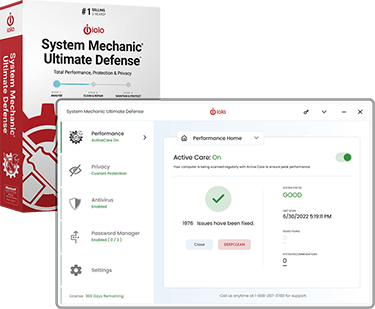
A slow, cluttered, and vulnerable PC can be frustrating and even risky. System Mechanic is designed to bring computers back to peak performance by removing junk files, fixing errors, and optimizing system settings for faster speeds and smoother operation.
Available in three powerful editions—System Mechanic, System Mechanic Pro, and System Mechanic Ultimate Defense—this trusted software suite offers varying levels of performance optimization, security protection, and privacy enhancement to fit every user’s needs.
Whether the goal is to boost PC speed, eliminate malware, or safeguard personal data, System Mechanic provides the right tools to keep computers running efficiently and securely. With millions of users worldwide, this award-winning software is a must-have for anyone looking to optimize and protect their digital experience.
System Mechanic – Core Features & Benefits
A slow and unresponsive computer can be a major inconvenience, but System Mechanic provides a powerful, automated solution to restore speed and efficiency. This award-winning PC optimization software is designed to remove clutter, repair system errors, and fine-tune settings for peak performance.
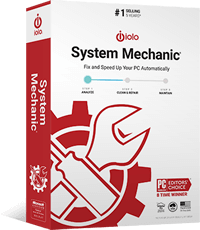
Key Benefits
✅ Boosts PC Speed & Performance – Eliminates unnecessary background processes, reduces startup time, and optimizes system resources to keep computers running at maximum speed.
✅ Cleans & Repairs – Removes junk files, temp data, and broken registry entries, preventing slowdowns and crashes caused by system clutter.
✅ Automated Maintenance – ActiveCare® technology automatically detects and resolves issues in the background, ensuring a hassle-free experience.
✅ Enhances Internet Speed – Tweaks hidden network settings to improve browsing, streaming, and download speeds.
✅ Extends PC Lifespan – Prevents wear and tear by reducing CPU strain and optimizing system performance, helping devices last longer.
Who Is It For?
Ideal for anyone experiencing slow performance, freezing, or crashes, System Mechanic is a must-have for keeping Windows PCs running like new. Whether for work, gaming, or everyday use, this software ensures a fast, smooth, and efficient computing experience.
System Mechanic Pro – Enhanced Performance & Security
For those who need more than just PC optimization, System Mechanic Pro offers the perfect balance of performance enhancement and advanced security. Combining all the powerful tools of System Mechanic with real-time threat protection, this version ensures that computers stay fast, stable, and secure.
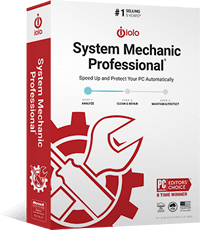
Key Benefits
✅ All the Features of System Mechanic – Enjoy PC speed boosts, junk file removal, system repairs, and automated maintenance, just like the standard version.
✅ Advanced Malware Protection – Blocks viruses, spyware, ransomware, and other cyber threats in real time, ensuring that sensitive data stays safe.
✅ Secure File Deletion & Drive Wiping – Prevents unauthorized recovery of deleted files, keeping private information permanently erased.
✅ Real-Time System Defense – Provides continuous protection against malicious programs and security vulnerabilities that could put personal data at risk.
✅ Enhanced System Stability – Detects and fixes critical software conflicts that can cause crashes and performance issues.
Who Is It For?
System Mechanic Pro is perfect for users who want both speed and security. Whether for business, gaming, or everyday use, this all-in-one solution ensures that PCs run faster, stay clean, and remain protected from cyber threats.
System Mechanic Ultimate Defense – All-in-One Optimization, Security & Privacy
For complete PC performance, security, and privacy protection, System Mechanic Ultimate Defense delivers the most comprehensive solution available. Combining the power of System Mechanic Pro with advanced identity protection, online privacy tools, and password management, this all-in-one suite ensures a faster, safer, and more secure digital experience.
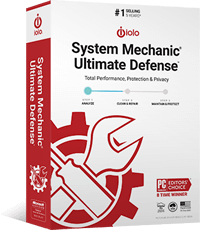
Key Benefits
✅ All Features of System Mechanic Pro – Enjoy PC speed optimization, malware protection, system cleanup, and secure file deletion, plus even more advanced security features.
✅ Online Privacy & Tracking Protection – Stops advertisers, websites, and trackers from collecting personal data, ensuring private and anonymous browsing.
✅ Identity Theft Protection – Blocks keyloggers and malicious software that attempt to steal passwords, credit card details, and other sensitive information.
✅ Advanced Password Management – Securely stores and encrypts passwords, making it easier and safer to manage online accounts.
✅ Ad-Free, Secure Browsing – Prevents browser tracking and removes unwanted toolbars, pop-ups, and invasive ads for a clean, uninterrupted experience.
Who Is It For?
System Mechanic Ultimate Defense is ideal for those who want the highest level of PC performance, security, and privacy protection. Whether working online, shopping, or managing sensitive data, this complete suite offers peace of mind and total digital security.
Why Choose System Mechanic?
With millions of satisfied users worldwide, System Mechanic has been a trusted leader in PC optimization and security for years. Whether the goal is boosting speed, fixing errors, protecting privacy, or enhancing security, System Mechanic offers a comprehensive and user-friendly solution for every need.
Proven Performance & Reliability
✅ Award-winning technology that restores speed, stability, and efficiency to Windows PCs.
✅ Used by millions of people globally to keep their devices running like new.
✅ Continuous updates to combat new threats and system inefficiencies.
Comprehensive All-in-One Solution
✅ Multiple product tiers to fit different needs—performance, security, and privacy.
✅ Automated maintenance & real-time protection, so users don’t have to worry about manual upkeep.
✅ Easy-to-use interface with one-click optimizations for effortless PC tuning.
Trusted by Professionals & Everyday Users
✅ Ideal for home users, gamers, and professionals who demand peak system performance.
✅ No technical expertise needed—System Mechanic automates complex processes for maximum efficiency.
✅ Backed by a reputable company committed to top-tier cybersecurity and performance solutions.
For anyone looking to breathe new life into a slow PC, enhance security, and protect personal data, System Mechanic is the ultimate choice.
Compare System Mechanic Editions – Find the Right Fit for Your Needs
System Mechanic offers three powerful editions, each designed to improve PC performance, security, and privacy. Whether the goal is simply boosting speed and optimizing system resources or adding advanced security and privacy protection, there’s a System Mechanic solution for every user.
The table below provides a side-by-side comparison of System Mechanic, System Mechanic Pro, and System Mechanic Ultimate Defense, highlighting the key features and benefits of each edition. Use this guide to determine which version best fits your needs and take the first step toward a faster, safer, and more secure PC.
| Feature | System Mechanic | System Mechanic Pro | System Mechanic Ultimate Defense |
|---|---|---|---|
| PC Performance Optimization | ✔️ | ✔️ | ✔️ |
| Junk File & Registry Cleanup | ✔️ | ✔️ | ✔️ |
| Automated System Maintenance | ✔️ | ✔️ | ✔️ |
| Internet Speed Optimization | ✔️ | ✔️ | ✔️ |
| Real-Time Malware Protection | ❌ | ✔️ | ✔️ |
| Secure File Deletion & Drive Wiping | ❌ | ✔️ | ✔️ |
| Privacy Protection & Tracking Prevention | ❌ | ❌ | ✔️ |
| Password Management & Identity Protection | ❌ | ❌ | ✔️ |
| Ad-Free, Secure Browsing | ❌ | ❌ | ✔️ |
| Multi-PC Licensing | ✔️ | ✔️ | ✔️ |
| Full Price (MSRP) | $54.95 | $74.95 | $84.95 |
| Current Discounted Price | $21.98 | $29.98 | $33.98 |
| You Save | 60% | 60% | 60% |
| Buy Now | Buy Now | Buy Now |
Frequently Asked Questions
1. What is the difference between System Mechanic, System Mechanic Pro, and System Mechanic Ultimate Defense?
System Mechanic provides core PC optimization tools, including junk file cleanup, system repairs, and performance enhancements.
System Mechanic Pro includes everything in System Mechanic plus real-time malware protection and secure file deletion.
System Mechanic Ultimate Defense is the most comprehensive version, adding privacy protection, password management, and identity theft prevention.
2. How does System Mechanic improve PC speed?
System Mechanic removes unnecessary files, repairs registry errors, optimizes system settings, and stops resource-draining background programs. It also enhances internet speed by optimizing hidden network settings.
3. Does System Mechanic protect against viruses and malware?
The standard version of System Mechanic does not include antivirus protection, but System Mechanic Pro and Ultimate Defense provide advanced security features, including malware removal, real-time protection, and secure file deletion.
4. Can System Mechanic help protect online privacy?
Yes. System Mechanic Ultimate Defense includes privacy tools that block tracking cookies, prevent data collection, and manage passwords securely to safeguard personal information online.
5. How often should System Mechanic be used?
System Mechanic is designed to run automatically in the background to maintain optimal PC performance. However, users can manually run scans and optimizations as needed for immediate results.
6. Does System Mechanic work on multiple devices?
Yes. System Mechanic offers multi-device licensing, allowing users to install it on multiple PCs under a single subscription.
7. Is there a money-back guarantee?
Yes, System Mechanic comes with a satisfaction guarantee, providing a refund within a specified period if the software does not meet expectations.
8. Is System Mechanic easy to use for non-technical users?
Absolutely. System Mechanic features an intuitive, one-click optimization process that makes it easy for anyone to improve PC performance without technical expertise.
For more details or to get started, explore the System Mechanic product suite today!
System Requirements for System Mechanic
To ensure optimal performance and compatibility, System Mechanic and its editions require the following minimum system specifications:
Operating System:
✅ Windows 11, Windows 10, Windows 8.1, Windows 8, Windows 7 (both 32-bit and 64-bit versions)
Processor:
✅ 1 GHz or faster processor
Memory (RAM):
✅ At least 2 GB RAM (4 GB or more recommended for best performance)
Hard Disk Space:
✅ At least 100 MB of available disk space (more may be required for updates and temporary files)
Internet Connection:
✅ Required for installation, updates, and certain features such as malware protection and privacy tools
Other Requirements:
✅ Microsoft .NET Framework 4.5 or later
✅ Administrator rights required for installation and use
For System Mechanic Pro and Ultimate Defense, additional system resources may be needed for real-time security features and privacy tools. Ensuring regular updates will keep the software functioning at its best.
Ready to optimize and secure your PC? Choose the right System Mechanic edition today!