Malware Isn’t One Size Fits All — Your OS Matters
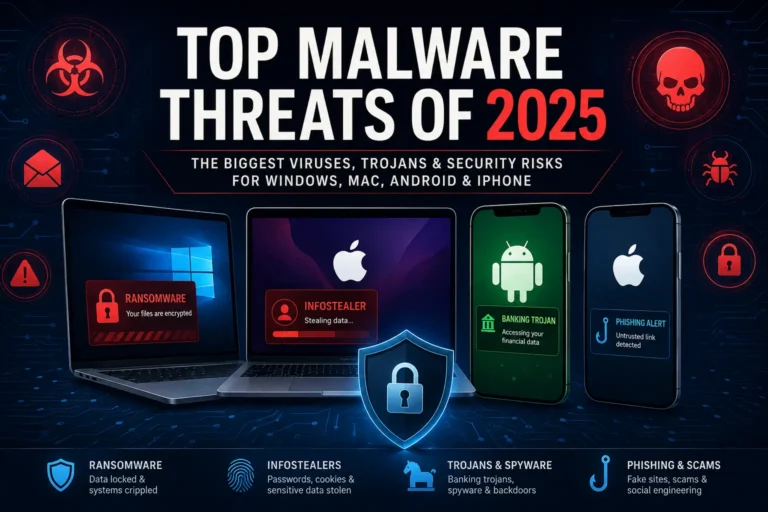
When people talk about malware, it’s often in vague, catch-all terms — but the reality is more specific: different operating systems attract different types of attacks.
Windows machines are ransomware magnets. Android phones get flooded with rogue apps. macOS users often face spyware disguised as helpful tools. Even Linux servers — long considered safe — are getting hit with cryptominers and rootkits.
Each OS has its own weaknesses, threat profile, and user base — and malware authors tailor their tactics accordingly.
In this post, we’ll break down how malware behaves across major operating systems: Windows, macOS, Linux, Unix-based systems, Android, iOS, and even ChromeOS. You’ll see which platforms are most at risk, what types of malware they face, and how attackers get in.
Whether you’re running a personal laptop or managing a fleet of servers, knowing the risks tied to your OS is the first step to staying secure.
Table of Contents
Windows: The Primary Target

Windows remains the most widely used desktop operating system in the world — and that makes it a prime hunting ground for malware. From individual users to large enterprises, millions rely on Windows daily, creating a massive, diverse attack surface. Over the years, this popularity has drawn cybercriminals looking to exploit everything from outdated systems to unsuspecting users.
Why Malware Loves Windows
If malware authors had to pick a favorite operating system, it’d be Windows — no contest.
With over 70% of the global desktop market, Windows offers the largest pool of potential victims. Add to that a long history of backward compatibility, inconsistent patching across users, and a massive base of older, vulnerable machines, and you’ve got a goldmine for attackers.
Common Malware on Windows
Windows systems see every type of malware, but some threats stand out:
- Ransomware: Still a top earner for cybercriminals. Attacks like WannaCry, Clop, and LockBit have crippled everything from hospitals to corporations.
- Trojans and Info-Stealers: Malware like Emotet and RedLine masquerade as legit files or apps, steal data, then drop additional payloads.
- Fileless Malware: Uses PowerShell or WMI to live in memory, avoiding traditional antivirus detection.
- Rootkits: Modify core system files to hide malware from detection tools.
- Botnets: Infected PCs become part of massive networks used for spam, DDoS, and crypto mining.
How It Gets In
Attackers rely on a few tried-and-true methods:
- Phishing emails with malicious attachments or links
- Remote Desktop Protocol (RDP) exploits, especially on unprotected or weakly secured systems (read more in our How Cybercriminals Exploit Admin Software article)
- Unpatched vulnerabilities in Windows or third-party software (Office, browsers, Java, etc.)
- Malicious ads and compromised websites (drive-by downloads)
Built-in Defenses — and Their Limits
Windows has come a long way. Windows Defender is no longer a joke — it catches a lot of threats, and SmartScreen helps warn users about suspicious files or links. Regular updates help, too.
But here’s the catch: not all users update. Not all systems are clean installs. And many attacks target human behavior, not just software flaws.
Windows Malware: The Bottom Line
If you’re using Windows — especially in a business setting — assume you’re a target. That doesn’t mean panic, but it does mean you need layers: antivirus, firewalls, backups, and user awareness.
Windows isn’t insecure by design. It’s just the biggest target, and attackers go where the people (and data) are.
Looking for trusted tools to protect your OS? Check out our guide to antivirus and security software for top picks across platforms.
macOS: Not Immune, Just Less Targeted

macOS has a reputation for being “safer” than Windows, and in some ways, that’s true. Its Unix-based architecture, built-in security features, and Apple’s tight control over hardware and software give it a solid defense baseline. But safe doesn’t mean immune — and as the Mac user base grows, so does malware interest.
The Myth of Mac Invincibility
For years, the idea that “Macs don’t get viruses” floated around like a tech urban legend. The truth? Macs get malware — just less of it, and usually of a different kind. Cybercriminals see fewer Macs than Windows machines, so they aim where they’ll get the biggest return. But they’re not ignoring Apple users anymore.
Types of Malware That Target macOS
macOS threats tend to focus on deception and stealth more than brute force. Common categories include:
- Adware: Often bundled with shady software installers or browser extensions. Example: Pirrit or SearchMine, which hijack browsers and flood users with ads.
- Trojans: Masquerade as cracked apps or fake updates. OSX.FakeFileOpener is one such example.
- Spyware and Backdoors: Tools like Silver Sparrow or XCSSET allow attackers to access data, record activity, or use the device as a foothold.
- Cryptominers: Covertly use your Mac’s resources to mine cryptocurrency, often bundled with sketchy downloads.
How They Get In
Unlike Windows, where exploits often focus on system vulnerabilities, macOS malware often relies on tricking the user:
- Fake software installers and “cleaner” apps
- Infected torrent downloads or pirated software
- Misuse of Apple’s developer tools (e.g. signed apps abusing entitlements)
- Malicious browser extensions
Apple’s Security Model: A Double-Edged Sword
Apple’s walled garden helps. Gatekeeper, XProtect, and System Integrity Protection (SIP) block many threats. But it’s not bulletproof. Sophisticated malware has bypassed these protections, and Apple’s control over security data can limit third-party tools’ ability to detect newer threats quickly.
And because many users believe Macs are safe by default, they’re less likely to use additional protection — which plays right into an attacker’s hands.
macOS: The Bottom Line
macOS isn’t low-risk — it’s just lower-risk than Windows. As more people use Macs for work, banking, and development, the platform becomes a more appealing target. Assuming you’re safe just because you use a Mac? That’s the real vulnerability.
🔒 Think Macs and iPhones Can’t Get Malware?
Think again. From adware and spyware to zero-click iOS attacks, Apple devices are no longer immune. See the real threats and how to stop them →
Linux: Niche but Not 100% Safe

Linux has long enjoyed a reputation as the “secure” OS — and in many ways, it deserves that. It’s open-source, widely customizable, and hardened by a community that cares deeply about privacy and control. But that doesn’t mean Linux is immune to malware. In fact, the nature of Linux use — especially on servers, cloud infrastructure, and IoT devices — makes it a prime target for a different class of attacks.
Why Linux Gets Targeted
Most Linux systems aren’t personal laptops — they’re web servers, routers, IoT devices, and enterprise infrastructure. That shifts the threat model. Attackers don’t usually care about stealing photos or passwords from a Linux desktop — they want access to processing power, bandwidth, or a foothold in your network.
Common Linux Malware
- Botnets: Infected Linux servers and devices are often recruited into botnets like Mirai or Mozi, used for DDoS attacks or spamming.
- Cryptominers: Malware like Kinsing hijacks servers to mine cryptocurrency.
- Rootkits: Designed to hide deep in the system, modifying logs and binaries to avoid detection.
- Backdoors and Web Shells: Attackers drop tools that give persistent remote access — often missed in traditional scans.
- Supply Chain Attacks: Compromising open-source repositories or container images (e.g. malicious Docker images) is becoming more common.
How It Spreads
Linux malware often enters through:
- Misconfigured services (SSH, Docker, Apache)
- Exposed ports with weak credentials
- Outdated software with known vulnerabilities
- Compromised third-party packages or repos
Unlike consumer-targeted attacks, these are usually automated scans, looking for low-hanging fruit across thousands of IPs.
The False Sense of Security
Linux’s reputation for security can lead to complacency. Many users assume they’re safe just by virtue of using Linux — but the real issue is often misconfiguration or lack of hardening, not the OS itself.
Unix-Based Variants: FreeBSD, Solaris, and Others
FreeBSD and Solaris don’t make headlines often, but they’re still used — especially in legacy infrastructure, firewalls, and specialized enterprise systems.
- FreeBSD: Known for its security features and minimal attack surface. Rarely targeted, but not immune.
- Solaris: Still found in older enterprise environments and critical systems. Many of these setups are outdated, making them vulnerable.
Malware for these platforms tends to be custom-built — not mass-distributed. Attackers who go after them are usually well-resourced and have a specific target in mind.
Typical attack methods include:
- Exploiting old SSH configurations
- Dropping custom rootkits
- Abusing insecure remote access tools
- Taking advantage of unpatched legacy vulnerabilities
They’re rare targets, but when they’re hit, it’s often high-stakes.
🔎 Spotting Phishing Emails
Phishing is still the #1 way malware gets in. Know the signs with our quick guide on how to identify phishing emails in seconds.
Android: The Wild West of Mobile Malware

Android dominates the global smartphone market, especially in developing countries and mid-tier devices. Its open nature, wide device range, and third-party app ecosystem make it a flexible platform — but also a high-risk one when it comes to malware.
Why Android Is a Hot Target
Unlike Apple’s tightly controlled iOS, Android allows users to install apps from outside the official Play Store. That flexibility opens the door to malicious apps, fake updates, and rogue APKs, especially when security settings are disabled or ignored.
Combine that with inconsistent OS updates across manufacturers and older devices stuck on outdated versions, and Android becomes an attractive playground for cybercriminals.
Common Android Malware Types
- Banking Trojans: Malware like Anatsa, Cerberus, and SharkBot disguise themselves as legitimate apps, then overlay fake login screens to steal credentials.
- Spyware and Stalkerware: Tools like SpyNote or commercial stalkerware apps monitor messages, track location, and access media — often installed by someone close to the victim.
- Adware: Often hidden in games or utility apps, these flood devices with intrusive ads and slow performance.
- SMS Fraud: Apps that silently send premium-rate texts or intercept 2FA codes.
- Rogue Apps: Fake versions of popular apps distributed via shady websites or third-party stores.
How Malware Spreads on Android
- Sideloaded APKs from sketchy websites
- Malicious apps on third-party app stores
- Fake Play Store listings (despite Google’s efforts)
- Social engineering via messaging apps or email
- Malvertising in in-app ad networks
Even with Google Play Protect scanning billions of apps daily, some threats still slip through — especially those that evolve rapidly or use permissions creatively to mask behavior.
User Behavior Makes or Breaks Security
Most Android malware relies on the user to install it — often willingly, without realizing it’s malicious. If the app asks for 15 permissions but seems “free and convenient,” many users tap “Allow” without thinking twice.
Android Malware: The Bottom Line
Android security depends heavily on the user’s decisions, the device manufacturer’s update policy, and whether the phone still receives regular patches. If you’re using Android, stick to the Play Store, avoid sideloading, review app permissions, and keep your device updated.
Open platforms offer more freedom — and with it, more responsibility.
Preventing Ransomware Attacks
🔐 Ransomware is one of the biggest threats across all platforms. Learn how to avoid it in our detailed post on understanding and preventing ransomware.
iOS: Walled Garden with Cracks

Apple’s iOS is often held up as a model of mobile security — and for good reason. It’s tightly controlled, regularly updated, and locked down by design. But no system is perfect. iOS isn’t invulnerable — just harder to break into. And when attackers do go after it, the targets are often high-value.
Why iOS Is More Secure — but Not Untouchable
Apple controls everything: the hardware, the OS, and the App Store. This vertical integration limits exposure. Apps run in isolated sandboxes. The App Store review process filters out most malicious apps. And most users update regularly thanks to Apple’s consistent rollout of security patches.
But those same controls don’t stop zero-day exploits, spyware, or enterprise abuse. Attackers don’t bother flooding iOS with fake apps — they aim for precision hits.
Common iOS Threats
- Zero-Click Exploits: Attacks like Pegasus by NSO Group allow silent compromise via iMessage or FaceTime — no user action needed.
- Jailbreaking Exploits: Devices that are jailbroken lose many built-in protections, making them open to malware.
- Spyware: State-sponsored tools and commercial stalkerware can monitor calls, messages, and location.
- Enterprise Certificate Abuse: Some malware bypasses the App Store using Apple’s developer tools to distribute apps outside standard channels.
How It Gets In
- Zero-day vulnerabilities in messaging or browser apps
- Malicious profiles or certificates installed manually
- Phishing links that exploit Safari or app vulnerabilities
- Targeted delivery to journalists, activists, or executives via spear-phishing or messaging apps
iOS Malware: The Bottom Line
iOS is harder to infect, but when it’s targeted, it’s serious. These aren’t your average malware campaigns — they’re expensive, well-crafted, and aimed at specific individuals. For everyday users, sticking to the App Store and avoiding shady links is usually enough. For high-risk individuals, even iOS isn’t safe without additional precautions.
Emerging Threats on ChromeOS and Others

ChromeOS hasn’t seen the same wave of malware as Windows, Android, or even macOS — but that’s starting to change.
Because Chromebooks rely heavily on the browser and cloud-based apps, traditional malware has less room to operate. There’s no system-wide access for random downloads, and everything runs in a sandboxed environment. But attackers are adapting.
Where the Threats Are Coming From
- Malicious browser extensions: These can steal browsing data, redirect traffic, or inject ads.
- Phishing and credential theft: ChromeOS users often rely on Google services, making their accounts prime targets for password-stealing scams.
- Cloud account compromise: Once an attacker has your Google account, they can access Gmail, Docs, Drive, and other services — even if the device is technically secure.
- Cross-platform threats: Some malware isn’t OS-specific — it just needs a browser. Fake Google Docs pages, malicious login prompts, and other social engineering tricks work just as well on ChromeOS as anywhere else.
Other Platforms on the Radar
- KaiOS (used in feature phones) has seen some malware interest in developing markets.
- Smart TVs, wearables, and embedded systems: Not traditional OSs, but they run variants of Android or Linux and are increasingly exposed via IoT vulnerabilities.
The Bottom Line
ChromeOS is still one of the more secure platforms — but the browser is its biggest risk. If you live in the cloud, then your account credentials are the keys to your world. Keep them protected.
Understanding Malware
📖 Want to brush up on the basics? Read our clear, no-nonsense guide to understanding what malware is and how it works.
Comparative OS Threat Table
Every operating system has its own strengths, weaknesses, and threat profile. This table gives a quick snapshot of how they stack up:
| Operating System | Threat Level | Common Malware Types | Attack Vectors | Typical Use Case |
|---|---|---|---|---|
| Windows | High | Ransomware, trojans, rootkits, botnets | Phishing, RDP brute force, unpatched software | Personal, business, enterprise |
| macOS | Medium | Adware, trojans, spyware, backdoors | Fake apps, cracked software, malicious installers | Creative pros, execs, general consumers |
| Linux | Medium | Botnets, cryptominers, rootkits | Misconfigurations, exposed services, outdated packages | Servers, dev environments, enterprise infra |
| FreeBSD / Solaris | Low | Rootkits, backdoors (targeted) | SSH exploits, legacy vulnerabilities | Legacy systems, high-security appliances |
| Android | High | Banking trojans, spyware, adware, SMS fraud | Rogue apps, sideloading, third-party stores | Global mobile users, especially budget-tier |
| iOS | Low–Medium | Spyware, zero-click exploits | Messaging apps, provisioning abuse, phishing | General mobile users, high-profile targets |
| ChromeOS | Low | Malicious extensions, phishing | Browser-based attacks, account compromise | Education, light users, cloud-first users |
Note:
- “Threat Level” reflects general exposure and frequency, not inherent insecurity.
- Even “low-threat” platforms can be high-risk for specific users or environments.
User Behavior vs. OS Security
Operating system security sets the stage — but user behavior is what makes or breaks it.
You could have the most hardened OS in the world, but if you click a phishing link, download pirated software, or reuse weak passwords, the system can only do so much. Most malware today doesn’t need a technical exploit — it just needs a moment of trust or inattention.
Common User Habits That Undermine Security:
- Clicking links in suspicious emails or messages
- Installing software from unverified sources
- Ignoring software updates
- Reusing passwords across multiple accounts
- Skipping 2FA (Two-Factor Authentication)
Attackers know this. That’s why so much malware distribution relies on social engineering — tricking the user into opening the door themselves.
Security Is a Shared Responsibility
Yes, OS vendors need to patch vulnerabilities and improve defenses. But users — at every level — play a crucial role. The best security tools in the world can’t protect someone who overrides warnings or grants full access to a malicious app.
Whether you’re on Windows, macOS, Linux, or mobile, the fundamentals are the same: stay cautious, stay updated, and think before you click.
Final Thoughts and Prevention Tips
No operating system is bulletproof. Some are harder to break into, some are more frequently targeted, but every platform has its weak spots — and most of them involve the user.
Understanding how malware interacts with each OS helps you prioritize your defenses. But the core principles of staying safe apply everywhere.
Universal Security Tips:
- Keep your system and apps updated — patches fix known vulnerabilities.
- Use strong, unique passwords for every account. A password manager helps.
- Turn on two-factor authentication (2FA) wherever possible.
- Back up your data regularly, in case ransomware or failure strikes.
- Think before you click — links, attachments, and downloads are common attack vectors.
Antivirus and Security Software by OS:
- Windows:
- Built-in Windows Defender is solid for most users.
- For added protection, consider tools like Malwarebytes, Bitdefender, or ESET.
- Firewall and RDP lockdown are a must for business users.
- macOS:
- Use Malwarebytes for Mac, Intego, or Bitdefender to catch adware and trojans.
- Stick to the App Store when possible and avoid “cleaner” or “booster” apps.
- Linux:
- For servers, prioritize firewall rules, patch management, and tools like ClamAV or Lynis for scanning.
- Monitor for unauthorized processes or open ports.
- Android:
- Stick to the Google Play Store. Avoid APKs from unknown sources.
- Use mobile AV like Bitdefender Mobile Security, ESET, or Kaspersky Mobile.
- Review app permissions regularly.
- iOS:
- Most users don’t need antivirus, but high-risk individuals should consider tools like iVerify for security hygiene and threat monitoring.
- Avoid jailbreaking — it opens the floodgates.
- ChromeOS:
- Focus on securing your Google account: strong password, 2FA, and suspicious activity monitoring.
- Be cautious with browser extensions and phishing emails.
Ready to step up your system’s defenses? Visit our antivirus and security software page for tested and proven solutions.
Malware by OS: Final Word
Security isn’t about fear — it’s about preparedness. Whether you’re a casual user or managing critical systems, the combination of a well-maintained OS, smart behavior, and basic protection tools goes a long way.
Stay sharp, stay updated, and don’t give malware an easy in.