How Secure Are Mac Computers? The Real Risks and How to Stay Safe
Introduction: “The Mac Myth: Is Your Mac Really Safe?”

For years, Mac users have clung to a comforting idea: “Macs don’t get viruses.” It’s a belief that feels safe—one reinforced by Apple’s clean design, strong branding, and the reality that Windows machines were once far more commonly targeted.
But that idea is outdated—and risky.
Today, Macs are everywhere. Their growing market share has flipped the script. Cybercriminals are no longer ignoring macOS. Instead, they’re building smarter, more targeted attacks. If you think your Mac is immune, you’re playing with fire.
In this article, we’ll break down:
- Why the “Macs are invincible” myth took hold
- The kinds of threats targeting Macs today
- How much protection Apple really provides
- And the practical steps you should take to stay secure
Security isn’t a default setting. It’s a mindset—and in a connected world, everyone is a target. If you're using a Mac, this might be the wake-up call you didn’t know you needed.
The Myth of Mac Invincibility
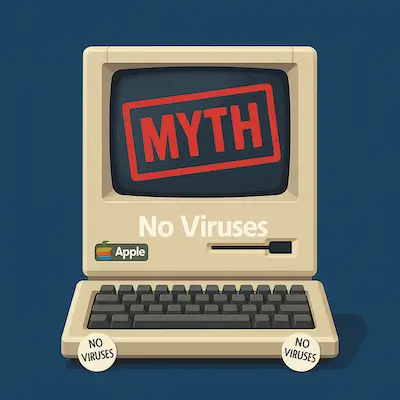
Ask around and you’ll still hear it: “I use a Mac. I don’t need antivirus.” This idea didn’t come out of nowhere—it was built over decades, rooted in marketing, perception, and a bit of truth that no longer holds up.
In the early 2000s, Mac computers really were less targeted by malware. Why? Simple: they weren’t popular enough. Windows PCs dominated the market, so malware developers focused their efforts where the numbers were. Macs, with their smaller user base, flew under the radar. The result? Fewer attacks, less disruption, and a growing belief that macOS was inherently secure.
Apple didn’t exactly shut that narrative down. In fact, early ad campaigns amplified it. Remember the “I’m a Mac / I’m a PC” commercials? One was sleek and laid-back; the other sneezed and coughed its way through security issues. The message was clear: Macs just work. Windows gets viruses.
But being ignored is not the same as being invincible.
Malware has existed on Macs since the early days. One of the first known examples? Elk Cloner, a virus that hit Apple II systems all the way back in 1982. It wasn’t sophisticated, but it proved something important: Macs could be infected too.
Fast-forward to today, and that long-standing myth has become a liability. Macs are no longer a niche product—they’re everywhere from college campuses to corporate offices. And that means they’re squarely in the crosshairs of attackers who’ve evolved just as fast as the tech.
Believing Macs are “immune” is like thinking your car doesn’t need seatbelts because you’ve never crashed. The absence of a problem doesn’t mean the risk isn’t real.
It’s time to move past the myth—and face the facts.
The Modern Threat Landscape for Macs
If you’re still under the impression that Mac users are flying under the radar, it’s time to look at the numbers—and the headlines. macOS is no longer a side target. It’s a frontline battleground.
As Apple’s popularity has soared, so has the interest of hackers, scammers, and exploit developers. From creative malware strains to zero-day vulnerabilities, the threat landscape for Macs these days is active, growing, and far more dangerous than most users realize.
More Macs, More Targets
Apple now holds a significant chunk of the desktop and laptop market, especially in education, creative industries, and among professionals. More users = more incentive to attack. And with so many users still assuming they don’t need protection, the odds tilt in the attacker’s favor.
The Threats You Should Know
Mac threats today go far beyond the occasional pop-up ad. Here’s what’s out there:
- Adware and spyware – Often bundled with sketchy software or browser extensions. These track your activity, inject ads, or harvest personal data.
- Phishing and social engineering – Platform-agnostic. It doesn’t matter how secure macOS is if you click the wrong link or enter your password on a fake site.
- Ransomware – Still rare on Macs, but not impossible. Attacks like EvilQuest have shown that encryption-based extortion can and does happen on macOS.
- Zero-day exploits – Advanced attackers take advantage of unknown vulnerabilities. Events like Pwn2Own routinely showcase how Safari and macOS components can be breached within minutes.
Real-World Examples
To see how real the risks are, just look at recent history. Macs have been repeatedly breached—both by advanced exploit developers and mass-distributed malware.
🧠 Pwn2Own Results

Pwn2Own is one of the world’s top hacking competitions, run by Trend Micro’s Zero Day Initiative (ZDI). Held annually, it challenges elite security researchers to exploit zero-day vulnerabilities in fully updated systems—including macOS, Safari, and other major platforms. Competitors must breach these targets under strict time limits, often chaining multiple flaws to achieve full control. Successful attacks earn large cash prizes—and help vendors like Apple patch serious flaws before they’re exploited in the wild. For Mac users, the takeaway is clear: even the latest, most secure version of macOS can be compromised by skilled attackers, often in seconds.
Here are some notable instances when macOS was successfully hacked at Pwn2Own events:
- Pwn2Own 2024: At Pwn2Own Vancouver 2024, Apple’s Safari browser was the only Apple-related target successfully exploited. The STAR Labs SG team demonstrated a two-bug chain in Safari that led to arbitrary code execution, earning them a $60,000 prize and 6 Master of Pwn points. No macOS-level exploits were demonstrated during this event, signaling a possible tightening in system-level security—but also showing that browser-based attacks remain a viable entry point.
Reference: Zero Day Initiative - Pwn2Own 2023: Security researchers targeted macOS and successfully demonstrated a privilege escalation exploit. The Synacktiv team performed a Time-of-Check to Time-of-Use (TOCTOU) attack against macOS, earning $40,000. This exploit involved escalating privileges on macOS, showcasing vulnerabilities in handling certain processes.
References: BleepingComputer and WinBuzzer. - Pwn2Own 2021: At this event, researchers demonstrated an exploit on Safari, the default macOS browser. The attack utilized a zero-day vulnerability chain, which allowed remote code execution and privilege escalation. Jack Dates, a participant, exploited Safari’s security weaknesses to gain $100,000 for his demonstration.
Reference: MacRumors. - Pwn2Own 2020: Researchers from the Georgia Tech Systems Software & Security Lab executed code on macOS by exploiting Safari. This attack involved a chain of six vulnerabilities, allowing researchers to escalate privileges and take control of the macOS system, earning $70,000.
Reference: SecurityWeek.
These events underscore that even with macOS’s built-in security mechanisms, researchers consistently find vulnerabilities, helping Apple enhance its defenses by addressing these zero-day issues.
These are ethical hackers disclosing flaws. But it proves: even the latest Mac isn’t bulletproof.
🦠 Mac-Specific Malware in the Wild
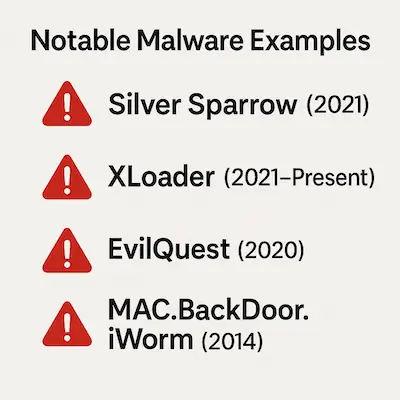
While Macs have a reputation for strong security, they’re far from immune. Over the years, attackers have developed increasingly sophisticated malware tailored specifically for macOS. From early viruses to advanced threats designed for Apple’s M-series chips, these examples show that Mac-focused malware is real, evolving, and actively used in the wild.
- The Evolution of Mac Malware: The "Elk Cloner" Virus (1982)
The Elk Cloner virus is often credited as one of the first computer viruses ever and is an early example of Mac-specific malware, though it actually targeted Apple II systems, a predecessor of modern Macs. Created by a high school student in 1982, Elk Cloner spread via floppy disks and displayed a short poem after the 50th boot. While it was harmless, it marked the beginning of Mac-targeted malware and underscored the vulnerabilities in even early Apple systems. - Flashback Trojan (2011-2012)
Flashback, or Flashfake, was a sophisticated Trojan that emerged around 2011-2012 and is one of the most infamous examples of Mac malware. This Trojan exploited vulnerabilities in Java to install itself on Mac computers and became highly prevalent, affecting over 600,000 devices at its peak. Flashback allowed cybercriminals to control infected Macs, turning them into part of a botnet used for ad-click fraud, generating revenue for attackers by redirecting users to specific websites. Apple responded by releasing an update that removed Java from macOS, illustrating the growing need for Mac users to prioritize software updates. - MAC.BackDoor.iWorm (2014)
MAC.BackDoor.iWorm is a backdoor Trojan discovered in 2014 that infected thousands of Macs globally. What made it stand out was its unusual method of command-and-control: it used Reddit to post server IP addresses, effectively turning the platform into a communication relay. Once installed, iWorm could receive remote commands, harvest system information, and grant attackers control over the infected machine. Though older, iWorm remains a notable example of how creatively attackers can exploit popular platforms to manage large botnets while staying under the radar. - Fruitfly Malware (2017)
In 2017, a strain of malware known as Fruitfly was discovered, which had been lurking on some Mac systems undetected for over a decade. Fruitfly enabled attackers to take control of infected computers remotely, allowing them to access files, activate the webcam, and log keystrokes. Despite its simple coding, Fruitfly was effective and troubling because it went undetected for so long. The discovery led to a heightened awareness of the need for consistent security monitoring on macOS. - OSX/Dok Trojan (2017)
OSX/Dok appeared in 2017 as another highly sophisticated piece of Mac malware. It exploited a vulnerability in macOS Gatekeeper, a tool that controls which apps can be downloaded onto Macs. Once installed, OSX/Dok gained administrative privileges and intercepted network traffic, effectively allowing attackers to monitor user activity. One of the main goals of OSX/Dok was to capture login credentials for sensitive information, like bank accounts, as users accessed websites. Its ability to bypass Apple’s built-in security mechanisms demonstrated that cyber threats for Macs were evolving in complexity. - Shlayer Adware (2018-Present)
Shlayer is a type of adware that surfaced in 2018 and remains a prevalent threat to Mac users. It spreads primarily through fake Adobe Flash Player updates, which users download from various websites. Once installed, Shlayer injects ads into the user's web browsing experience and often installs additional adware without the user’s knowledge. What makes Shlayer particularly concerning is its widespread distribution; research shows that approximately one in ten Mac computers has encountered this adware. Shlayer also operates through affiliate networks, demonstrating how monetization has become a strong motivation for cyber threats on Macs. - EvilQuest Ransomware (2020)
EvilQuest, also known as ThiefQuest, is one of the rare ransomware threats targeting macOS. Discovered in 2020, it masquerades as legitimate software like Google Software Update or Little Snitch installers. Once active, it encrypts users' files, demands a ransom payment, and installs additional malware including keyloggers and reverse shells—allowing remote control of the device. EvilQuest was especially alarming because it didn’t just lock data—it also attempted to steal sensitive information, making it a hybrid threat combining ransomware and spyware. - XCSSET Malware (2020–2022)
XCSSET is a sophisticated piece of malware first discovered in 2020 that specifically targets Mac developers. It spreads through infected Xcode projects, meaning developers can unknowingly pass the malware along by sharing their work. Once installed, XCSSET can steal browser cookies, inject malicious code into Safari, take screenshots, and open backdoors for remote access. Its method of distribution—via legitimate development tools—made it particularly insidious, especially within the software engineering community. Apple has since revoked the certificates used by infected apps, but the campaign highlighted how even trusted tools can be weaponized against macOS users. - Silver Sparrow (2021)
Silver Sparrow is one of the most recent and alarming pieces of Mac malware, discovered in early 2021. This malware was notable for being one of the first to target Apple’s new M1 chip, indicating that hackers are quick to adjust their tactics for newer technology. Silver Sparrow’s exact purpose is still uncertain, but it is known to have a “self-destruct” capability, which suggests a potential for launching a more dangerous payload in the future. With around 30,000 affected Macs reported globally, Silver Sparrow heightened concerns about the potential for increasingly stealthy and adaptable malware on Mac systems. - XLoader Malware (2021-Present)
XLoader, a malware strain previously seen on Windows, made its way to macOS in 2021, demonstrating how cross-platform threats are becoming more common. XLoader is a variant of FormBook, a malware-as-a-service that allows attackers to steal user credentials, track keystrokes, and exfiltrate data. XLoader can disguise itself as a benign file, making it difficult for users to detect and remove. Its ability to operate across both Windows and Mac platforms underscores the trend of malware developers designing attacks that can target users regardless of operating system. - CloudMensis Spyware (2022)
CloudMensis, discovered in 2022, is a spyware strain that primarily targets Mac users. It abuses public cloud storage services like Dropbox, Yandex Disk, and pCloud for data exfiltration, which is uncommon and difficult to detect. CloudMensis is able to record keystrokes, take screenshots, and capture system information. The reliance on cloud services to exfiltrate data allows it to bypass traditional security measures, making it a significant concern for users who rely on cloud storage for sensitive information. - MacStealer Malware (2023)
In 2023, MacStealer emerged as a piece of malware specifically designed to steal sensitive information from macOS users. It targets macOS versions Catalina and above and is capable of stealing data like passwords, cookies, and credit card information stored in browsers. MacStealer spreads through phishing emails, which trick users into downloading malicious files. Its rise signals a shift towards malware tailored to harvest valuable personal and financial information from Mac users.
These examples aren’t edge cases—they’re wake-up calls. They show that Mac malware is real, increasingly sophisticated, and actively evolving. Just because you haven’t seen it doesn’t mean it isn’t out there.
The Bottom Line
The idea that “no one writes viruses for Macs” is dangerously outdated. The threats may not be as noisy or destructive as what you see on Windows, but they’re stealthier, more targeted, and often more personal. And in 2025, they’re not just hypothetical—they’re happening.
Believing your Mac is safe just because it's a Mac is no longer protection. It’s a weakness.
Cross-Platform Threats
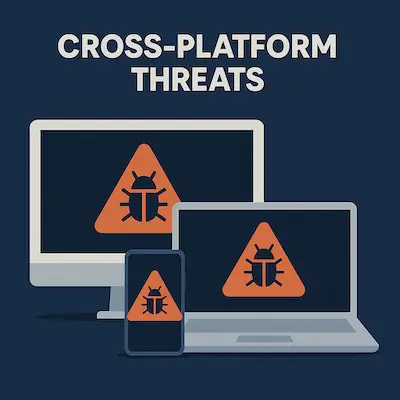
Cross-platform attacks are cyber threats designed to work across multiple operating systems and devices, targeting users regardless of whether they’re on macOS, Windows, Android, or iOS. Unlike traditional malware built for a specific platform, these threats exploit shared environments—like cloud services, web browsers, or email clients—that exist across systems. This gives attackers a wider reach with a single piece of malware.
(These attacks are sometimes called “platform-agnostic,” though “cross-platform” is more commonly used.)
One of the most common forms of cross-platform attack is phishing—using fake emails, messages, or login pages to trick users into giving up sensitive information. Because these attacks are delivered through platforms like email, SMS, or social media, they can hit any device with internet access.
Another method is browser-based malware, which exploits vulnerabilities in popular browsers like Chrome, Safari, or Firefox. These can be triggered by malicious websites or online ads and affect users on both desktops and mobile devices.
A real-world example is XLoader, a malware variant that began on Windows and later expanded to macOS. XLoader poses as a harmless file but, once installed, can log keystrokes, steal credentials, and exfiltrate sensitive data. Its ability to operate across platforms shows just how much damage a single, well-crafted threat can cause.
As digital environments become more interconnected, cross-platform threats are growing fast—and getting smarter.
To defend against them:
- Keep all software up to date
- Use strong, unique passwords
- Turn on multi-factor authentication
- Be cautious with emails, links, and downloads—no matter what device you're using
Recent trends show a clear surge in cross-platform malware, making universal, device-agnostic security habits more important than ever.
- Rising Frequency of Attacks: The CrowdStrike 2023 Global Threat Report highlighted that 71% of attacks are now malware-free, employing tactics such as phishing and cloud exploitation that can target users across Windows, macOS, Linux, and mobile platforms.
Reference: CrowdStrike - Cloud Exploitation Growth: With a 95% increase in cloud service exploitation from the previous year, attackers increasingly leverage shared environments and dependencies that apply across platforms. Cloud-based attacks affect anyone using compromised services, regardless of device or operating system.
Reference: Logpoint - Weekly Cyber Threats: Check Point’s 2023 report noted that organizations faced an average of 1,158 cyber attacks weekly, a trend that underscores the growing frequency of platform-agnostic threats across sectors such as retail and healthcare. These attacks exploit widely used software applications, APIs, and cloud systems that serve as common denominators for cross-platform infiltration.
Reference: Checkpoint Blog - Phishing Dominance: Phishing continues as the leading entry point for attacks across devices and operating systems, showing a 45% increase in phishing-related threats in 2023, according to SlashNext. These social engineering attacks are not confined to one platform but span email, SMS, and messaging apps, making them particularly versatile and effective.
Reference: SlashNext
The steady rise of cross-platform attacks highlights the growing need for cybersecurity practices that work across all systems and applications. In today’s hyper-connected environment, no device is an island—everyone shares risk, regardless of whether they’re using macOS, Windows, Linux, or mobile platforms.
Interestingly, Mac computers can also serve as silent carriers of malware. Like a healthy person carrying a virus without symptoms, a Mac may harbor malware that doesn’t affect it directly but can still infect other systems, especially Windows PCs. This means that even if you aren’t the end target, you could be part of the problem without knowing it.
There’s been a clear shift in how attackers operate. Classic, platform-specific viruses are on the decline. In their place, cybercriminals are focusing on application-based attacks that move easily across devices and operating systems. These threats don’t rely on system-level exploits—they rely on user behavior.
Many of these come disguised as helpful tools or documents. They’re Trojan horses: users willingly download them, thinking they’re installing something legitimate. But in reality, these apps unleash malware that may steal data, monitor activity, or create backdoors into the system.
These cross-platform threats are especially dangerous because they bypass traditional barriers. They don’t need to exploit a specific OS—they just need to fool the user. That makes user awareness, smart digital hygiene, and trusted software sources more critical than ever.
Apple’s Security Ecosystem: What Works, What Doesn’t
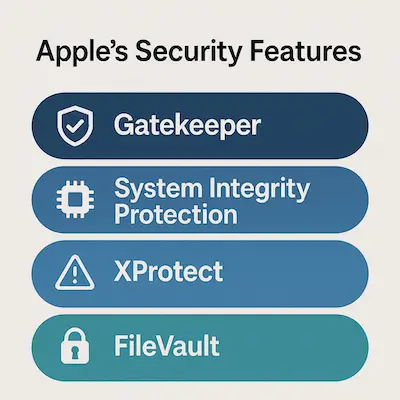
Apple is serious about security—and macOS reflects that. It’s loaded with built-in defenses designed to keep threats out and limit the damage if something slips through. But no system is airtight. Some protections are powerful. Others are passive. And a few are misunderstood entirely.
Let’s break down the key elements of Apple’s security stack—and where they fall short.
✅ What Works
- System Integrity Protection (SIP):
SIP locks down core system files and prevents even users with root access from modifying them. This helps stop malware from embedding itself deep in the OS. - Gatekeeper:
Gatekeeper blocks apps that haven’t been signed and notarized by Apple. When you try to open something sketchy, macOS throws up a warning—or blocks it entirely. - XProtect and MRT:
These are macOS’s built-in malware scanning tools. XProtect checks files against known malware signatures, and MRT (Malware Removal Tool) quietly cleans infections in the background. - App Sandbox:
Apps from the Mac App Store are sandboxed—meaning they operate in isolated environments. If one app gets compromised, it’s harder for the malware to spread system-wide. - T2 Security Chip and M-Series Security Features:
On newer Macs, the hardware itself adds another layer. These chips power secure boot, encrypted storage, and biometric authentication.
⚠️ What Doesn’t (or Isn’t Enough)
- No real-time protection:
Unlike third-party antivirus tools, macOS doesn’t scan files continuously as they run. XProtect only checks some downloads—and only when they’re opened. - Minimal visibility:
macOS rarely alerts users to threats unless they’re extremely obvious. There’s no dashboard or detailed threat history. If something slips by, you might never know. - Gatekeeper is easily bypassed:
Users can override security warnings with a few clicks. Malware authors know this—and design their attacks to rely on social engineering to trick users into doing exactly that. - XProtect updates are slow and limited:
It only catches known threats. If you’re hit with a new strain, you’re on your own until Apple updates the definitions—which can take days or weeks. - Phishing protection is weak:
Most Mac users rely on Safari, Mail, or third-party browsers—but none of these offer robust phishing protection without help. macOS doesn’t prevent you from entering your password into a fake login screen.
The Takeaway
Apple builds strong, quiet defenses—but they’re not enough by themselves. If you rely solely on what’s built into macOS, you’re still vulnerable to phishing, zero-day attacks, shady browser extensions, and user error.
Think of Apple’s security as a solid foundation—not a full shield. If you want real protection, you need to layer up.
Third-Party Antivirus on Mac: Do You Need It?
Here’s the question that sparks endless debates on forums and Reddit threads:
Do Mac users really need antivirus software?
The short answer: It depends on how you use your Mac—and how much risk you're willing to accept.
🟢 Why Antivirus Can Be Worth It
While macOS includes several built-in protections, it doesn’t offer full-spectrum, real-time security. That’s where third-party antivirus tools come in. The right software adds layers that Apple doesn’t cover:
- Real-time scanning: Constant background checks for malware as files are downloaded, installed, or executed.
- Phishing and web protection: Many tools flag fake websites, block malicious URLs, and detect fraudulent logins before you get tricked.
- Firewall enhancement: Some antivirus programs offer more robust network monitoring than macOS’s built-in firewall.
- Ransomware detection: Specialized tools can flag suspicious encryption behavior and stop ransomware before it spreads.
- Scheduled scans and alerts: macOS doesn’t let you schedule scans or get detailed activity reports—antivirus tools do.
If you’re frequently downloading software from outside the App Store, dealing with sensitive work data, or just want peace of mind, antivirus for Mac is a smart layer of defense.
🔴 When It Might Not Be Necessary
For tech-savvy users who:
- Only install trusted apps from the App Store
- Keep macOS and all software regularly updated
- Practice safe browsing and strong password hygiene
- Use hardware-backed 2FA and encrypted backups
…it’s possible to stay safe without third-party antivirus—but you’re walking a finer line.
There’s also the potential downside:
- Performance hit: Some antivirus programs slow down your system or flood you with notifications.
- Privacy concerns: Not all vendors are trustworthy—some free tools have been caught collecting user data or injecting ads.
- Overkill for low-risk users: If you use your Mac mostly for browsing, email, and documents, you may never encounter a serious threat.
So, What’s the Move?
Third-party antivirus isn’t mandatory for Mac users—but it’s definitely not useless. Think of it like insurance: you hope you never need it, but you’ll be glad it’s there if something goes wrong.
If you decide to get one, stick with reputable names like Bitdefender, Intego, Malwarebytes Premium, or Norton 360. Skip the sketchy “free” options unless you’ve done your homework.
How to Keep Your Mac Secure
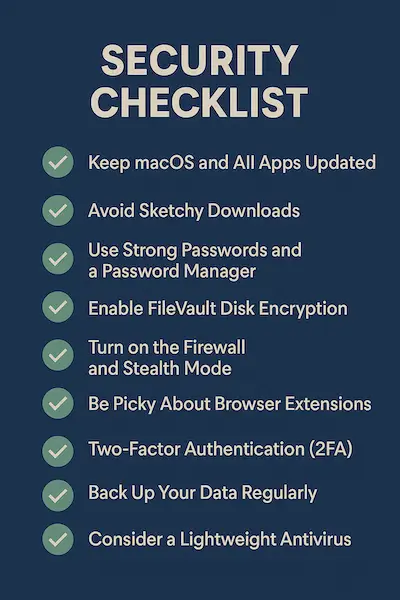
You don’t need to be a cybersecurity expert to keep your Mac safe—you just need to stay sharp and follow smart habits. Whether or not you use third-party antivirus, security starts with how you use your machine.
Here’s a straight-up checklist of what you should be doing:
🔄 Keep macOS and All Apps Updated
Apple patches vulnerabilities fast—but only if you let them.
Turn on automatic updates for macOS and the App Store, and regularly check for updates to any third-party apps.
Outdated software = unlocked doors.
🚫 Avoid Sketchy Downloads
Stay away from cracked software, torrent sites, or random download pages.
If it’s not from the Mac App Store or a trusted developer’s site, skip it. Many modern threats ride in through unofficial installers.
🔐 Use Strong Passwords and a Password Manager
Stop reusing the same weak password everywhere.
Use a password manager like 1Password or Bitwarden to generate and store complex passwords. If a site gets breached, you're still safe.
🧱 Enable FileVault Disk Encryption
FileVault encrypts your entire drive. If your Mac is lost or stolen, your data stays locked.
Go to System Settings > Privacy & Security > FileVault and turn it on.
🛡️ Turn on the Firewall and Stealth Mode
Your Mac has a built-in firewall. Use it.
Enable Stealth Mode too—it hides your Mac from network scanners.
Settings > Network > Firewall > Options
🧩 Be Picky About Browser Extensions
Extensions can spy on you or inject ads. Only install what you trust, and review permissions carefully.
Less is more.
✅ Use Two-Factor Authentication (2FA)
Add 2FA to your Apple ID, email, banking apps, and anything else that supports it.
It’s one of the easiest, strongest things you can do to block account takeovers.
💾 Back Up Your Data Regularly
Use Time Machine or a cloud backup tool. Ransomware or hardware failure can nuke your files in seconds.
A backup is your get-out-of-jail-free card.
🧬 Consider a Lightweight Antivirus
If you want extra peace of mind, run something like Malwarebytes Premium or Bitdefender.
Avoid bloatware—choose tools known for low impact and real protection.
🕵 Stay Alert for Phishing and Scams
No antivirus can save you if you hand over your credentials.
Be skeptical of:
- Urgent emails with links
- Unsolicited attachments
- Login pages that feel “off”
When in doubt, don’t click.
Security Isn’t a Feature. It’s a Habit.
Your Mac can be secure—but only if you’re paying attention. Think of this list as your security hygiene. You don’t need to do it all at once—but the more of these steps you take, the harder it becomes for anything to get through.
Common Misconceptions and FAQ
Even today, plenty of Mac users still believe things that simply aren’t true. Let’s clear the air and shut down the biggest myths once and for all.
“I’ve never had a virus on my Mac, so I don’t need protection.”
False.
This is like saying you don’t need a seatbelt because you’ve never crashed. The past doesn’t predict the next click, download, or phishing link.
Malware is stealthier now. You might already have adware or a data-siphoning extension without realizing it.
“macOS is based on Unix, so it’s secure by default.”
Partially true—but misleading.
Yes, macOS has a strong foundation. Unix-style permission systems and sandboxing help limit damage.
But “secure by design” doesn’t mean “secure no matter what.” Attackers constantly find ways around these protections—especially if the user clicks “Allow.”
“Apple would never let malware into the App Store.”
Wrong.
Apple reviews apps, but it’s not bulletproof. Malicious apps have slipped through, sometimes with hidden behavior that only activates after approval.
Always check reviews, permissions, and developer history.
“I use Safari and Apple Mail. I’m safe from phishing.”
Nope.
Phishing doesn’t care what software you use. It preys on trust.
Safari might block some bad sites, but you still need to spot fake login pages and suspicious messages. No browser or mail app can do that thinking for you.
“Free antivirus is just as good as paid.”
Not always.
Some free tools are great for scanning. Others are bloated, outdated, or sketchy.
If a product is free, your data might be the price. Stick to trusted names, and if you want real-time protection, paid versions are usually worth it.
“Macs can’t get ransomware.”
They can—and they have.
While it’s still rarer than on Windows, ransomware on macOS is very real. Examples like EvilQuest showed how fast a Mac can be locked down, with files encrypted and ransoms demanded.
Bottom Line:
Don’t let outdated advice or secondhand opinions guide your security decisions. The Mac landscape today is full of smart tools, but it still needs smart users.
Final Thoughts: Balancing Security and Usability
Macs are still some of the most secure consumer computers on the market—but that doesn’t mean they’re invincible. Security isn’t something Apple can hand you. It’s something you practice.
You don’t need to live in paranoia or overload your system with software. But you also can’t coast on old myths and default settings. The real win is balance:
- Use Apple’s built-in defenses—because they work.
- Add extra protection where it makes sense.
- Stay alert, not anxious.
Security doesn’t have to get in the way of usability. In fact, the most effective protections often happen quietly—like strong passwords, encrypted backups, and a little common sense before clicking a link.
So here’s the bottom line:
Macs can be secure, but only if you are.
And today, that mindset is more important than ever.