Antivirus software is a program designed to detect, prevent, and remove malicious software, commonly known as malware, from computers and other devices. Malware encompasses various types of harmful software, including viruses, worms, Trojans, spyware, adware, and ransomware.
Antivirus software typically works by scanning files and programs on a computer for patterns or signatures that match known malware. It also employs heuristic analysis to identify suspicious behavior that may indicate the presence of previously unseen malware. Once detected, the antivirus software can quarantine or delete the malicious files to protect the system from harm.
In addition to real-time scanning and detection, many antivirus programs offer additional features such as firewalls, email scanning, web protection, and behavior analysis to provide comprehensive security against a wide range of threats.
Overall, antivirus software plays a crucial role in safeguarding computers and devices against cyber threats, helping users maintain the integrity and security of their digital environments.
Why Should I Have Antivirus Software?
Antivirus software is essential for several reasons:
- Protection from Malware: Antivirus software helps safeguard your computer from various types of malware, including viruses, worms, Trojans, ransomware, spyware, and adware. These malicious programs can damage your files, steal your personal information, or even take control of your computer.
- Prevention of Data Loss: Malware attacks can lead to data loss or corruption, which can be devastating for individuals and businesses alike. Antivirus software can help prevent such loss by detecting and removing threats before they can cause harm.
- Protection of Personal Information: Malware often targets sensitive personal information, such as login credentials, financial data, and identity information. Antivirus software can block attempts to steal this information, helping to keep your personal data safe from cybercriminals.
- Maintenance of System Performance: Some types of malware can slow down your computer by consuming system resources or launching attacks on other systems. By detecting and removing malware, antivirus software helps maintain the performance and stability of your computer.
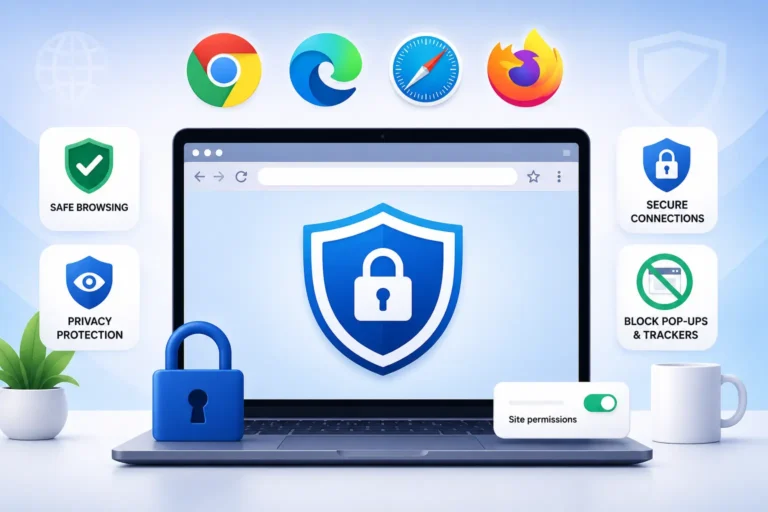
- Safe Browsing: Many antivirus programs include features like web filtering and URL blocking, which can help protect you from visiting malicious websites that could infect your computer with malware or phishing attempts.
In essence, antivirus software serves as a critical layer of defense against the ever-present threat of malware in today’s digital world. It helps keep your computer and your personal information safe from cyber threats.
Is Free Antivirus OK To Use?
Free antivirus software can be sufficient for basic protection against common threats such as viruses, malware, and phishing attacks. Many reputable companies offer free versions of their antivirus software that provide essential features like real-time scanning, malware detection, and removal.
However, it’s important to recognize that free antivirus solutions typically offer fewer features and less comprehensive protection compared to their paid counterparts. Paid antivirus software often includes additional features such as advanced threat detection algorithms, firewall protection, identity theft protection, and customer support.
If you’re a casual user who primarily browses the web, checks emails, and downloads files from trusted sources, a free antivirus program may meet your needs adequately. However, if you engage in activities such as online banking, shopping, or handling sensitive information, investing in a paid antivirus solution with more robust security features might be a wise choice.
Ultimately, the effectiveness of any antivirus software, whether free or paid, depends on how regularly it’s updated, its ability to detect emerging threats, and how well it suits your specific cybersecurity needs and habits.
Examples Of Free Antivirus Software
Here are some examples of free antivirus software:
- Avast Free Antivirus: Avast offers a robust free antivirus solution with features like real-time protection, malware scanning, and a Wi-Fi inspector.
- AVG Antivirus Free: AVG provides essential protection against viruses, malware, and other threats. It includes features like real-time security updates and scans for both performance and security issues.
- Avira Free Security: Avira offers a free antivirus solution with features such as real-time scanning, firewall protection, and a VPN (Virtual Private Network) for secure browsing.
- Bitdefender Antivirus Free Edition: Bitdefender’s free antivirus software offers basic protection against malware, phishing attacks, and other online threats. It has a minimalistic interface and focuses on efficiency.
- Kaspersky Security Cloud Free: Kaspersky provides a free version of its cloud-based security solution, offering protection against viruses, ransomware, and other threats. It also includes features like secure VPN and password management.
- Sophos Home Free: Sophos Home offers free antivirus protection for both Windows and Mac devices. It includes features like real-time threat protection, parental web filtering, and remote management.
- Microsoft Defender Antivirus: For Windows users, Microsoft Defender Antivirus comes pre-installed with Windows 10 and provides real-time protection against viruses, malware, and other threats.
Remember to research and ensure the antivirus software you choose meets your specific needs and is compatible with your operating system. Additionally, while free antivirus software provides basic protection, premium versions often offer more advanced features and support.
Is Paid Antivirus Software Better Than Free One?
Whether paid antivirus software is better than free antivirus software depends on various factors, including the specific features offered, the level of protection provided, and the user’s needs and preferences.
Here are some considerations:
- Features: Paid antivirus software often comes with additional features beyond basic malware detection and removal. These may include real-time protection, firewall protection, identity theft protection, parental controls, and secure browsing tools. Free antivirus software may offer basic protection but might lack some of these advanced features.
- Detection Rate: Paid antivirus software typically invests more resources in research and development, leading to potentially better detection rates for newer and more sophisticated threats. However, some free antivirus solutions also provide robust detection rates through partnerships or community-driven updates.
- Updates and Support: Paid antivirus software usually offers regular updates to keep up with evolving threats and vulnerabilities. Additionally, paid products often provide customer support services, including technical assistance and troubleshooting. Free antivirus solutions might have less frequent updates and limited customer support options.
- Resource Usage: Some users find that free antivirus software consumes fewer system resources compared to paid alternatives, which can be important for older or less powerful computers. Paid antivirus programs may offer more customizable settings to adjust resource usage according to the user’s preferences.
- Privacy Concerns: Free antivirus software might collect user data for marketing purposes or to improve their services. Users should carefully review privacy policies to understand what data is collected and how it’s used. Paid antivirus software may offer more transparent privacy practices or options to opt-out of data collection.
- Cost: Obviously, cost is a significant factor. Free antivirus software is appealing because it doesn’t require any financial investment. However, paid antivirus software may offer better value for users who require advanced features, enhanced protection, and reliable customer support.
In summary, both paid and free antivirus software can provide effective protection against malware, but the best choice depends on the user’s specific needs, budget, and preferences. Users should research and compare different options to find the solution that offers the best balance of features, performance, and value for their individual circumstances.
Examples Of Paid Antivirus Software
Here are some examples of paid antivirus software:
- Norton 360: Norton offers comprehensive antivirus protection with features like real-time threat detection, VPN, password manager, and cloud backup.
- McAfee Total Protection: McAfee provides a complete security solution with antivirus, firewall, identity protection, and secure VPN for multiple devices.
- Kaspersky Total Security: Kaspersky offers advanced antivirus protection with features like malware scanning, firewall, parental controls, and secure online banking.
- Bitdefender Total Security: Bitdefender Total Security suite includes antivirus protection, advanced threat defense, secure VPN, password manager, and file encryption.
- Trend Micro Maximum Security: Trend Micro offers a robust security suite with antivirus, ransomware protection, privacy protection, and social media privacy features.
- ESET Internet Security: ESET provides comprehensive internet security with antivirus, firewall, anti-phishing, and online banking protection.
- Avast Premium Security: Avast premium security suite includes antivirus protection, firewall, ransomware shield, and advanced security features for browsing and online shopping.
- Sophos Home Premium: Sophos offers advanced antivirus protection for home users with features like real-time threat detection, web filtering, and remote management.
- Malwarebytes Premium: Malwarebytes provides advanced malware detection and removal capabilities with features like real-time protection, anti-exploit technology, and ransomware protection.
- F-Secure SAFE: F-Secure offers a comprehensive security solution with antivirus, browsing protection, banking protection, and parental controls.
When choosing a paid antivirus software, consider your specific security needs, the features offered, compatibility with your devices, and customer support options. Additionally, many providers offer trial versions or money-back guarantees to help you assess the software before committing to a purchase.