Self-Defense Against Malware: How to Protect Your Devices and Data
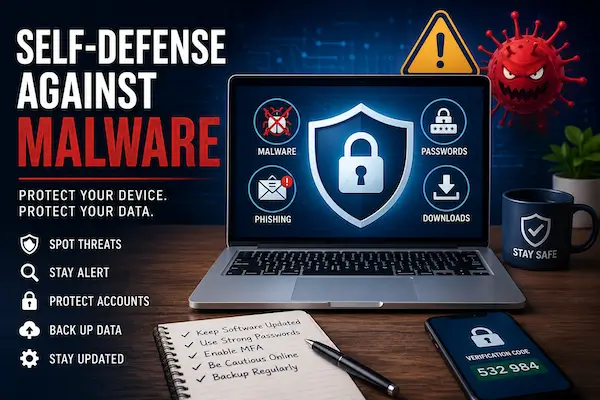
Malware can affect almost anyone who uses a computer, phone, tablet, or online account. It can hide inside fake downloads, unsafe links, email attachments, browser extensions, and websites that look trustworthy at first glance.
The good news is that you do not need to be a cybersecurity expert to lower your risk. With the right habits, reliable security software, and a calm response plan, you can make your devices much harder to attack. This guide explains practical steps you can use to protect your files, passwords, privacy, and personal information.
Malware Protection Starts With Smart Everyday Habits
Malware self-defense is not just about installing antivirus software and hoping it catches every threat. Security software plays an important role, but your daily choices matter too. The way you browse, download files, open emails, update software, and manage passwords can either reduce your risk or make attacks easier.
Many infections start with a simple mistake. A user clicks a fake delivery notice, installs a “free” program from an unknown website, ignores software updates, or trusts a pop-up that claims the device has a virus. Attackers design these tricks to feel urgent, familiar, or harmless. That is why *safe habits* matter as much as security tools.
A strong malware defense starts with a few basic rules. Keep your system updated. Use trusted antivirus software. Avoid suspicious links and downloads. Back up important files. Use strong, unique passwords. Turn on multi-factor authentication when possible. These steps may seem simple, but together they create a stronger layer of protection around your device and your accounts.
This page focuses on practical help. You will learn what malware can do, how to spot warning signs, what to do if your device acts strangely, and how to protect yourself before malware causes serious damage.
What Malware Can Do to Your Device
Malware can create many different problems, from annoying pop-ups to serious data theft. Some threats run quietly in the background. Others make the device almost impossible to use. The exact damage depends on the type of malware, but the goal often stays the same: steal data, control activity, display unwanted ads, or pressure you into taking action.
Here are some of the most common ways malware can affect your device and your personal information.
Steal Personal Information
Some malware focuses on data theft. It may look for passwords, banking details, credit card numbers, saved browser data, email accounts, documents, photos, or personal files. Infostealers and spyware often work quietly, which makes them especially risky.
If malware steals login details, attackers may try to access your email, online banking, shopping accounts, cloud storage, or social media profiles. That is why you should change important passwords from a clean device after a suspected infection.
Slow Down or Hijack Your Computer
Malware can also make your computer slow, unstable, or hard to control. You may notice frequent freezes, crashes, error messages, browser redirects, or programs that open without permission. In some cases, malware changes your homepage, search engine, or browser settings.
These problems may seem like simple performance issues at first. However, sudden changes deserve attention, especially when they appear after a download, email attachment, or suspicious website visit.
Lock Files or Demand Payment
Ransomware can lock files and demand payment to restore access. It may target documents, photos, business files, school work, or other important data. This type of attack can feel urgent and stressful, but paying does not always fix the problem.
A reliable backup gives you a safer recovery option. Regular backups can protect your files from ransomware, hardware failure, accidental deletion, and other damage.
Spy on Your Online Activity
Some malware watches what you do online. Spyware, keyloggers, and malicious browser extensions may track websites, search activity, typed passwords, messages, or account sessions. This can put both your privacy and your accounts at risk.
If your browser suddenly acts differently, do not ignore it. Strange redirects, unknown extensions, new toolbars, or unexpected permission requests can point to a bigger security problem.
Common Warning Signs of Malware
Malware does not always announce itself. Some threats try to stay hidden for as long as possible. Others create obvious problems right away. If your device starts acting differently without a clear reason, take the change seriously.
One warning sign does not always mean you have malware. A slow computer can also come from old hardware, low storage, or too many apps running at once. However, several warning signs together can point to a real security issue.
- Your device suddenly becomes slow or unstable. Apps may freeze, crash, or take much longer to open.
- Pop-ups appear often. You may see ads, fake virus warnings, or browser windows you did not open.
- Your homepage or search engine changes. Malware and unwanted extensions can change browser settings without permission.
- Unknown apps, toolbars, or extensions appear. New programs that you did not install deserve attention.
- Your antivirus stops working. Some malware tries to turn off protection, block updates, or prevent scans.
- Files disappear, change names, or become locked. This can signal ransomware or another serious infection.
- Your accounts send strange messages. Friends may receive spam, links, or messages that you did not write.
- Your browser keeps redirecting you. Search results, shopping pages, or login screens may lead to unfamiliar websites.
- Your device heats up or drains battery quickly. Hidden activity can use extra system resources.
Do not ignore sudden changes that happen without your permission. If you notice several of these signs, disconnect from the internet and run a full security scan as soon as possible.
First Steps If You Think You Have Malware
If you think your device has malware, stay calm and act quickly. A fast response can limit data theft, stop more damage, and give your security software a better chance to remove the threat.
Start with the steps below before you continue browsing, downloading files, or logging into important accounts.
Disconnect From the Internet
Turn off Wi-Fi or unplug the Ethernet cable. This can stop malware from sending data, downloading more threats, or staying connected to an attacker.
If you use a phone or tablet, turn off Wi-Fi and mobile data for that device. Keep the device powered on if you plan to run a scan right away.
Stop Entering Passwords
Do not log into email, banking, shopping, cloud storage, or social media accounts from the suspicious device. Some malware can record keystrokes, capture browser sessions, or steal saved login data.
Use a clean device for important accounts until you know the infected device is safe again.
Run a Full Antivirus Scan
Open your trusted antivirus or internet security software and run a full system scan. If possible, update the security software first so it can check for newer threats.
A quick scan can help, but a full scan checks more areas of the device. It may take longer, but it gives you a better chance to find hidden malware.
Remove Suspicious Apps and Browser Extensions
Check your installed apps, browser extensions, and recently downloaded files. Remove anything you do not recognize, especially programs that appeared after a suspicious download or pop-up.
Pay close attention to extensions that ask for broad permissions, change your search engine, inject ads, or redirect websites. These small add-ons can create big privacy and security problems.
Change Passwords From a Clean Device
After you scan and remove the threat, change important passwords from a trusted device. Start with email, banking, cloud storage, shopping, and social media accounts.
Use strong, unique passwords for each account. Turn on multi-factor authentication where possible, especially for email and financial accounts.
Check Your Accounts for Unusual Activity
Review recent logins, account recovery settings, connected devices, and recent transactions. Look for changes you did not make.
If you see suspicious activity, sign out of all sessions, update your password, and contact the service provider when needed. For banking or payment accounts, report unknown transactions right away.
How to Protect Yourself Before Malware Strikes
The best time to fight malware is before it reaches your device. Good prevention habits can block many threats before they cause damage, steal information, or interrupt your work.
You do not need a complicated setup to improve your protection. A few smart steps can make everyday browsing, downloading, and account use much safer.
Keep Your System and Apps Updated
Updates often fix security holes that attackers try to exploit. Keep your operating system, browser, antivirus software, office apps, PDF reader, and mobile apps up to date.
Turn on automatic updates when you can. This helps you get important fixes without needing to check for them every day.
Use Reliable Antivirus Software
Trusted antivirus software can detect, block, and remove many common threats. It can also warn you about suspicious files, unsafe websites, and risky downloads.
Look for protection that includes real-time scanning, web protection, ransomware protection, and regular updates. Keep the software active instead of turning it off for convenience.
Download Software From Trusted Sources
Only download apps from official websites, trusted app stores, or well-known software providers. Fake installers and “free” downloads often carry malware or unwanted programs.
Be careful with download buttons on unfamiliar websites. Some ads look like real download links, but they lead to unsafe files.
Be Careful With Email Links and Attachments
Email remains one of the most common ways malware reaches users. Attackers often use fake invoices, delivery notices, password reset messages, account warnings, and urgent requests.
Before you click, check the sender, link destination, spelling, and message tone. If something feels rushed or strange, visit the website directly instead of using the link.
Use Strong, Unique Passwords
Use a different password for every important account. If one password gets stolen, attackers cannot use it to unlock your other accounts.
A password manager can help you create and store strong passwords. This makes it easier to avoid weak passwords and repeated logins.
Turn On Multi-Factor Authentication
Multi-factor authentication, or MFA, adds another step when you sign in. It can protect your account even if someone steals your password.
Use MFA for email, banking, cloud storage, shopping, and social media accounts. Your email account matters most because attackers can use it to reset other passwords.
Back Up Important Files
Backups help you recover from ransomware, malware damage, device failure, accidental deletion, and theft. Save copies of important documents, photos, school files, work files, and financial records.
Use more than one backup when possible. For example, you can combine cloud backup with an external drive that you disconnect after each backup.
Safer Browsing and Download Habits
Many malware attacks start with a click. A fake warning, unsafe download, copied login page, or infected attachment can lead to serious problems. Safer browsing habits help you avoid these traps before they reach your device.
Use extra caution when a website, message, or pop-up asks you to act quickly. Attackers often create a sense of urgency because they want you to click before you think.
Watch Out for Fake Virus Warnings
Fake virus warnings often claim that your computer has a serious infection. They may tell you to call a phone number, download a tool, or pay for support. These alerts can look convincing, but they usually come from scam pages or malicious ads.
Do not click buttons inside suspicious pop-ups. Close the browser tab if you can. If the warning will not go away, close the browser completely and run a scan with your trusted security software.
Avoid Pirated Software and Cracks
Pirated software, cracks, keygens, and unofficial activation tools often carry malware. Attackers know that users looking for paid software for free may ignore warning signs.
These downloads can hide trojans, infostealers, ransomware, or unwanted programs. The safer choice is simple: use official software, trusted free alternatives, or legitimate trial versions.
Check URLs Before You Click
Before you enter a password or download a file, look closely at the website address. Fake pages often use misspelled domains, extra words, unusual endings, or links that only look familiar at first glance.
When in doubt, type the website address directly into your browser. This helps you avoid fake login pages that try to steal passwords or payment details.
Be Careful With Search Ads and Download Buttons
Search results and ads can sometimes lead to pages that imitate trusted brands. A page may use familiar logos, product names, and urgent wording to push a risky download.
On download pages, watch for large buttons that do not match the file you need. Some websites place misleading ads near real download links to trick visitors.
Review Browser Extensions
Browser extensions can add useful features, but risky extensions can read browsing data, inject ads, redirect searches, or track activity. Remove extensions you no longer use or do not recognize.
Check extension permissions before installing anything new. If a simple tool asks to read and change data on every website, treat that as a warning sign.
Think Before Opening Attachments
Attachments can carry malware, especially when they arrive with unexpected invoices, delivery notices, forms, resumes, or account alerts. Even familiar-looking messages can be fake.
If you did not expect the file, verify it first. Contact the sender through a trusted channel before you open the attachment or enable any document features.
Malware Self-Defense Checklist
A strong malware defense does not depend on one tool or one habit. It comes from several small actions that work together. Use this checklist to reduce risk and make your devices harder to attack.
- Install trusted antivirus software. Choose reliable protection and keep it active.
- Keep real-time protection turned on. This helps block threats before they run.
- Turn on automatic updates. Keep your operating system, browser, apps, and security software current.
- Use a secure, updated browser. Remove risky extensions and avoid outdated browser versions.
- Avoid unknown downloads. Get apps from official websites, trusted app stores, or known software providers.
- Scan attachments before opening them. Be careful with invoices, forms, delivery notices, and unexpected documents.
- Use strong, unique passwords. Do not reuse passwords across email, banking, shopping, and social accounts.
- Enable multi-factor authentication. Add extra protection to your most important accounts.
- Back up important files. Save copies of documents, photos, work files, school files, and financial records.
- Remove unused apps. Fewer apps mean fewer possible security gaps.
- Review browser extensions. Delete extensions you do not recognize, trust, or use.
- Keep recovery options updated. Check backup email addresses, phone numbers, and account recovery settings.
You do not need to do everything perfectly to become safer. Start with the basics: update your device, use trusted security software, protect your passwords, and back up important files. These steps can prevent many common malware problems.
What to Do After Removing Malware
Removing malware is an important step, but it should not be the final step. You also need to check for leftover problems, protect your accounts, and close the security gaps that may have caused the infection.
Use the steps below after your antivirus software removes a threat or after you clean up a suspicious device.
Restart and Scan Again
Restart your device after the cleanup process ends. This helps your system apply changes and clear temporary activity.
After the restart, run another full system scan. A second scan can help confirm that the main threat no longer appears and that no related files remain.
Update Everything
Update your operating system, browser, apps, and security software. Malware often takes advantage of outdated software, weak settings, or older browser extensions.
Turn on automatic updates where possible. This gives your device a better chance to receive important fixes before attackers use known security flaws.
Change Important Passwords
Change passwords for important accounts, especially email, banking, cloud storage, shopping, and social media. Use a clean device for this step if you still do not trust the original device.
Create strong, unique passwords for each account. Do not reuse an old password, even if the account seems safe.
Check Financial and Online Accounts
Review recent logins, account activity, saved payment methods, recovery options, and connected devices. Look for changes you did not make.
If you see unknown transactions, contact your bank or payment provider right away. If an online account shows strange activity, sign out of all sessions and secure the account.
Restore Files From Backup If Needed
If malware damaged or deleted files, restore them from a clean backup. Use a backup that you created before the infection started.
Do not restore suspicious files or unknown programs. Focus on documents, photos, and other personal files that you recognize and need.
Watch the Device for New Warning Signs
Pay attention to your device for the next few days. Slow performance, pop-ups, redirects, blocked updates, or unknown apps may mean the problem still exists.
If the same warning signs return, do not ignore them. Run another scan, remove suspicious software, and consider professional help if the infection keeps coming back.
When You Should Get Professional Help
Many malware problems can be fixed with trusted antivirus software, careful cleanup, and stronger account security. However, some situations need more help. If the problem keeps coming back or involves sensitive information, a professional can help you avoid bigger risks.
Get help from a trusted computer repair service, IT support team, or cybersecurity professional if you notice any of the problems below.
- Files stay locked, missing, or unreadable. This may point to ransomware or serious file damage.
- The device keeps getting infected again. A hidden threat, unsafe setting, or compromised account may still exist.
- Antivirus software will not open or update. Some malware tries to block security tools.
- Your banking or identity information may have leaked. Fast action can help limit financial or personal damage.
- You see unknown remote access tools. Someone may have gained control of the device.
- The device stores work, business, or sensitive data. A professional can help protect files, accounts, and connected systems.
You should also ask for help if you feel unsure about what happened. Guessing can make the situation worse, especially if you delete important files or restore infected backups.
Do not trust phone numbers or support links from pop-ups. Use a known company website, your employer’s IT team, your device manufacturer, or a local service with a real reputation. A real support provider will not pressure you with scare tactics or demand unusual payment methods.
Malware Protection Is an Ongoing Habit
Malware protection works best when it becomes part of your regular routine. You do not need to think about cybersecurity all day, but you should build a few habits that protect your devices, files, and accounts.
Keep your software updated. Use trusted antivirus protection. Think before you click. Download apps from reliable sources. Back up important files. Protect your accounts with strong passwords and multi-factor authentication.
These habits may feel small, but they work together. They can stop many common threats before they cause damage. They can also help you recover faster if something goes wrong.
Good malware self-defense is not about fear. It is about staying prepared. When you know what to watch for and how to respond, you can use your devices with more confidence.
You do not need to be a cybersecurity expert to stay safer online. Start with the basics, keep improving your habits, and take action quickly when something does not look right.
Frequently Asked Questions About Malware Self-Defense
Can antivirus software remove all malware?
Antivirus software can detect and remove many common threats, but no tool catches everything. New malware appears often, and some threats try to hide from security software.
For stronger protection, combine trusted antivirus software with safe browsing habits, regular updates, strong passwords, multi-factor authentication, and reliable backups.
What should I do first if I think my computer has malware?
Disconnect from the internet first. Turn off Wi-Fi or unplug the Ethernet cable. Then stop entering passwords or payment details on that device.
Next, run a full antivirus scan. After cleanup, change important passwords from a clean device and check your accounts for unusual activity.
Can malware steal passwords?
Yes. Some malware can steal saved browser passwords, record keystrokes, capture login sessions, or collect account data from your device.
If you suspect malware, change passwords for email, banking, cloud storage, shopping, and social media accounts. Use a trusted device for this step.
Are free antivirus tools enough?
Free antivirus tools can provide basic protection against many common threats. They may work well for simple scanning and everyday malware defense.
Paid security suites often add extra features, such as stronger web protection, ransomware protection, identity monitoring, privacy tools, parental controls, or coverage for more devices. The best choice depends on your risk level, budget, and how you use your devices.
How often should I scan my computer?
Keep real-time protection turned on at all times. It can check files and activity as you use the device.
Run a full scan regularly, especially after suspicious downloads, strange pop-ups, browser redirects, or unexpected system changes. You should also scan external drives before opening files from them.
Can malware infect phones and tablets?
Yes. Phones and tablets can also face malware, risky apps, fake links, phishing messages, and malicious websites. Android devices often face more app-based threats because users can install apps from outside official stores.
Keep your mobile operating system updated. Download apps from trusted stores, review app permissions, avoid suspicious links, and remove apps you no longer use.
What is the safest way to recover from ransomware?
The safest recovery option usually comes from a clean backup. If ransomware locks your files, avoid rushing into payment. Paying does not guarantee that you will get your files back.
Disconnect the device, run trusted security tools, and get professional help if the files matter. Restore files only from a backup that existed before the infection.