Bitdefender Total Security
Advanced malware protection, ransomware defense, and built-in privacy tools across all your devices. Reliable security with low system impact and smart automation.
What Is Bitdefender Total Security?
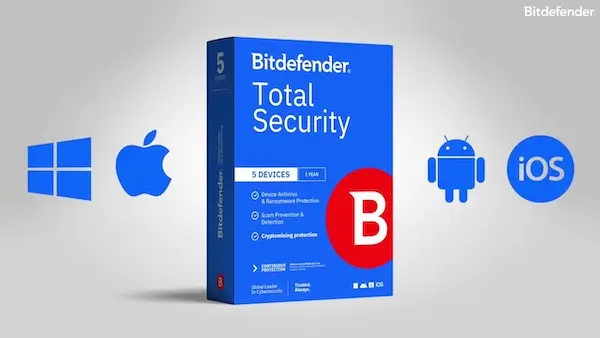
Bitdefender Total Security is an all-in-one security suite built for people who want strong everyday protection across multiple devices. It combines real-time malware defense with privacy tools and practical extras (like anti-phishing, anti-theft, and performance utilities) in one subscription.
Best for: households with multiple devices, students, and anyone who wants protection that “just works” without slowing things down.
Not ideal for: users who want an unlimited VPN included by default (the included VPN is typically limited unless you upgrade).
What you get (in plain terms)
- Strong protection: blocks viruses, spyware, ransomware, and other common threats in real time.
- Safer browsing: helps stop phishing pages, online scams, and dangerous links before they load.
- Extra privacy tools: includes VPN access (usually with a traffic limit) and tracking protections.
- Device coverage: works across Windows, macOS, Android, and iOS (features vary by platform).
- Useful add-ons: things like anti-theft tools, parental controls, and system tune-up features (availability depends on device/OS).
If you want a single subscription to protect a mix of computers and phones, and you care about both security and ease of use, Bitdefender Total Security is a strong pick. Most people choose it because it’s comprehensive without feeling complicated.
Bitdefender Total Security Key Features
Bitdefender Total Security combines advanced malware protection with privacy tools and device optimization features. Below is a clear breakdown of what you actually get with the suite.
Real-Time Threat Protection
Blocks viruses, spyware, trojans, worms, and zero-day threats using behavior-based detection. Protection runs continuously in the background without constant popups.
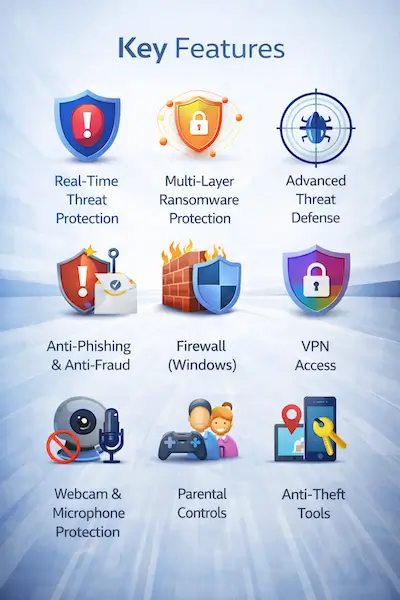
Multi-Layer Ransomware Protection
Prevents ransomware from encrypting your files and includes file remediation tools that can restore affected data if an attack occurs.
Advanced Threat Defense
Monitors app behavior in real time to detect suspicious activity, even from previously unknown threats.
Anti-Phishing & Anti-Fraud
Stops fake banking sites, scam pages, and malicious links before they load. Helps protect passwords and financial information while browsing.
Firewall (Windows)
Adds an extra layer of network protection by monitoring incoming and outgoing traffic and blocking suspicious connections.
VPN Access
Includes a built-in VPN for basic online privacy (usually with a daily data limit). Unlimited data requires a separate upgrade.
Webcam & Microphone Protection
Prevents unauthorized apps from accessing your camera or microphone without permission.
Parental Controls
Helps parents monitor children’s online activity, manage screen time, and block inappropriate content.
Anti-Theft Tools
Locate, lock, or wipe lost or stolen devices remotely (available on supported platforms).
System Optimization Tools
Includes cleanup utilities that remove junk files and help improve overall device performance.
Multi-Device Coverage
Protects Windows, macOS, Android, and iOS devices under one subscription. Features vary slightly depending on the platform.
In short, Bitdefender Total Security is designed to be a complete protection package. It goes beyond basic antivirus by adding privacy controls, device tools, and cross-platform coverage, making it suitable for individuals and families managing multiple devices.
Malware Protection & Security Performance
At its core, Bitdefender Total Security is built to stop malware before it can damage your device. It combines traditional signature scanning with behavior-based detection, machine learning, and cloud analysis to catch both known and emerging threats.
Real-Time Protection
Real-time protection runs continuously in the background, scanning files, apps, downloads, and web activity as they happen. If a suspicious file is detected, it’s automatically blocked or quarantined before it can execute.
This layer protects against:
- Viruses and worms
- Trojans and backdoors
- Spyware and keyloggers
- Rootkits
- Zero-day threats
The goal is simple: threats are stopped instantly, without you having to do anything.
Multi-Layer Ransomware Protection
Ransomware is one of the most serious threats today. Bitdefender uses a multi-layer defense system that monitors file changes and app behavior to detect encryption attempts in real time.
If suspicious activity is detected, the process is blocked immediately. In some cases, Bitdefender can also help restore affected files through its remediation feature. This adds an extra safety net beyond simple detection.
Advanced Threat Defense
Instead of relying only on virus definitions, Bitdefender analyzes how programs behave. If an app starts acting like malware, even if it’s never been seen before, the system flags and stops it.
This behavioral detection is especially important for:
- New or unknown malware variants
- Fileless attacks
- Exploits targeting software vulnerabilities
Web Protection & Anti-Phishing
Many attacks begin in the browser. Bitdefender blocks access to malicious websites, phishing pages, and fraudulent online stores before they can load.
It scans links in real time and checks them against constantly updated threat databases. This is particularly useful for protecting:
- Online banking sessions
- Shopping transactions
- Email links and attachments
Independent Test Results
In independent lab tests, Bitdefender consistently scores near the top for malware detection and overall protection. Organizations like AV-Test and AV-Comparatives regularly award Bitdefender high marks for:
- Protection: Detecting and blocking real-world threats
- Performance: Minimal system slowdown
- Usability: Low false-positive rates
These third-party results support what most users experience day to day: strong protection without constant interruptions.
System Impact & Performance
Security software shouldn’t make your device feel sluggish. Bitdefender is designed to run efficiently in the background, using cloud processing to reduce system strain.
During everyday use, you’re unlikely to notice performance drops. Even full system scans are optimized to run with minimal disruption.
Features like Autopilot and Gaming Mode further reduce notifications and background activity when you’re working, streaming, or playing games.
Overall, Bitdefender Total Security delivers strong, multi-layer protection while keeping system impact low. For most users, it strikes a solid balance between security depth and everyday usability.
Privacy & Identity Protection
Beyond malware defense, Bitdefender Total Security includes a set of tools designed to protect your personal data, browsing activity, and online accounts. These features focus on keeping your information private and reducing the risk of identity-related threats.
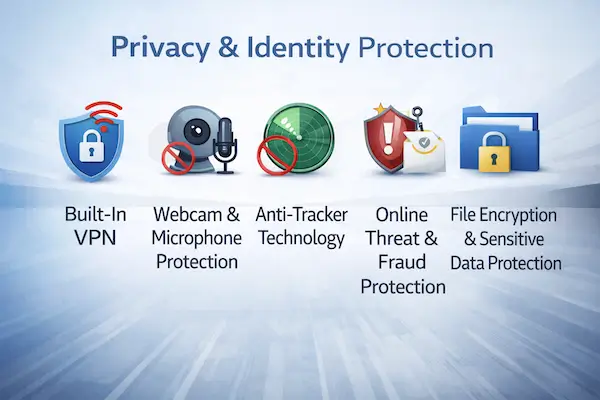
Built-In VPN (Limited Data)
The suite includes access to Bitdefender VPN, which encrypts your internet traffic to help protect your data on public Wi-Fi and unsecured networks.
The included version typically comes with a daily data limit. If you need unlimited browsing or the ability to choose specific server locations, you’ll need to upgrade to the premium VPN plan.
For occasional use, such as checking email at a café or securing a quick banking session, the included VPN is a useful bonus.
Webcam & Microphone Protection
Unauthorized access to webcams and microphones is a real privacy concern. Bitdefender monitors apps that attempt to access these devices and alerts you when something suspicious happens.
You can block access entirely or grant permission to trusted applications only. This gives you more control over which programs can see or hear you.
Anti-Tracker Technology
Bitdefender includes anti-tracking tools that reduce the number of trackers following you online. This helps limit targeted ads and decreases the amount of browsing data collected by third parties.
The result is a cleaner browsing experience and better control over your digital footprint.
Online Threat & Fraud Protection
Identity theft often starts with phishing or fake websites. Bitdefender’s web protection tools block fraudulent pages that attempt to steal:
- Login credentials
- Banking information
- Credit card details
- Personal identification data
By stopping these threats before you enter sensitive information, Bitdefender reduces the risk of account compromise and identity fraud.
File Encryption & Sensitive Data Protection
On supported platforms, Bitdefender provides additional tools to help safeguard sensitive files. Combined with ransomware protection, this adds another layer of defense for documents, financial records, and personal data stored on your device.
Overall, the privacy features in Bitdefender Total Security are practical rather than flashy. While the VPN is limited without an upgrade, the combination of encrypted browsing, device-level privacy controls, and anti-phishing protection makes it a solid choice for users who want more than just basic antivirus protection.
Performance & System Impact
Security software should protect your device without slowing it down. Bitdefender Total Security is designed to run quietly in the background, using cloud-based processing and smart resource management to keep system impact low.
Lightweight Real-Time Protection
Bitdefender’s real-time scanning engine continuously monitors files and applications, but it’s optimized to avoid unnecessary strain on your CPU and memory.
In everyday use, such as browsing, streaming, or working on documents, most users won’t notice any performance drop. The software automatically adjusts its activity based on what you’re doing.
Optimized System Scans
Full system scans are thorough but efficient. Bitdefender prioritizes critical areas first and remembers previously scanned safe files, which helps reduce scan times in the future.
This means follow-up scans are typically faster and less resource-intensive than the initial scan.
Autopilot Mode
The built-in Autopilot feature manages security decisions automatically. It minimizes alerts and popups, allowing the software to handle threats without constant user input.
This is especially helpful for users who prefer a “set it and forget it” approach to antivirus protection.
Gaming, Work & Movie Modes
Bitdefender includes profiles that temporarily adjust system settings when you’re gaming, working, or watching movies.
- Gaming Mode: Reduces background activity and notifications to prevent interruptions.
- Work Mode: Limits popups during productivity tasks.
- Movie Mode: Suppresses alerts while streaming or watching videos.
These modes help maintain performance and prevent unnecessary distractions.
System Optimization Tools
In addition to protection, Bitdefender includes basic optimization tools that remove junk files and clean temporary data. While not as advanced as dedicated cleanup software, these tools can help free up storage space and improve overall responsiveness.
Overall, Bitdefender Total Security strikes a strong balance between protection and performance. It delivers high-level security while keeping system slowdowns to a minimum, making it suitable for both everyday users and performance-focused tasks like gaming.
Supported Devices & Platforms
Bitdefender Total Security is designed for households that use more than one type of device. A single subscription can cover Windows, macOS, Android, and iOS, making it a practical option for families or users with multiple devices.
Keep in mind that features vary slightly depending on the operating system.
Windows
Windows users get the most complete feature set. This includes:
- Real-time malware protection
- Multi-layer ransomware defense
- Advanced Threat Defense
- Firewall protection
- Webcam and microphone protection
- System optimization tools
- Anti-theft features
If you primarily use a Windows PC, this is where Bitdefender Total Security delivers its full capabilities.
macOS
Mac users receive strong malware and ransomware protection tailored to macOS. While the feature set is slightly more streamlined compared to Windows, core protections remain robust.
- Real-time malware scanning
- Ransomware protection
- Web protection and anti-phishing
- VPN access
This makes it a solid option for Mac users who want dedicated security beyond built-in system protections.
Android
On Android devices, Bitdefender provides comprehensive mobile security with features that go beyond simple antivirus scanning.
- App scanning and malware detection
- Web protection for mobile browsing
- Anti-theft tools (locate, lock, wipe)
- App lock for sensitive applications
- VPN access
This is especially useful if you store sensitive information or use mobile banking on your phone.
iOS
Due to Apple’s system restrictions, iOS security apps work differently. Bitdefender focuses on privacy and web-based protections rather than traditional antivirus scanning.
- Web protection against phishing
- VPN access
- Account privacy monitoring features
While iPhones and iPads don’t allow full system scans, the included tools still add an extra layer of online protection.
Overall, Bitdefender Total Security offers true cross-platform coverage under one subscription. If you manage a mix of desktops, laptops, tablets, and smartphones, this flexibility is one of its strongest advantages.
Ease of Use
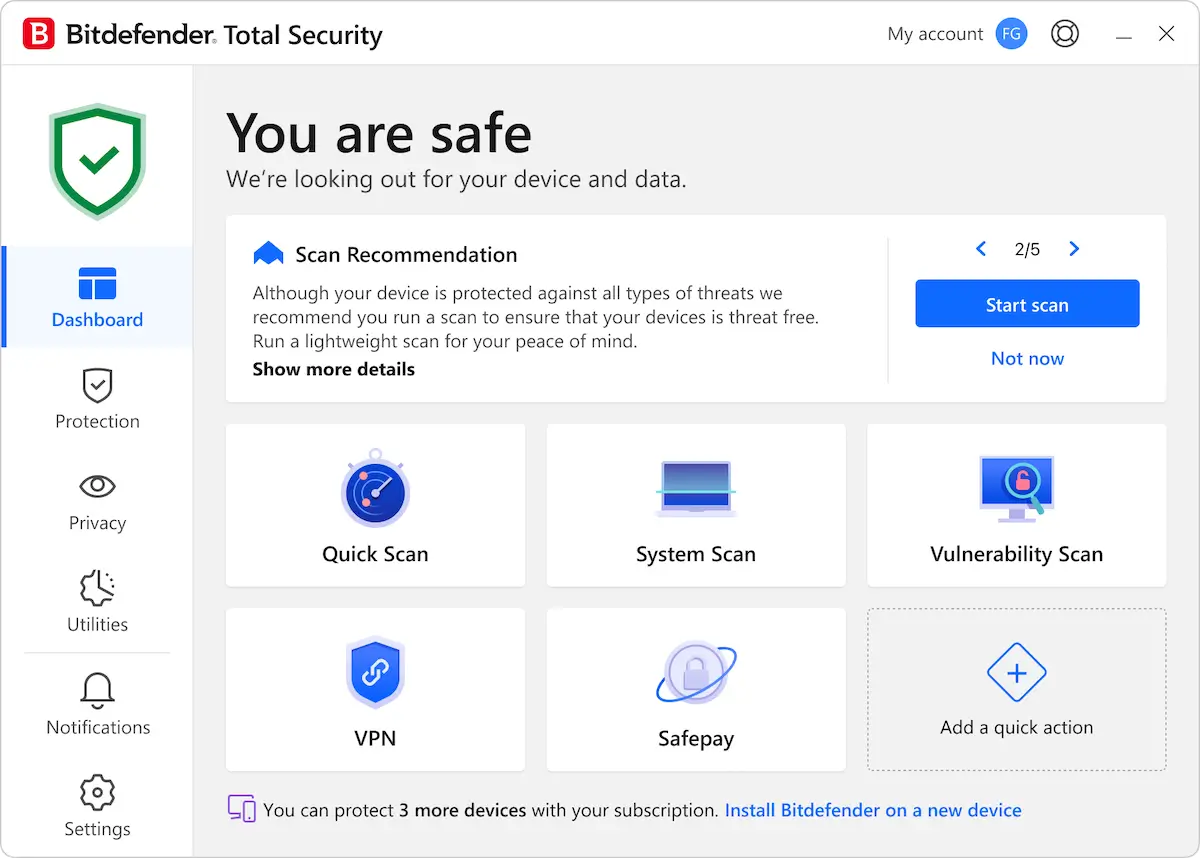
Bitdefender Total Security is built for both beginners and advanced users. The interface is clean, modern, and organized in a way that makes core features easy to find without digging through complex menus.
Simple Installation Process
Getting started is straightforward. After purchasing a plan, you download the installer, sign in to your Bitdefender account, and follow the on-screen steps.
The setup process is largely automated, and most users can have protection up and running within minutes.
Clean, Modern Dashboard
The main dashboard gives you a clear overview of your security status. Important actions like running a scan, enabling the VPN, or checking notifications are accessible directly from the home screen.
Features are grouped logically, so even first-time users can navigate the interface without confusion.
Autopilot for Hands-Off Protection
The built-in Autopilot mode automatically makes security decisions on your behalf. It handles threat detection, recommended actions, and system adjustments without constantly prompting you.
This is ideal for users who prefer minimal interaction and fewer popups.
Customizable Settings for Advanced Users
For those who want more control, Bitdefender allows detailed customization. You can adjust scan settings, manage firewall rules (on Windows), configure notifications, and set up custom profiles for different activities.
This balance between simplicity and flexibility makes it suitable for both casual users and more experienced ones.
Clear Alerts & Notifications
When Bitdefender detects a threat or needs your attention, alerts are clear and easy to understand. Messages explain what happened and what action was taken, without overwhelming technical jargon.
Overall, Bitdefender Total Security delivers a user-friendly experience. It stays out of your way when everything is fine and provides clear guidance when action is needed.
Plans & Pricing
Bitdefender Total Security is sold as an annual subscription that covers multiple devices under one plan. Pricing varies depending on the number of devices you want to protect and the length of your subscription, and discounts are often available for the first year or when you buy multi-year plans.
Individual Plans
The standard Total Security plan typically includes protection for up to 5 devices under a single account. This covers Windows, macOS, Android, and iOS devices in one subscription.
Bitdefender often runs promotional pricing for new customers, which can significantly reduce the first-year cost before renewal. Exact prices can vary by region and retailer. At this time, the offer through our website is $54.99 for the first year.
Family & Multi-Device Options
If you need to protect more than five devices, Bitdefender offers family or multi-device bundles that extend coverage to up to 25 devices across multiple users. These plans are designed for households with many computers, phones, and tablets. The current offer through our website is $79.99 for the first year.
Free Trial & Renewal
Bitdefender typically offers a free trial period (such as a 30-day full trial) so you can test the software before committing to a purchase.
Subscriptions usually renew automatically at the regular price unless you cancel before the end of your term. Renewal rates can be higher than the initial promotional price, so it’s worth checking renewal costs before buying. Start your Bitdefender Total Security free trial now.
Comparing Plans
Bitdefender also offers other tiers like Premium Security, which includes additional perks such as unlimited VPN traffic and advanced identity protection, and may be more expensive than Total Security.
In summary, Bitdefender Total Security is structured around flexible plans that scale with your device count and subscription length. The key differences between options are the number of devices covered and whether premium add-ons (like unlimited VPN) are included.
Pros and Cons
No antivirus suite is perfect. Below is a balanced look at where Bitdefender Total Security stands out and where it may fall short for some users.
Pros
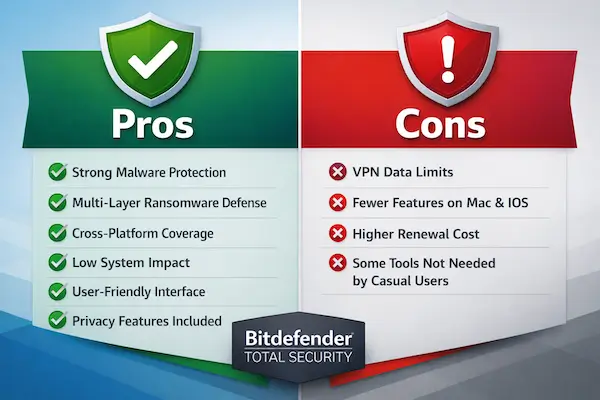
- Excellent malware detection: Consistently strong protection against viruses, ransomware, spyware, and zero-day threats.
- Multi-layer ransomware defense: Includes behavioral monitoring and file remediation features.
- Cross-platform coverage: Protects Windows, macOS, Android, and iOS under one subscription.
- Low system impact: Runs efficiently in the background with minimal slowdowns during everyday use.
- User-friendly interface: Clean dashboard with Autopilot mode for hands-off protection.
- Extra privacy tools: Webcam protection, anti-tracking, firewall (Windows), and built-in VPN access.
- Flexible device plans: Options available for individuals and larger households.
Cons
- VPN data limits: The included VPN version typically has a daily cap unless upgraded.
- Feature differences by platform: Windows users get the most complete feature set.
- Renewal pricing: Introductory discounts are common, but renewal rates may be higher.
- Some advanced tools may be unnecessary for casual users: Power users may appreciate them, but others might not use every feature.
Overall, the strengths clearly outweigh the limitations for most users. If you want strong protection with useful extras and broad device coverage, Bitdefender Total Security delivers solid value, especially at introductory pricing.
Bitdefender Total Security vs Competitors
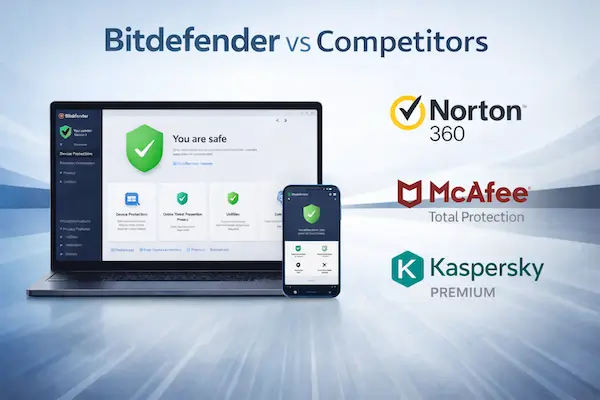
Bitdefender Total Security competes directly with other premium security suites that bundle antivirus, privacy tools, and multi-device coverage. Here’s how it compares to some of the biggest names in the market.
Bitdefender vs Norton 360
Norton 360 is one of Bitdefender’s strongest competitors. Both offer excellent malware protection, VPN access, and multi-device support.
- Malware Protection: Both score very high in independent lab tests.
- VPN: Norton often includes unlimited VPN in more plans, while Bitdefender’s VPN is typically limited unless upgraded.
- System Impact: Bitdefender is generally considered slightly lighter on system resources.
- Interface: Both are user-friendly, but Bitdefender’s Autopilot feature appeals to hands-off users.
If unlimited VPN is a priority, Norton may have an edge. If performance and lightweight protection matter more, Bitdefender often stands out.
Bitdefender vs McAfee Total Protection
McAfee Total Protection focuses heavily on identity features and broad device coverage.
- Device Coverage: McAfee frequently offers unlimited device plans, which can be attractive for large households.
- Performance: Bitdefender tends to have lower system impact during scans.
- Protection Quality: Both provide strong real-time protection, but Bitdefender consistently ranks near the top in detection tests.
- Extra Features: McAfee emphasizes identity monitoring, while Bitdefender focuses more on threat prevention and ransomware defense.
If you want unlimited devices, McAfee may be appealing. If you prioritize advanced threat detection and performance, Bitdefender is often the better fit.
Bitdefender vs Kaspersky
Kaspersky is known for high detection rates and strong security tools.
- Malware Detection: Both brands consistently achieve excellent results in independent testing.
- Features: Feature sets are similar, including firewall, web protection, and parental controls.
- Interface: Bitdefender’s layout is often viewed as slightly more modern and streamlined.
- Regional Availability: Kaspersky’s availability and trust perception may vary by region.
In terms of raw protection, both are strong choices. The decision often comes down to pricing, availability, and personal preference.
Overall Comparison
Compared to its main competitors, Bitdefender Total Security delivers one of the best balances of protection, performance, and usability. It may not always include unlimited VPN or unlimited device coverage in the base plan, but its strong malware detection and low system impact make it a top-tier option for most users.
Bitdefender Total Security Comparison Table
To help you quickly see how Bitdefender Total Security stacks up against other popular security suites, here’s a side-by-side comparison of key features.
| Feature | Bitdefender Total Security | Norton 360 | McAfee Total Protection | Kaspersky Premium |
|---|---|---|---|---|
| Malware Protection | Excellent (Top-tier lab results) | Excellent | Very Good to Excellent | Excellent |
| Ransomware Protection | Multi-layer + remediation | Strong protection | Strong protection | Strong protection |
| Firewall | Yes (Windows) | Yes | Yes | Yes |
| VPN Included | Yes (Limited data) | Yes (Unlimited on select plans) | Yes (Often unlimited) | Yes (Limited or unlimited by plan) |
| Multi-Device Support | Windows, macOS, Android, iOS | Windows, macOS, Android, iOS | Windows, macOS, Android, iOS | Windows, macOS, Android, iOS |
| System Impact | Low | Low to Moderate | Moderate | Low |
| Parental Controls | Yes | Yes | Yes | Yes |
| Anti-Theft (Mobile) | Yes (Android) | Limited | Limited | Yes |
| Best For | Balanced protection & performance | VPN + identity features | Large households (device coverage) | Advanced security users |
This table highlights a key takeaway: Bitdefender Total Security offers one of the best balances of strong protection, performance, and cross-platform coverage. While some competitors may include unlimited VPN or unlimited devices in certain plans, Bitdefender consistently excels in threat detection and overall system efficiency.
Who Should Buy Bitdefender Total Security?
Bitdefender Total Security is designed for users who want more than basic antivirus protection. It combines strong malware defense, privacy tools, and cross-platform coverage in one subscription. Here’s who will benefit most from it.
Households with Multiple Devices
If your home includes a mix of Windows PCs, Macs, Android phones, and iPhones, this plan makes sense. One subscription can cover multiple devices across different platforms, which simplifies management and billing.
Instead of buying separate security tools for each device, everything is managed under one account.
Users Who Want Strong, Set-It-and-Forget-It Protection
Not everyone wants to manage firewall rules or tweak advanced settings. With Autopilot mode, Bitdefender handles most decisions automatically.
If you prefer security that runs quietly in the background with minimal popups, this is a good fit.
People Concerned About Ransomware & Online Scams
Bitdefender’s multi-layer ransomware protection and anti-phishing tools are especially useful for users who:
- Store important documents or financial records on their devices
- Bank or shop online regularly
- Want extra protection against fake websites and email scams
The added behavioral detection helps protect against newer, unknown threats.
Gamers & Performance-Focused Users
If performance matters to you, Bitdefender is known for having a low system impact. Gaming and work profiles reduce interruptions and background activity when system resources are needed most.
This makes it suitable for users who don’t want antivirus software slowing down their PC during demanding tasks.
Families Who Want Basic Parental Controls
With included parental control tools, parents can monitor online activity, manage screen time, and block inappropriate content on supported devices.
While not as advanced as standalone parental control platforms, it’s a useful built-in feature for families.
Who Might Consider Alternatives?
If your main priority is an unlimited VPN included in the base plan, or unlimited device coverage at the lowest possible cost, you may want to compare other premium suites.
But for most users who want balanced, high-level protection across multiple devices, Bitdefender Total Security is a strong all-around choice.
Frequently Asked Questions
Is Bitdefender Total Security worth it?
For most users, yes. Bitdefender Total Security offers strong malware protection, ransomware defense, privacy tools, and multi-device support in one package. If you want comprehensive protection without buying separate tools, it delivers solid value, especially at introductory pricing.
What’s the difference between Bitdefender Total Security and Internet Security?
Bitdefender Internet Security is typically limited to Windows devices, while Total Security adds protection for macOS, Android, and iOS.
If you only use a Windows PC, Internet Security may be enough. If you have multiple device types, Total Security is the better choice.
Does Bitdefender Total Security include unlimited VPN?
No. The included VPN version usually comes with a daily data limit. To get unlimited traffic and more server options, you’ll need to upgrade to the premium VPN plan.
Will Bitdefender slow down my computer?
Bitdefender is designed to have a low system impact. In everyday use, most users don’t notice performance issues. Features like Gaming Mode and Autopilot also help reduce interruptions and background resource usage.
How many devices can I protect?
The number of devices depends on the plan you purchase. Standard plans often cover up to five devices, while higher-tier or family plans can protect more. Always check the specific subscription details before buying.
Does Bitdefender work on Mac and mobile devices?
Yes. Total Security supports Windows, macOS, Android, and iOS. Keep in mind that features vary by platform, with Windows receiving the most complete feature set.
Is there a free trial?
Bitdefender typically offers a free trial period so you can test the software before committing to a paid subscription. Trial availability and duration may vary by region.
The Bottom Line: Is Bitdefender Total Security Worth It?
Bitdefender Total Security stands out as one of the most well-rounded security suites available today. It combines excellent malware detection, strong ransomware protection, useful privacy tools, and multi-device support in a single subscription.
Its biggest strengths are clear: top-tier protection, low system impact, and a clean, user-friendly interface. It works quietly in the background, doesn’t overwhelm you with alerts, and performs consistently well in independent testing.
There are a few trade-offs. The included VPN comes with a data limit unless you upgrade, and renewal pricing may be higher than the introductory offer. Still, for most users, these limitations are minor compared to the overall level of protection provided.
If you’re looking for a security solution that:
- Protects multiple devices under one plan
- Offers strong defense against ransomware and online threats
- Runs smoothly without slowing down your system
- Requires minimal day-to-day management
Then Bitdefender Total Security is a smart, reliable choice.
For individuals and families who want comprehensive protection without unnecessary complexity, it delivers excellent overall value, especially when purchased at promotional pricing.