Best Antivirus Software
What is The Best Antivirus Software?
How to select best antivirus software?
Trying to figure out the best antivirus software on the market is sometimes a difficult chore. There are several very good, well respected antivirus software titles available, but which one is truly the best? It’s simple: The best antivirus software has the broadest spectrum of prevention and recovery tools, plus the latest advances in technology. This is in order to help protect computers and mobile devices from malware and intrusive attacks. Identity theft protection feature may play a role, too.
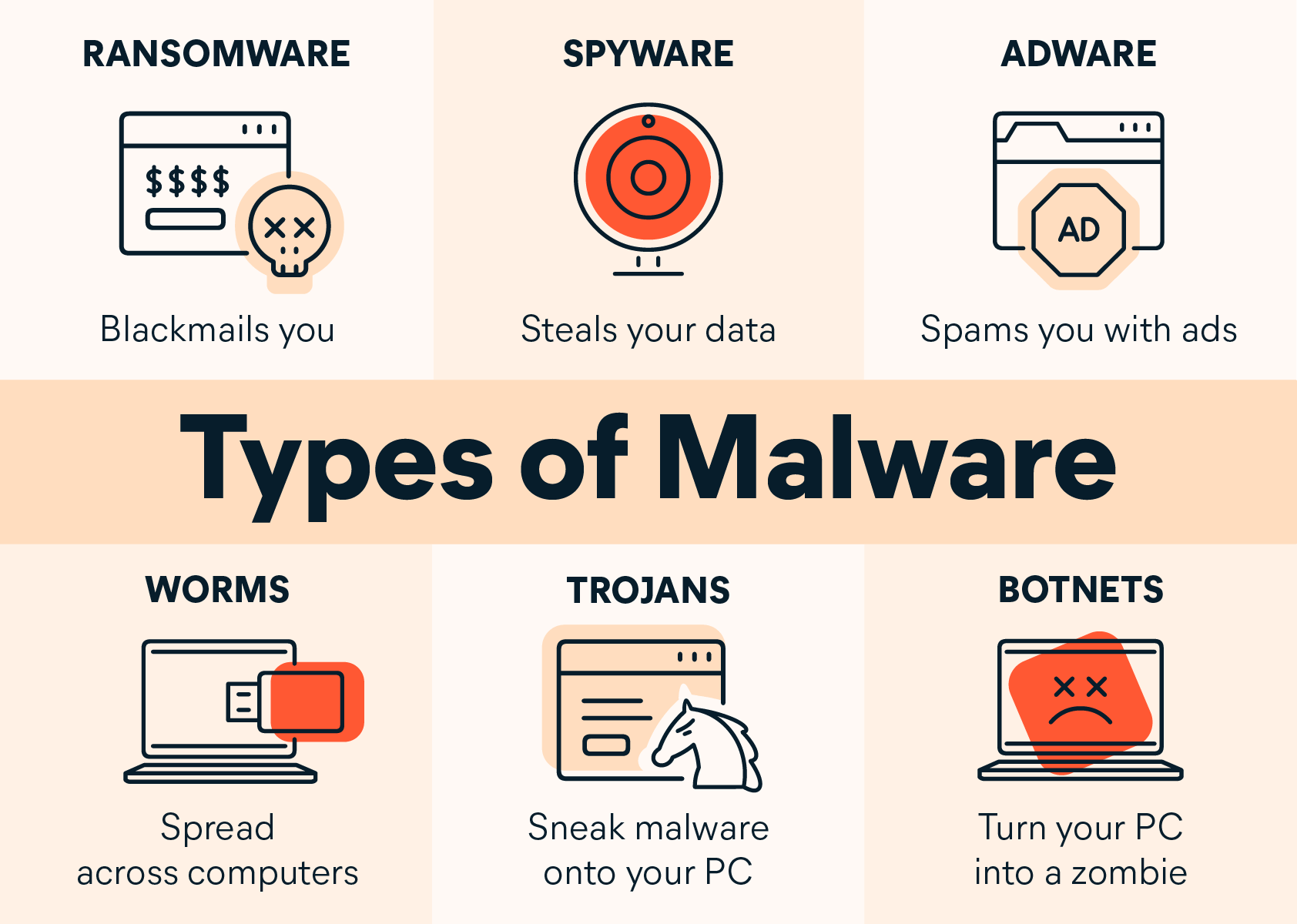
The best antivirus software has protection against not just viruses, but multiple forms of malware. Therefore, such antivirus should provide protection against:
- Viruses – A computer virus is a form of malware that looks to attack and damage as many computers as possible. Viruses are self-replicating programs that come as an executable data.
- Ransomware – Ransomware is the malicious software version that works by locking or denying access to your device or files until you pay a ransom to the hacker. Therefore, ransomware can be of locker or crypto type. Locker for locking the device, or crypto for encrypting files. An example of ransomware is WannaCry.
- Spyware – Spyware is a broad category of malware. As the name implies, spyware is used to infiltrate a computer in order to collect data or steal information. It can come in the form of adware, which forces unwanted advertising on the user, or keylogging programs that can record the private information a person types, such as logins and passwords.
- Adware – Adware is unwanted software created to show advertisements on your screen. It usually comes as a part of a web browser, or in a form of a browser plugin. Adware targets both computer and mobile users.
- Worms – Worms are programs that are passed through networks, usually bogging down traffic. Worms can also carry payloads, such as viruses, that can damage computers.
- Bots or Botnets – Bots and zombies are terms used for computers that have been commandeered by cybercriminals in order to remotely perpetrate crimes, usually on a massive scale. Although they aren’t a form of malware per se, they are created by the same intrusions as all other forms of malware.
- Rootkits – Rootkits are malware that is buried deep inside the inner-workings of a computer’s operating system software that can either mask other forms of malware or allow a cybercriminal to gain remote access to a computer.
Avast Antivirus and Security Solutions
Avast comes with different protection options, reflected in three main antivirus and security products: Avast Free Antivirus, Avast Premium Security, and Avast One. Some of these security services have further sub-levels which are differentiating in the number of protected devices. We'll now take a look into how Avast protects its customers from the best antivirus perspective.
Avast Malware Protection
Basic Avast antivirus software utilizes advanced virus and malware protection, and home Wi-Fi network security. It provides 6 layers of antivirus security:
- Smart Scan
- CyberCapture
- Behavior Shield
- File Shield
- Rescue Disk
- Quarantine
The above security layers are accompanied with privacy and security features like Wi-Fi network security, safe browsing and emailing, ransomware protection, and data leaks alerts.
Avast One Goes Beyond "Just Antivirus"
Avast One safeguards your data, privacy, and personal information. It does a lot more than the sole antivirus, and that is:
- Block viruses and malware
- Keep intruders out
- Browse, shop, and bank securely
- Improve your privacy on popular sites and apps
- Secure your Wi-Fi connections with limited VPN
- Identify compromised passwords
- Speed up your device
Avast One protects your Windows, Mac, iOS, and Android devices with a wide range of security and privacy features. With Avast One, you can:
- Remove Trojans and other malware, and protect against future infections.
- Hide your IP address and unblock websites with a VPN.
- Safeguard your network with a firewall.
- Clean up and speed up your devices for better performance.
- Protect your personal data against leaks and breaches.
Norton Antivirus and Security Solutions
Norton offers two main antivirus and security services: Norton AntiVirus and Norton 360. Below is some reflection on the types of protection provided by Norton.
Norton Malware protection
Norton’s foundation program, Norton AntiVirus, features protection against all of the threats mentioned above: computer viruses, spyware, adware, ransomware, trojans, botnets, and worms. This applies to Norton 360 which provides even higher level of protection.
Norton Pre-emptive Protection
While some antivirus programs only protect against known threats, there are others that also programs that deeply examine any incoming data for red flags. Norton 360 has the Norton Protection Service, with the following overlapping features:
- Behavioral Protection – Most antivirus software scans the physical attributes of a file in order to determine if it’s a threat. However, Norton 360 also features SONAR (which stands for Symantec Online Network for Advanced Response), which tracks a file to see if it behaves suspiciously.
- Norton Privacy Monitor – When browsing online, you are vulnerable to certain services known as ‘Data Brokers’ tracking your activity. They store and make money by trading your personal data. LifeLock helps you remove your profiles from some of these Data Broker websites, thus helping protect your online privacy.
Norton Multiple Function Scans
People use their computers for many different types of communication. It’s important that antivirus software protects against intrusions through multiple sources, including e-mails, instant messages, and via the Internet. To do this, Norton 360 has these features:
- Instant message and e-mail monitoring – This scans all incoming messages for suspicious attachments and questionable links. It is a great instant messaging security measurement.
- Norton Download Insight – Whether downloading a program from the Web or trying to open one from an e-mail, Norton Download Insight will warn a user if a file is dangerous.
- Vulnerability protection – Especially beneficial with today’s broadband Internet connections, vulnerability protection will help prevent intrusive attacks through weaknesses in operating system software.
Norton High-performance Protection
With many people turning to their computers for a vast majority of their home entertainment (such as playing online games or downloading music and movies), it’s important to have antivirus software that can protect against intrusions while running these programs. It’s also important to not let the antivirus software interrupt the enjoyment of these activities. Norton 360 has the following features:
- Norton Insight – Giving Norton 360 the fastest scan speeds in the industry, Norton Insight only scans files that raise red flags instead of every file in a computer.
- Silent mode – When a computer is in use for online gaming or watching videos, non critical updates and alerts will be delayed.
- Smart scheduler – This feature allows deep scans and updates only when the computer is not in use.
- Proactive performance alerts – Alerts users when applications are affecting performance so changes can be made.
- Norton System Insight – This feature helps subscribers learn how applications and functions affect their computers performance.
Norton Customer Service
Norton 360 also provides a wide range of benefits for their subscribers, including:
- Norton Ongoing Protection – This automatically checks for and downloads important software updates and patches.
- Free 24-hour support – NortonLifeLock offers 24-7 free customer support for its subscribers.
- Norton Bootable Recovery Tool – If malware does get through the defenses, Norton Bootable Recovery Tool can bring back almost any computer, even ones that have completely crashed.
Some antivirus software programs have many of the features listed above. Norton 360 has all of them, making it one of the best antivirus software products available.
Norton is available to be tried for free. Check the latest Norton Free Trial offers. A credit card is required, but not charged.