Norton Subscription Renewal Guide
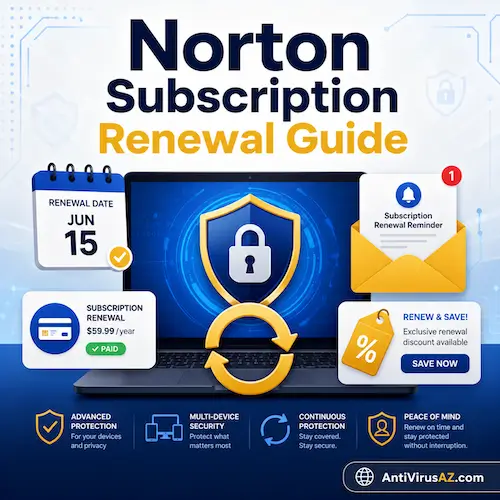
A Norton subscription is designed to keep protection active for the length of the purchased term and then continue through renewal if the user chooses to keep the service. For most people, renewal is not just about extending the product name on the account. It is also about maintaining access to security updates, device coverage, cloud-based features, and other subscription benefits that are tied to the Norton account. Because of that, understanding how renewal works can help users make better decisions before the subscription reaches its expiration date.
This page provides a practical guide to Norton subscription renewal, including how renewal works, what options users usually have, and what to think about when comparing convenience, account control, and renewal pricing. It also looks at situations where users may want to review payment settings, turn off automatic renewal, or compare their renewal cost with current Norton offers before deciding how to continue protection.
Overview of Norton Subscription Renewal
Norton subscriptions are generally sold for a defined term, and when that term ends, users need to renew if they want to continue receiving active protection and subscription-based services. In practice, renewal can happen in two main ways: automatic renewal, where the subscription continues unless the user turns it off before billing, and manual renewal, where the user decides when and how to renew. Norton explains that automatically renewing subscriptions are intended to provide uninterrupted protection, and it also notes that users can turn off automatic renewal before the next billing date through their Norton account.
Renewal is also closely connected to account and billing management. Norton’s official pricing pages explain that introductory prices and renewal prices are not always the same, and that renewal prices may change over time, with a notification email sent before billing. Norton also states that users who begin the cancellation process for automatic renewal may be shown various options or offers before they finish. That makes it useful to review your subscription status, renewal settings, and any available offers before the renewal date arrives.
How Norton Subscription Renewal Works
Norton subscription renewal is the process that keeps your protection active after the current subscription term ends. When a subscription renews successfully, the account continues to provide access to active protection, product updates, and the subscription-based features included with that plan. In practical terms, renewal helps prevent a gap in coverage and allows the user to keep using supported Norton services without interruption.
For most users, renewal is managed through the Norton account and is connected to the billing and subscription settings stored there. That is why it is helpful to understand not only when the subscription expires, but also how renewal is set up and whether the current renewal method still matches your preferences.
What happens when a Norton subscription renews
When a Norton subscription renews, the protection period is extended for another term according to the subscription settings and billing arrangement connected to the account. This allows the user to continue receiving active security coverage and related subscription benefits without having to start a new installation or create a new account.
Automatic renewal vs manual renewal
Norton subscriptions are generally renewed in one of two ways. With automatic renewal, the subscription continues unless the user turns that setting off before the renewal date. With manual renewal, the user decides whether to renew and when to complete the next purchase or extension. Each option has advantages depending on whether convenience or control matters more to the user.
Why renewal settings matter
Renewal settings matter because they affect billing, subscription timing, and whether protection continues without interruption. They also influence how much flexibility a user has when comparing renewal pricing, changing products, reviewing payment information, or deciding whether to continue with the same plan.
Automatic Renewal
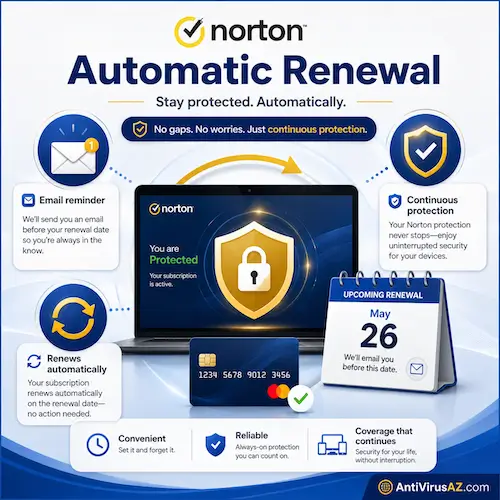
Automatic renewal is designed for users who want Norton protection to continue without needing to remember the expiration date or manually complete a renewal purchase. For many people, this is the most convenient option because it reduces the chance of a lapse in protection and keeps the subscription active as long as billing succeeds.
How Norton auto renewal works
When automatic renewal is turned on, Norton attempts to renew the subscription before the current term ends using the billing method connected to the account or original purchase flow. As long as the renewal is successful, protection continues without the user needing to complete a separate renewal step.
Norton sends an email notification before the renewal is processed, which gives users an opportunity to review the upcoming charge, check their renewal settings, and decide whether they want to continue with the current subscription arrangement.
Why some users prefer auto renewal
Some users prefer automatic renewal because it is simple and helps avoid gaps in protection. This can be especially useful for households with multiple covered devices or for users who want their subscription, updates, and included services to continue without interruption.
When auto renewal may not be the best fit
Automatic renewal may not be the best choice for users who want more control over pricing, payment timing, or plan selection. Some people prefer to turn it off so they can compare available offers, review billing details more carefully, or decide later whether they want to renew the same product or switch to another Norton subscription.
Automatic renewal may also not be the best choice for users who are not comfortable keeping payment information stored in their Norton account. In those cases, some people prefer to turn off automatic renewal and make a manual renewal decision later, after reviewing pricing, billing preferences, and available subscription options.
For more information about changing this setting, you can also visit our FAQ on how to cancel Norton auto renewal.
Manual Renewal
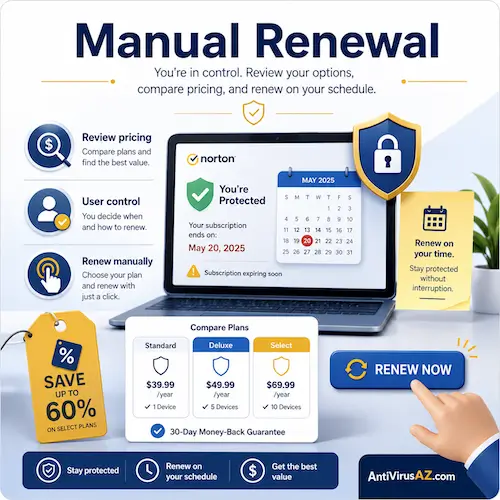
Manual renewal gives users more direct control over how and when they extend their Norton protection. Instead of allowing the subscription to renew automatically, the user reviews the situation near the end of the term and then decides whether to renew, switch plans, or stop using the subscription.
How manual renewal works
With manual renewal, the user renews the subscription separately rather than relying on automatic billing. This may involve renewing through the Norton account, purchasing a new subscription, or comparing the current renewal terms with other available Norton offers before deciding how to continue protection.
Why some users prefer manual renewal
Many users prefer manual renewal because it gives them more flexibility. It allows them to review pricing, check whether a different Norton product would be a better fit, confirm billing preferences, and decide whether they want to continue with the current plan at all.
Risk of waiting too long
The main downside of manual renewal is that protection may lapse if the subscription expires before the renewal is completed. That is why users who choose manual renewal should review their subscription status ahead of time and decide early how they want to proceed.
How to Check Your Norton Subscription Status
Before making any renewal decision, it helps to confirm the current status of the subscription. This allows users to see whether the subscription is still active, how much time remains, and which product is tied to the account. Knowing that information can make it easier to decide whether to continue with the same plan, change the renewal setting, or compare other options.
Checking status in your Norton account
The most direct way to review subscription status is through the Norton account. This is where users can typically see their active subscription details, expiration timing, and other account-related information connected to the current plan.
Checking status even if Norton is not installed
Users do not always need the Norton product installed on the device to check their subscription information. In many cases, signing in to the Norton account is enough to review the subscription status and related details. For more help with that situation, you can also read our FAQ about checking Norton subscription status without Norton installed.
Managing Payment and Billing for Renewal
Payment and billing details are an important part of Norton renewal because they affect whether automatic renewal can be completed successfully and whether account information stays current. Even when a user plans to renew manually, it is still a good idea to review billing details before the subscription term ends.
How payment information affects renewal
If automatic renewal is turned on, the payment method connected to the subscription can determine whether the renewal succeeds or fails. Expired cards, outdated billing details, or changes in payment settings may create problems if they are not reviewed in time.
Updating or removing payment details
Users who want more control over renewal billing may wish to review, update, or remove saved payment information in their Norton account. This can be useful when preparing for a manual renewal decision or when changing how future payments will be handled. For more on that process, you can also visit our FAQ about deleting payment information in a Norton account.
Why billing details should be reviewed before renewal
Reviewing billing details before renewal helps reduce the chance of failed charges, account confusion, or unwanted billing surprises. It also gives users a better opportunity to compare pricing and decide whether they want to keep the same renewal method or make changes first.
Can You Save Money on Norton Renewal?
Yes, in some cases users may be able to reduce the cost of continuing Norton protection, but the exact outcome depends on the renewal terms, the offers available at the time, and how the subscription is managed. Norton’s official pricing pages make it clear that introductory pricing and renewal pricing are not always the same, which is why it can be useful to review the renewal details before the next billing date.
Why renewal pricing may differ from the original price
The price paid for the first term of a Norton subscription is often an introductory price. Later renewals may be billed at a different renewal price, which means users should not automatically assume the renewal cost will match the original purchase price.
Possible offers before expiration
In some cases, users who turn off automatic renewal may see additional offers before the subscription expires. These may include a lower renewal price or an extension of protection time, but they should be viewed as possible offers rather than guaranteed results. This can make it worthwhile to review renewal options before the term ends, especially when the goal is to keep protection at a better price.
Comparing renewal with current Norton offers
It can also make sense to compare the renewal price with any current Norton promotions that are available at the time. Sometimes the renewal offer may already be competitive, while in other cases a different purchase path may appear more attractive. Users who want to review current deals can also visit our Norton deals page.
Choosing between renewing and starting a new subscription
Some users also compare the cost of renewing their existing subscription with the cost of starting a new subscription under a separate purchase flow. That approach may sometimes offer savings, but it can also affect how subscriptions, devices, and account records are organized. In other words, the decision is not only about price, but also about convenience and account continuity.
Changing, Cancelling, or Refunding a Norton Subscription
Not every renewal decision ends with a simple extension of the same subscription. Some users decide to turn off automatic renewal, switch to a different Norton product, or request a refund depending on their situation. That is why it helps to think of renewal as part of a broader subscription-management process rather than just a billing event.
How to stop automatic renewal
Users who do not want the subscription to renew automatically can review the renewal settings in their Norton account and turn automatic renewal off before the next billing date. For more details, you can also read our FAQ on how to cancel Norton auto renewal.
When users may want to change plans instead of renewing the same one
In some situations, renewing the same subscription may not be the best option. A user may want broader protection, a different device allowance, added privacy tools, or a plan that better matches current needs. In those cases, reviewing other Norton products before renewal may be more useful than simply extending the existing subscription.
How refund requests fit into renewal decisions
Refund questions can also come up when users are reviewing their subscription choices. Whether the issue is a recent charge, an unwanted renewal, or another billing concern, refund rules and timing matter. For more guidance, you can also visit our FAQ about getting a refund for Norton software.
Common Questions About Norton Subscription Renewal
The questions below cover some of the most common things users want to know when reviewing Norton renewal options. They are meant to give a clear overview of the practical issues that often come up before a subscription reaches its renewal date.
How do I know when my Norton subscription expires?
The easiest way to check is through your Norton account, where the active subscription details and timing are usually displayed. This helps users confirm how much time is left before they need to make a renewal decision.
Can I turn off auto renewal and still keep protection until the end of the term?
Yes. Turning off automatic renewal does not usually cancel the remaining time on an active subscription. It simply means the plan will not renew automatically at the next billing point.
For more details about this process, you can also read our FAQ on how to cancel Norton auto renewal.
Can I renew Norton manually later?
Yes, many users choose to renew manually closer to the expiration date. The important thing is not to wait so long that protection lapses before the renewal is completed.
Why is my renewal managed somewhere other than Norton?
Some subscriptions are managed through the original seller, app store, or another platform where the subscription was first purchased. In those cases, the renewal settings may not be controlled directly through the Norton account itself.
Can I remove my payment method from the Norton account?
In many cases, users can review and manage saved payment information through their Norton account. For more help with that task, you can also visit our FAQ about deleting payment information in a Norton account.
Learn More About Norton Subscriptions and Products
If you want to explore Norton products and subscription-related topics in more detail, you can also visit our Norton Account Guide, read our Norton 360 Questions and Answers, check our Norton 360 page (U.S.), or browse our main Norton section for more product information and region related resources.
« Back to the Norton Resource Center