Norton Account
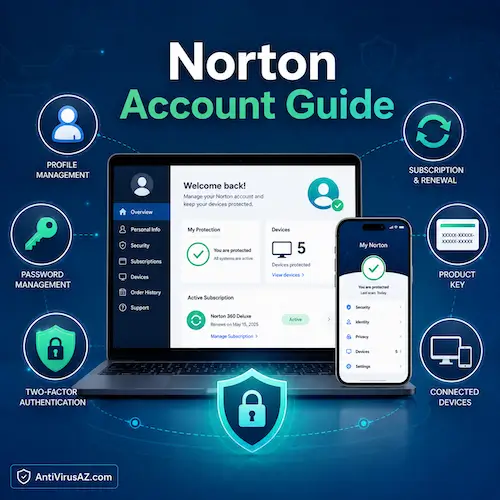
A Norton account is the main place where users manage their Norton subscriptions, downloads, devices, and account settings. In many cases, anyone who has purchased, activated, or installed a Norton product already has an account connected to their subscription. That account plays an important role not only in accessing Norton protection, but also in handling tasks such as renewing a subscription, viewing covered devices, finding product details, and keeping account information up to date.
This page provides a practical guide to the Norton account and the most common things users need it for. It explains how the account works, how it helps with subscription and device management, and why account security matters as much as product security. It also includes a dedicated How-To section for video-based help with tasks such as resetting a password, enabling two-factor authentication, freeing up a license, updating personal details, and managing subscription settings.
Overview of the Norton Account
The Norton account is best understood as the central hub for managing your Norton products and services. From one place, users can sign in to view active subscriptions, check product benefits and device coverage, download protection software, install protection on another device, and access account-related settings. It is also where users may enter a retail product key, manage subscriptions purchased through Norton, and review the devices already linked to their plan.
Today, Norton also supports more flexible sign-in and account management options than older versions of its account system. Users can create an account with an email address or use options such as Apple ID, Google, or Microsoft account sign-in where supported and linked. Account security features such as two-factor authentication add another layer of protection, which is especially important because the Norton account may hold subscription details, personal information, product keys, and device-management controls.
What You Can Do in a Norton Account
A Norton account is more than just a login. It is the central place where users can manage subscriptions, view product details, install protection on supported devices, and keep account information current. For many people, it becomes the main hub for handling day-to-day Norton tasks after the initial purchase or installation.
Because Norton products are often used across more than one device, account management is also closely tied to device protection. From the account area, users can review their subscription, see which devices are covered, download Norton to another device, and manage settings related to their plan.
Manage your subscription
One of the main uses of a Norton account is subscription management. Users can sign in to check whether their subscription is active, review plan details, and manage settings connected to renewals and product coverage.
View product keys and downloads
The account also helps users keep track of their Norton products. This includes access to downloads for covered devices and, where applicable, the product-key information connected to a subscription or retail purchase.
Update personal and billing information
Users can also use the Norton account to keep important account details current. This may include personal information, billing details, payment-related settings, and other subscription-related account information.
Manage covered devices and licenses
For multi-device plans, the account can be used to review which devices are already protected and to free up a license when protection needs to be moved to a new device. This makes the account especially useful for households and users who upgrade devices over time.
Access account security settings
Security settings are another important part of the Norton account. Users can manage password-related options and enable stronger account protection features such as two-factor authentication to help reduce the risk of unauthorized access.
Creating and Signing In to a Norton Account
Most Norton users already have an account if they have purchased, activated, or installed a Norton product before. For new users, creating an account is usually one of the first steps in setting up a subscription and connecting it to a device. Either way, signing in correctly is important because the account is what links the user to their products, licenses, and downloads.
Who already has a Norton account
Anyone who has already bought a Norton subscription, redeemed a product key, or installed Norton through an account-linked purchase may already have a Norton account. In many cases, the account was created during the original purchase or activation process.
How to create a new Norton account
New users can create a Norton account when setting up a subscription or redeeming a product key. Depending on the sign-in flow, this may be done with an email address or through supported sign-in options that are linked to the Norton account.
How to sign in securely
Signing in securely means using the correct account, a strong password, and, where available, enabling extra account protection such as two-factor authentication. This matters because the Norton account may contain subscription access, personal details, and device-management controls.
What to do if you cannot access your account
If you cannot access your account, Norton provides recovery options that may include password reset steps, alternative sign-in methods, or help with authentication issues. In many cases, account access problems can be solved by recovering the password or using another linked sign-in method.
Managing Your Norton Subscription and Devices
Subscription and device management are some of the most useful parts of the Norton account. Once a plan is active, the account becomes the place where users can check coverage, install protection on additional devices, and remove an old device if they need to reuse a license elsewhere.
How to check your subscription status
Users can sign in to the Norton account to confirm that their subscription is active and review the details connected to their current plan. This is often the quickest way to verify coverage, expiration timing, and the products included with the subscription.
How to free up a license for a new device
If all covered device slots are already in use, the Norton account can usually be used to remove protection from an older or unused device. Once that license is freed up, it can be used to install Norton on a new supported device instead.
How to install protection on another device
The Norton account also makes it easier to extend protection to another computer, phone, or tablet that is covered by the plan. In many cases, users can download directly to the current device or send a download link to another supported device through email or text message.
How account management helps with multi-device use
This kind of account-based device management is especially useful for multi-device households. Instead of treating each device as a separate setup, the Norton account allows users to manage protection under one subscription and keep track of all covered devices in one place.
Keeping Your Norton Account Secure
Account security is just as important as device security. Because a Norton account may control access to subscriptions, product downloads, device licenses, billing details, and personal information, protecting the account itself should be a priority.
Resetting your Norton account password
If a password is forgotten or needs to be changed for security reasons, Norton provides password reset options through the account sign-in and recovery process. Keeping a strong and current password is one of the simplest ways to protect the account.
Setting up Two-Factor Authentication
Two-factor authentication adds another layer of security to the Norton account by requiring more than just a password at sign-in. This makes unauthorized account access harder and is especially useful for users who want stronger protection for subscription and account settings.
Backup methods and recovery options
When two-factor authentication is enabled, backup methods and recovery options become important. These can help users regain access if they lose access to their usual sign-in method or have trouble completing authentication normally.
Common two-factor authentication issues
Users may occasionally run into issues with verification codes, authenticator apps, or sign-in prompts. In those cases, Norton provides troubleshooting guidance to help restore access and solve common two-factor authentication problems.
Updating Account, Billing, and Personal Information
Keeping account details current helps prevent subscription problems and makes it easier to manage billing, renewals, and account recovery. Users should review their information from time to time, especially if their email address, payment details, or contact information changes.
How to update your personal information
The Norton account can be used to review and update personal information connected to the subscription. This helps make sure account communications and important notices reach the right person.
How to change payment or billing details
Billing information can also be managed through the account area. Keeping payment details accurate can help prevent interruptions to subscription renewal and make account management more straightforward.
How to control automatic renewal
Users who want more control over future billing can review automatic renewal settings from their Norton account. This is where they can check whether a subscription is set to renew automatically and make changes if needed.
Why account details should be kept current
Updated account details help support smoother renewals, easier recovery, and fewer problems when managing subscriptions or devices. They also make it easier to verify account ownership if sign-in issues happen later.
Norton Account and Norton with LifeLock Memberships
For users with Norton with LifeLock plans, the account may also be tied to membership-related features that go beyond standard product management. This can make the account even more important, since it may connect both security coverage and identity-related subscription functions.
How Norton account management works with Norton with LifeLock
Users with a Norton with LifeLock subscription may manage important parts of their membership through the same account environment used for Norton product access. This keeps subscription-related tasks more centralized, even when the plan includes additional identity-related services.
Adding an additional member to a LifeLock subscription
Some Norton with LifeLock subscriptions support adding another covered member. When that applies, account management becomes part of the process for extending membership-related benefits within the subscription.
Why some subscription tasks differ by product type
Not every Norton plan works in exactly the same way. Standard device-security subscriptions and Norton with LifeLock memberships can involve different account tasks, which is why some account-management options vary depending on the product tied to the subscription.
How-To Videos for Common Norton Account Tasks
To make common account tasks easier to follow, this page can also include video guides covering the actions users perform most often in a Norton account. These videos are especially useful for people who prefer visual step-by-step help instead of written instructions alone.
How to reset your Norton account password
This video shows the password reset process and helps users recover access when they cannot sign in normally.
How to add Two Factor Authentication to secure your Norton account
The Norton’s video bellow shows how users can add two-factor authentication to strengthen account security.
How to free up a license in your account to install it on a new device
The video here explains how to remove an old or unused device and reuse that license on another supported device.
Update your personal information in your Norton account
Need to find and update personal details connected to their account? Check the video below.
How to stop your Norton subscription from automatically renewing
This Norton’s video explains how users can review and adjust automatic renewal settings.
How to add an additional member to your Norton with LifeLock subscription
The video here shows how membership-related management works for supported Norton with LifeLock plans.
How to find the product key for your Norton protection
The video bellow helps users locate their Norton product key when they need it for setup, activation, or support.
Common Questions About Norton Accounts
The questions below cover some of the most common things users want to know about Norton accounts and account management. They are meant to give a simple overview of the tasks that matter most.
Do I already have a Norton account?
If you have purchased, activated, or installed a Norton product before, there is a good chance you already have an account connected to that subscription. In many cases, the account was created during the original purchase or setup process.
Can I manage multiple Norton products from one account?
Yes, many users manage more than one Norton product or covered device through the same account. This is one reason the account is so important for subscription and device management.
Where do I find my product key?
Your product key may be tied to a retail purchase, product card, or subscription setup process. Once the product has been added to your Norton account, the account becomes one of the main places to manage that product information.
What should I do if I forgot my password?
If you forgot your password, use Norton’s account recovery and password reset options to regain access. If another sign-in method is linked to the account, that may also help in some cases.
How do I protect my account with two-factor authentication?
You can protect the account more strongly by enabling two-factor authentication in Norton’s account security settings. This adds another sign-in step beyond the password and helps reduce the risk of unauthorized access.
Learn More About Norton Products and Services
If you want to explore Norton products and account-related topics in more detail, you can also visit our Norton 360 Installation Guide, read our Norton Multi-Device Security Software page, review our Norton 360 Questions and Answers, or explore our Norton 360 with LifeLock Overview and main Norton section for more resources.
« Back to the Norton Resource Center