Norton Free Trial Guide
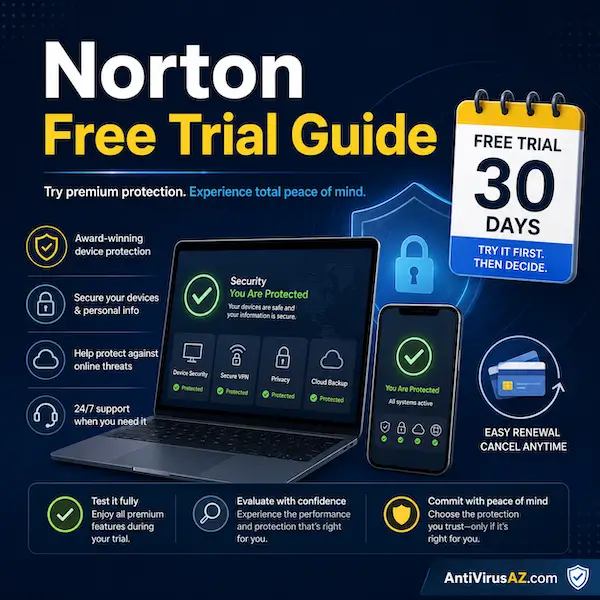
A Norton free trial can be a useful way to explore Norton products before committing to a paid subscription. It gives users a chance to test the software on their devices, review the included features, and decide whether the product fits their needs. At the same time, it is important to understand how trial length, payment requirements, cancellation, and refunds work before starting the offer.
This page explains how Norton free trials generally work, what benefits they can offer, and what users should keep in mind when managing a trial period. Because Norton trial offers can vary by country, product, and promotional channel, the goal here is to provide a practical overview rather than treat every trial as identical. It is also helpful for readers who want to understand how to avoid unwanted charges, what to do if the trial converts into a paid subscription, and how Norton’s refund policy can still provide peace of mind in many cases.
Overview of Norton Free Trials
Norton free trials usually provide access to a real Norton product for a limited period of time, rather than a permanently free version. In many cases, this allows users to test installation, product features, device compatibility, and overall ease of use before deciding whether they want to continue with a paid subscription. Trial length can vary by market and offer. In the U.S., current public trial offers are commonly 7 days for select Norton 360 plans and mobile apps, while in markets such as the UK, Canada, and Australia, public offers are often 30 days. In some promotional channels, longer trial periods such as 60 or 90 days may also appear from time to time.
Although the trial itself begins without an immediate subscription charge, Norton free trials generally require a payment method at sign-up. Unless the trial is cancelled before the trial period ends, the subscription converts into a paid term and the stored payment method is charged. This is why it is important to understand the opt-out process from the beginning and to keep track of the trial end date. Even so, the trial can still be worthwhile because it lets users experience the product first-hand, and for annual subscriptions, Norton’s refund policy can provide an additional level of flexibility if a charge happens and the user decides not to continue.
Another important point is that a Norton free trial is not a limited demo. It provides full access to the actual product and its included features for the length of the trial, which means users can evaluate the software under normal conditions before deciding whether to continue with a paid subscription.
How Norton Free Trials Work
Norton free trials are designed to give users temporary access to a real Norton product so they can explore the software before deciding whether to continue with a paid subscription. A free trial is not the same as a permanently free version. Instead, it gives users a limited period to install the product, test compatibility, and review the included features on their devices.
What a Norton free trial usually includes
In most cases, a Norton free trial includes access to the actual product for the length of the trial period. This can give users a practical opportunity to see how the software installs, how it runs on their devices, and whether the plan offers the features they are looking for before a full paid term begins.
How long Norton free trials can last
Norton free trial length can vary depending on the country, product, and promotional channel. Public offers are often in the 7-day to 30-day range, while some special promotions may occasionally run longer. Because these offers can change, users should always review the trial terms shown at the time of sign-up.
Why offers vary by country and product
Norton does not always offer the same trial in every market. Trial length, available products, and sign-up terms can differ by region, device type, and current promotion. That is why users may see different free trial offers in the United States than they do in the UK, Canada, or Australia.
Current Norton Free Trial Examples by Market
Although free trial offers can change over time, current public examples show that Norton trials are not always the same from one market to another. This is useful for users to understand because a trial length seen in one country may not match what is available elsewhere.
United States
In the U.S., Norton’s current public downloads page highlights 7-day free trials for select Norton 360 plans, along with trial access for the Android and iOS Norton 360 apps. This makes the U.S. offer shorter than some other public trial offers in other markets.
United Kingdom
In the UK, Norton’s current public downloads page presents 30-day free trials for select Norton plans. As with other markets, the offer also states that a payment method is required and that the paid subscription begins unless cancelled before the trial ends.
Canada and Australia
Canada and Australia also commonly present 30-day trial-style offers on public Norton pages, although the exact wording and products shown may vary. This is one reason users should review the local offer details carefully before signing up.
Why Norton Requires a Payment Method for a Free Trial
One of the most important things to understand about a Norton free trial is that it usually requires a payment method when you sign up. This can surprise some users who expect a trial to begin without any billing information, but Norton’s public trial pages make it clear that payment information is generally part of the sign-up process.
Why billing details are required at sign-up
Norton uses the payment method on file so the trial can continue into a paid subscription if the user decides not to cancel before the trial ends. In that sense, the trial is designed as a limited introductory period that can turn into a regular subscription unless the user opts out first.
What happens when the trial ends
When the trial period ends, the subscription generally converts into a paid term and the stored payment method is charged, unless the user has cancelled in time. This is why it is important to understand the renewal terms from the beginning and not assume that the trial will simply end without any follow-up action.
Why users should note the trial end date
Keeping track of the trial end date is one of the simplest ways to avoid confusion. It gives users time to decide whether they want to continue with the subscription, compare other options, or cancel before the first paid term begins.
Benefits of Using a Norton Free Trial
A Norton free trial can still be valuable even when users are careful about payment and cancellation. It gives people the chance to test the product with less upfront risk and to decide based on real experience rather than product descriptions alone.
Try the product before paying long term
One of the biggest benefits of a free trial is that it lets users experience the software before committing to a longer paid term. This can make the final buying decision feel more informed and less rushed.
Test compatibility on your devices
A free trial also gives users the opportunity to see how the product works on their own devices. That can be especially useful for people with multiple devices or users who want to confirm that the software runs smoothly on their system before paying for the full subscription.
Explore included features before the paid term begins
Depending on the product and offer, a trial may let users explore features such as security protection, VPN access, password management, or mobile app protections. This makes the trial useful not only for installation testing, but also for understanding the value of the product itself.
Decide whether the plan fits your needs
Some users start a free trial and realize that the plan is exactly what they want. Others decide they need a different Norton product or do not need the subscription at all. A trial period gives users room to make that decision before the longer paid term takes over.
How to Manage a Norton Free Trial
Managing a Norton free trial well means paying attention from the beginning, not just at the end. A few simple habits can make the trial easier to handle and help users avoid billing surprises later on.
Track the trial period from the start
It is a good idea to note the trial start date and estimated end date as soon as the trial begins. This can make it easier to review the product in time and decide whether to keep it before the subscription converts to a paid term.
Check your Norton account and confirmation email
After starting a trial, users should keep the sign-up confirmation email and review their Norton account details. These usually contain important information about the trial, including product details, billing timing, and account access.
Understand the renewal terms before the charge date
Users should also review how the trial converts into a paid subscription and when the first charge is expected. Understanding those terms early makes it much easier to decide whether to continue or opt out later.
Use the trial on eligible devices where appropriate
If the trial covers more than one device or includes mobile support, the trial period can also be used to test the product in the way it would actually be used long term. This helps users make a better decision about whether the subscription fits their needs.
Opt-Out Before the Trial Ends
If you do not want the free trial to convert into a paid subscription, the important step is to opt out before the trial ends. In practice, this means cancelling the subscription in time so the stored payment method is not charged when the trial period expires.
What opt-out means
Opting out simply means cancelling the trial before it becomes a paid subscription. This allows the user to try the product during the trial period without continuing into the next billing stage.
How to handle the opt-out process
Users should keep the confirmation email they receive when they sign up for the trial and review the details stored in their Norton account. Those two places usually contain the information needed to understand the trial timeline and manage the subscription correctly before the charge date arrives.
Why users should not wait until the last minute
It is usually safer to cancel a little early rather than waiting until the final hours of the trial. That reduces the chance of forgetting the deadline or running into account-access issues when there is little time left.
What If You Forget to Cancel?
Forgetting to cancel does not necessarily mean all is lost. If the trial converts into a paid subscription, users still have options, and Norton’s refund policy can make the situation easier to manage than many people expect.
The subscription may convert to a paid term
If the trial is not cancelled in time, the subscription usually changes into a paid term and the saved payment method is charged. This is the standard way Norton free trials are structured, which is why reviewing the trial terms early matters so much.
Norton’s refund window for annual subscriptions
For annual subscriptions, Norton’s refund policy states that users can request a full refund within 60 days of being charged. This also applies to annual paid subscriptions that begin after a free trial, which makes the trial less risky than many users assume.
Why contacting support matters quickly
If the charge happens and the user decides they do not want to continue, the best approach is to contact Norton support as soon as possible and request help within the refund window. Acting quickly makes the process easier and helps avoid confusion about eligibility.
Free Trial vs Paid Subscription
A free trial and a paid Norton subscription are closely connected, but they are not the same thing. The trial is a limited introductory period, while the paid subscription is the longer-term service that continues after the trial if the user keeps it active.
What changes after the trial ends
After the trial ends, the product continues under the paid subscription term if it has not been cancelled. At that point, the user moves from a temporary evaluation period into the regular subscription cycle connected to the account.
Why Norton does not offer a permanent free version of Norton 360
Norton free trials are intended as temporary access, not as a permanent no-cost version of the product. Users who want ongoing access to Norton 360 need a paid subscription once the trial period ends.
When a trial makes sense and when a paid subscription may be the better path
A trial makes the most sense for users who want to test the product before committing. On the other hand, users who already know which Norton product they want and are ready to keep it long term may prefer to go directly to a paid subscription instead of managing a trial deadline.
It is also worth noting that when a free trial converts into an annual paid subscription, the paid term is still for the full 12 months. In practical terms, that means a 30-day free trial followed by an annual subscription can result in access to the fully featured product for roughly 13 months in total before the next annual renewal point.
Common Questions About Norton Free Trials
The questions below cover some of the most common things users want to understand before starting a Norton free trial or deciding whether to keep it.
How long is a Norton free trial?
It depends on the country, product, and current offer. Public trial offers are often 7 to 30 days, although some promotional channels may occasionally offer longer trial periods.
Does Norton require a payment method for a free trial?
Yes, in most cases a payment method is required when signing up for a Norton free trial. Unless the subscription is cancelled before the trial ends, that payment method is generally charged when the paid term begins.
Can I cancel before the trial ends?
Yes. Users can opt out before the trial converts into a paid subscription by cancelling in time through the appropriate subscription-management path.
What happens if I forget to cancel?
If the trial is not cancelled in time, it usually becomes a paid subscription and the payment method on file is charged. For annual subscriptions, users may still be eligible for a refund if they act within Norton’s refund window.
Can I get a refund after the trial converts to a paid subscription?
For annual subscriptions, Norton states that users can request a full refund within 60 days of being charged, including annual paid subscriptions that begin after a free trial.
Are Norton trial offers the same in every country?
No. Trial offers can vary by region, product, device type, and promotional channel, which is why users may see different trial lengths and terms in different countries.
Learn More About Norton Products and Offers
If you want to explore Norton products and related subscription topics in more detail, you can also visit our Norton Subscription Renewal Guide, read our Norton 360 Questions and Answers, check our Norton deals page, or browse our main Norton section for more guides and product information.
« Back to the Norton Resource Center