NordVPN Service
NordVPN — More Than Just a VPN
NordVPN = Secure encryption, Split tunneling, Kill Switch, SmartDNS, Double VPN, Private DNS.
NordVPN is featureful VPN software with military-grade encryption and a stringent no-logs policy. This high-speed and reliable VPN has over 5,500 servers in over 60 countries and is compatible with iOS, Windows, Linux, and macOS devices. Its many features have made it the go-to choice for millions worldwide.
Top-Of-The-Range Features
Millions of people use NordVPN to hide their identity and safely surf the internet. These are the reasons why:

- Military-grade multi-layer protection against annoying ads, online trackers, and malware.
- Dark web monitoring to uphold the integrity of your data against leaks.
- Split tunneling for a seamless browsing experience across different websites and apps.
- Meshnet for direct connection to other encrypted private tunnels.
- Kill switch function that protects against identity leaks and security threats when the connection drops.
- Fast and efficient downloads and connections to different websites.
- Ability to find and fix security vulnerabilities with no compromises.
Server Types and Locations
NordVPN has a Quick Connect feature that sieves through over 5,500 servers to connect you to the most suitable one. It classifies the server it uses into six main categories, including:
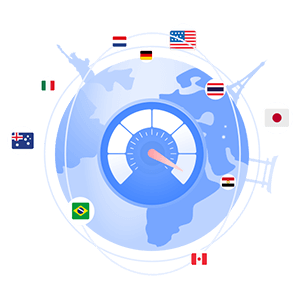
- Double VPN – It routes your connection through double-layer VPN servers, giving you an edge over insecure internet landscapes.
- Dedicated IP – This server lets you choose and buy private dedicated IPs at a higher cost to enjoy securer and faster connections.
- P2P – An option that combines speed and torrenting functions, allowing you to share files across different platforms safely.
- Onion Over VPN – A server type that supports using NordVPN with Tor Browser for robust and secure web surfing.
- Obfuscated – These are the best option for accessing extra-sensitive, paywalled, firewall-locked websites. They scramble the VPN connection's metadata, masking your traffic source. With this server, you can access websites blocked by firewalls that block access to VPN connections.
- Regular – The standard package every NordVPN user gets when subscribing to the basic service.
How Fast Is NordVPN?
Ever noticed that your download and upload speeds decrease after turning on your VPN? While VPNs disrupt average internet speeds, low-quality ones cannot leverage speed and security. NordVPN uses the next-generation, proprietary VPN protocol, NordLynx, to offer fast speeds without compromising the stability of your connection. This revolutionary technology is built around the WireGuard® VPN protocol and delivers super-fast speeds not attainable with most commercial VPNs. NordVPN is fast enough to handle live HD and 4K resolution video streams and premium-quality video conferencing.

Now we come to speeds. AV-TEST, a third party IT security institute run speed tests on popular VPN providers. The result was that NordVPN was the fastest of all of them. The average download speed results were:
- USA – 417.0 Mbps
- UK – 255.9 Mbps
- Japan – 527.1 Mbps
How to Use NordVPN on Different Platforms?
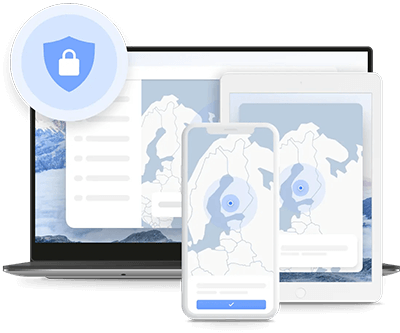
NordVPN supports multiple everyday platforms, including Android, Windows, macOS, and iPhone. Here are ways to download, install and use this VPN software on different platforms:
Windows
Download and install the NordVPN windows app available on the official NordVPN website. Once the installation is complete, sign into your account and initiate the connection by clicking on the Quick Connect function. For customized server usage, choose your preferred server from the drop-down menu. A pop-up window will open in your browser to confirm the status of your connection. In addition to English, the NordVPN Windows app supports French, German, Japanese, Simplified Chinese, Traditional Chinese, Spanish, Italian, and Korean.
MacOS
Search and download the macOS app from your Mac's app store. Create an account and sign in to initiate the connection. As you did above, click the Quick Connect function in the app's upper right corner. The page that pops up is a confirmation that you have successfully connected to the VPN server. In addition to English, the NordVPN macOS app supports French, German, Japanese, and Spanish.
Android
Over 50 million people globally use NordVPN on their android devices. You can download and set up this app in minutes. You can get it from the Google Play Store or download the APK file on the official NordVPN's website Android page. In addition to English, the NordVPN Android app supports Arabic, Chinese (Mandarin, Hong Kong, Macau, and Taiwan), French, German, Japanese, Korean, Portuguese (Portugal and Brazil), and Spanish.
iOS
NordVPN is compatible with any iPhone and iPad running iOS 13.0 or later. Using the app on iPhone gives you a choice of auto-connect or to select a server of your choice. You can pick any server from the list of over 60 countries. The NordVPN iOS app is available in English, French, German, Italian, Japanese, Korean, Spanish, Brazilian Portuguese, Traditional Chinese, and Simplified Chinese.
More Platforms NordVPN Can Run On
The four operating systems listed above are the most known and used. But NordVPN does not stop there. This VPN service is also available on Linux and Android TV. Further, it comes as an Internet browser plugin for Chrome, Firefox and Edge. And that is not all. NordVPN can also be used on Firestick, Xbox, Playstation, Oculus Quest, Raspberry Pi, Chromebook, Chromecast, Kindle Fire, and Nintendo Switch.
Browser Extensions
NordVPN has extensions supported by various browsers, including Microsoft Edge, Google Chrome, and Mozilla Firefox. Using these extensions only mask your activities within the browser. That means other browsers within your computer will still use your real IP address. Download and install the NordVPN extension on one of the compatible browsers mentioned above and sign in to begin the connection.
NordVPN Packages and Pricing Plans

NordVPN has three plans: Standard, Plus, and Complete. Each plan comes with three duration options: monthly plan, 1-year plan, and 2-year plan. The cost of the package you choose mainly depends on the subscription time. The longer the subscription duration, the less you will pay. Below is an overview of each plan's features, and the amount you can expect to pay for different packages and durations. Prices shown are in USD.
Standard Plan
- Secure High-speed VPN
- Malware Protection
- Tracker and Ad Blocker
Pricing
- Monthly plan – No discount, $12.99 each month.
- 1-year plan – 39% discount, $59.88 for the first year, comes to $4.99 per month.
- 2-year plan – 49% discount, $100.56 for the first 2 years, comes to $4.19 per month.
Plus Plan
- Secure High-Speed VPN
- Malware Protection
- Tracker and Ad Blocker
- Cross-platform Password Manager
- Data Breach Scanner
Pricing
- Monthly plan – No discount, $13.99 each month.
- 1-year plan – 43% discount, $71.88 for the first year, comes to $5.99 per month.
- 2-year plan – 50% discount, $124.56 for the first 2 years, comes to $5.19 per month.
Complete Plan
- Secure High-Speed VPN
- Malware Protection
- Tracker and Ad Blocker
- Cross-platform Password Manager
- Data Breach Scanner
- 1 TB Cloud Storage
- Next-generation File Encryption
Pricing
- Monthly plan – No discount, $15.49 each month.
- 1-year plan – 54% discount, $89.88 for the first year, comes to $7.49 per month.
- 2-year plan – 59% discount, $160.56 for the first 2 years, comes to $6.69 per month.
All NordVPN plans come with the 30-day money-back guarantee.
To get more value for your money, NordVPN recommends getting a two-year subscription. With this package, you will save serious amounts of money in the long run. Anyone in the supported countries worldwide can easily buy and pay for a subscription as the platform supports multiple payment options. These include:
- ACH Transfer
- Amazon Pay
- PayPal
- Credit or Debit Cards
- Google Pay
- Cryptocurrencies
More payment options may be available depending on the country of your residence.